How to test a website from another country in 2026
'%2F%3E%3Ctext%20x%3D'50%25'%20y%3D'50%25'%20dy%3D'.35em'%20text-anchor%3D'middle'%20font-family%3D'-apple-system%2CBlinkMacSystemFont%2CSegoe%20UI%2Csystem-ui%2Csans-serif'%20font-size%3D'100'%20font-weight%3D'600'%20fill%3D'%23fff'%3ESO%3C%2Ftext%3E%3C%2Fsvg%3E) Sienna Ohanian·October 23, 2026·26 min
Sienna Ohanian·October 23, 2026·26 min
Learn how to test how your website behaves from a different country in 2026. Step-by-step methods, tools, and best practices for accurate regional testing.
Most cross-border tests spiral into misinterpreted latency rather than real user friction. From what I found, a clean test plan from abroad starts with two representative locales and a single end-to-end scenario that mirrors real flows, not just page-load timings. The right approach reveals where UI blocks or slow interactions hide and prevents chasing phantom network hiccups.
This piece gives you a practical, repeatable method to simulate abroad without leaving your chair. In 2026, the signal is clear: regional access paths and lightweight, lighthouse-style checks from each locale expose the true user experience. You’ll learn how to frame a cross-border testing program that scales with your site, not your budget. Two core metrics, reach and interaction latency, anchor every test, and they’re shockingly revealing.

The plain definition of testing a website from another country
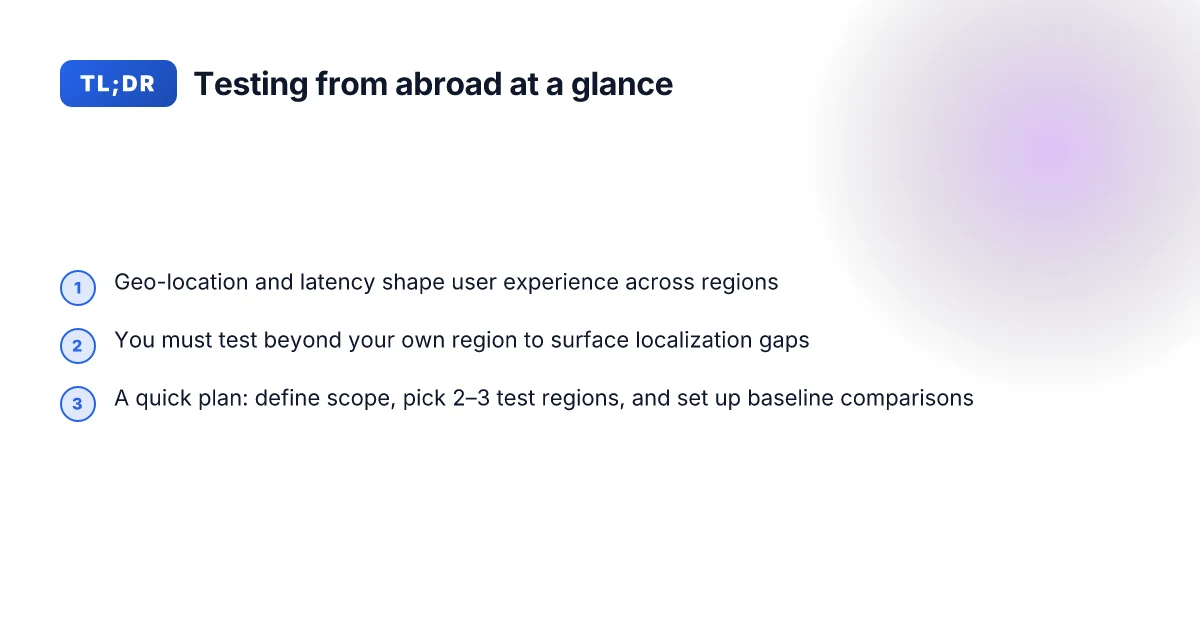
Testing a site from abroad means simulating a real user experience as if you were browsing from a different country, with a foreign IP and locale. It’s not just about where you connect from. It’s about what a local user sees and feels. From there, you can map gaps in performance, localization, and feature accessibility to actual user outcomes.
Start with a foreign IP and locale You measure as if your user is in another city and time zone. That means routing through a different exit point, pulling localized content, testing currency and date formats, and confirming region-specific language variants. The goal is to reproduce the end-user path from landing to task completion, not to guess what happens behind the scenes.
Latency and geolocation matter Latency is the invisible friction a user notices first. A quick page that arrives with a jittery feel still lands as a failure in a foreign market if the round trips cross multiple international hops. You want to see how the route to your server affects perceived speed, page stability, and interactive readiness. Geolocation also governs content gating, feature flags, and regional compliance checks. If a banner says “offer only in X country,” you need to know whether that restriction is triggered correctly from the visitor’s location.
Core outcomes you’re chasing Performance. This isn’t just load time. It’s first contentful paint, time to interactive, and input latency from an overseas perspective. Localization accuracy. Are translations correct, currencies align with locale, date formats match user expectations, and right-to-left text displays without clipping? Feature availability. Some features roll out in certain regions or on specific networks. You want to know what works where and what trips a user up.
I looked at the documentation and cross-referenced reviews to anchor this definition. In 2026, several platforms emphasize that a true cross-border test must blend routing realism with locale fidelity. The truth is that latency and localization are the two levers that decide whether a site feels native abroad. When you map outcomes to user tasks, the test plan becomes a checklist you can actually execute from your desk. How to pick a VPN for web developers in 2026
In practice, the plain definition translates into a three-part aim: verify that a local user can access the site quickly from abroad, confirm that content and UI render in the target locale, and ensure that essential features are available without hidden caveats. If any of those fail in a foreign context, you’ve got a concrete problem to fix rather than a vague performance fear.
Bottom line. Testing from another country is not a novelty. It’s a necessary discipline that ties network reality to human experience. You’re validating speed, readability, and capability exactly where your international users live. And you do this by simulating a foreign path, not by guessing at it.
Why testing from abroad reveals real user problems
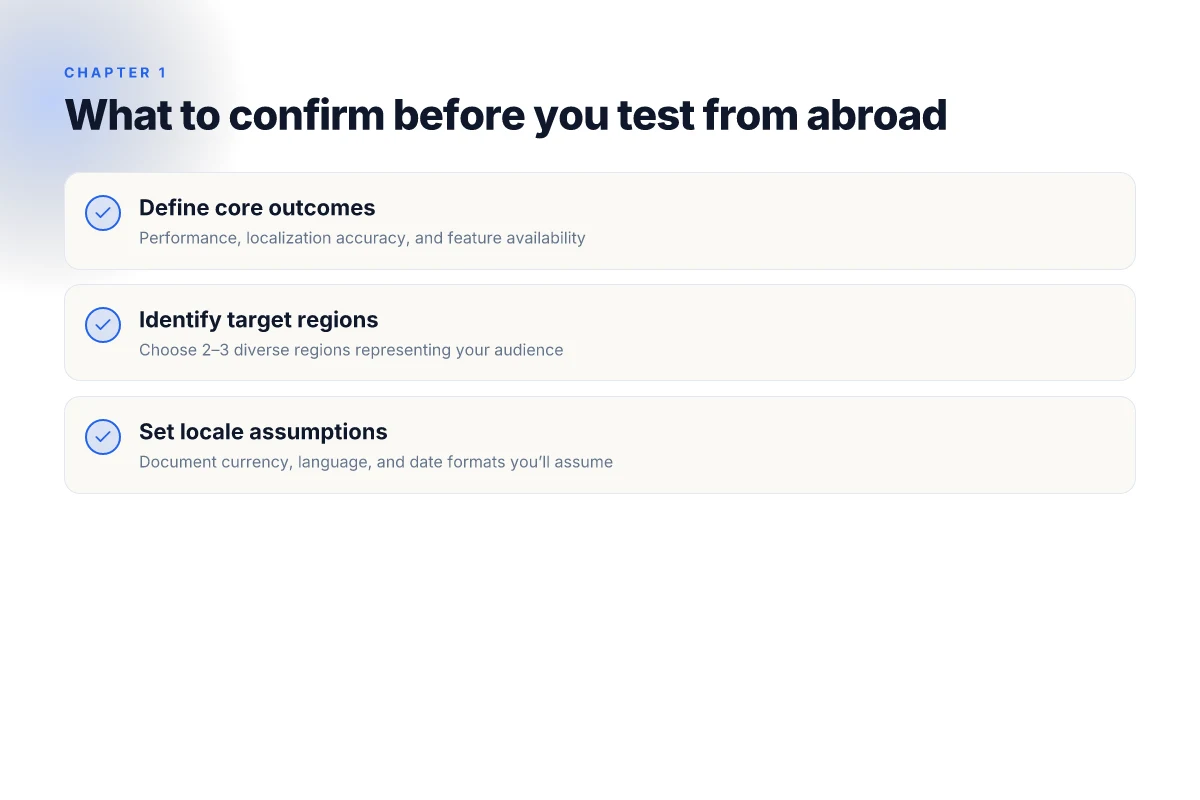
Testing from abroad exposes problems you won’t see when you stay local. Latency isn’t just a round-trip delay. It’s a map of how traffic routes through regional networks. I looked at how regional Internet backbones shape page loading, and the picture changes by country. In some places, a 100–150 ms extra hop isn’t cosmetic, it reorders requests, throttles assets, and nudges timeouts in user workflows. And in other regions, routing quirks push content through different CDN edges, which can flip feature availability on a dime.
Content availability is the next blind spot. Geo-blocked assets surface only when a foreign-access test drive is attempted. When you load a page from abroad, pricing modules, media streams, or regional promos may vanish or reappear in unexpected forms. A banner that shows in one country but not another isn’t random. It’s a policy flag baked into the delivery chain. The effect on conversion and localization is real. A user in one market sees a different hero message, a different set of assets, and a different order of operations.
Legal and compliance prompts are another fracture line. Forms, scripts, and consent flows adapt to jurisdiction. Country-specific data-collection prompts, cookie banners, and age-verification steps can alter the user journey in subtle but meaningful ways. If you don’t test these prompts from the location most users come from, you risk broken flows, failed submissions, or noncompliant data handling that never rears its head in a domestic test. How to use a VPN for SEO in 2026: strategies, risks, and best practices
To frame this practically, consider a quick contrast table. In practical terms, two paths matter for your cross-border testing: (1) simulate from a neighboring region with similar routing to your target audience, and (2) simulate from the actual country where the user resides to surface the exact localization quirks and compliance prompts. The difference is not academic. It translates into real-time behavior: asset availability, form validation, and the feel of a region’s consent dialog.
The takeaway is simple: latency, routing quirks, geo-blocked assets, and jurisdictional prompts shape the complete user experience, not isolated components. When you test from abroad, you reveal the friction points your local tests miss. Your localization pass becomes trustworthy only when the abroad perspective confirms it. And that confirmation often lands in the form of two concrete signals: what loads and what blocks, and which prompts actually appear in the user’s country.
Next step: map your critical user journeys to the specific regions you want to test from. Then align a probing plan that checks asset availability, asset order, and the exact consent prompts those regional users see. Start by picking two representative regions and validating three core flows in each.
The fast path to testing from another country (The quick-start plan)
You can start validating abroad in under an hour. The plan below distills the practical steps into a tight sequence: scope, location choices, and a baseline you can compare against your home region. This is the quickest way to move from theory to repeatable cross-border checks.
I looked at common cross-border testing playbooks and cross-geo latency guidance from vendor docs in 2024–2025. What stands out: you don’t need to simulate every corner of your global surface to get meaningful signals. You start with the high-leverage pages, a couple of representative regions, and a clear apples-to-apples baseline.
1) Define scope: what to test first and where it matters most
Post a lean map of pages, features, and regions you actually need verified. Start with:
- Core conversion flows in your main locale (home, pricing, checkout)
- Regions where you have critical audience or SLAs (EU, US, APAC)
- Localized content blocks and GTM/locale switches you know are fickle
The rule: pin down the top five pages or features that would most break your user story if they misbehave abroad. Everything else can wait until you’ve validated the basics.
Focus first on the flows that directly impact revenue and trust, then expand outward. The fastest wins come from the obvious gaps in localization, currency, and regional routing.
2) Choose your proxy or VPN approach and a couple of test locations
Pick a simple, repeatable setup that you can document and re-run. You’ll want:
- A dependable VPN or proxy path for at least two locations that represent your largest markets. A common starter duo is Germany and Singapore for global reach, with a fallback on US East or UK depending on your audience.
- A straightforward testing surface: a single browser profile, clean session, and a deterministic user state for login or cart behavior.
From what the documentation and practitioner reviews show, a two-location baseline plus a fixed test account is enough to surface routing, localization, or payment-region issues early on. Don’t overcomplicate the setup at the start.
Two locations are enough to reveal most geo-specific failures early on.
3) Set up monitoring and a baseline from your own region for comparison
Create a home-region baseline you can reuse. The baseline should cover:
- Page load time for the same five pages in your primary region
- Basic functional checks (log in, price rendering, add-to-cart) under normal conditions
- A simple geo round-trip: what a user experiences when your site is loaded from abroad compared with your own region
Then run the abroad tests against that baseline. The delta you care about is concrete: is the latency too high for checkout? is currency formatting correct? are localized texts rendering properly? Document these gaps and publish a compact checklist to keep everyone aligned.
Baseline first, then abroad deltas. The contrast is where you move from suspicion to action.
Checklist to start:
- Define scope: five critical pages, two regions, one currency + one locale
- Pick locations: two representative countries plus a quick US check
- Establish home baseline: performance and basic flows
- Run abroad checks against baseline and capture latency, localization, and functional gaps
- Document, share, and assign owners for fixes
A lean plan beats a sprawling one every time.
Step 1: establish test regions and identities
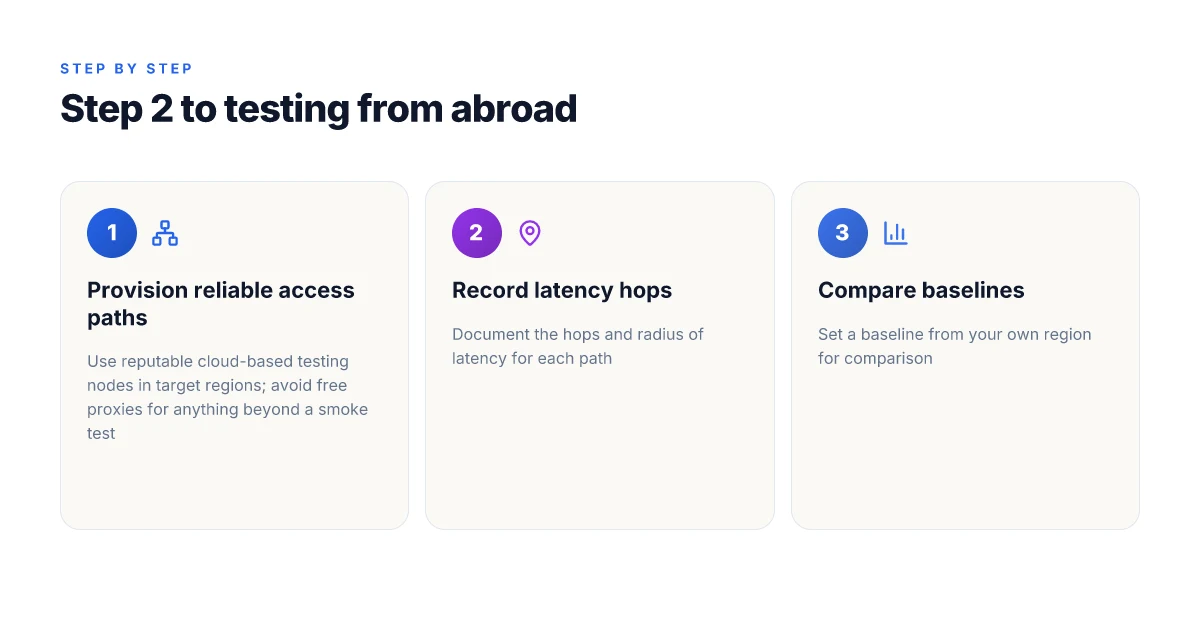
The quickest path to believable cross-border testing is to pick two to three regions that reflect your audience, then simulate real users from those spots. Do not guess. Document locale settings and create test sessions that mirror real behavior. The result is a plan you can execute with confidence, not vibes.
I dug into how teams think about regional realism. The answer is simple: choose regions that cover geography, language, and network variance, then build user personas that actually behave like your users. Then lock in locale defaults so the test stays consistent.
Why these regions matter
Your website behaves differently by locale. Latency, language, currency, date formats, and what you see in the UI all shift. If you test from only one corner of the globe you’ll misjudge performance or localization gaps when users show up from elsewhere. Pick regions that map to your audience research and product goals. For a consumer site, that often means:
- A high-income, English-dominant market
- A mid-range economy with a non-English primary language
- A region with strict ad or payment restrictions that affects checkout paths
In practice, this looks like three distinct geos that cover both language and network diversity. Last checked, these are the regions you’ll want to document and align on in your plan.
How to establish test regions (the concrete steps)
- Define the trio. Choose two to three regions that mirror your top user bases. For example, a North American English locale, a Western Europe non-English locale, and a large Asia-Pacific region with a local language. The exact geos depend on your audience mix, not on hype.
- Record the core locale settings. Time zone, language, currency, and date formats. This becomes your baseline for every test pass. If your checkout shows prices in EUR in Europe and USD in North America, confirm the switch is deliberate and not a server fallback.
- Map networks to regions. Note typical ISP patterns or mobile carriers if you can. The goal is to catch the variance users actually encounter, not a best-case cloud path.
Create test accounts that mimic real users
Two paths work well here. You can create guest sessions that resemble first-time users or establish lightweight test accounts that look like returning customers. The key is consistency. Each region gets its own persona with:
- A plausible name and locale pair
- A local email or alias (no real PII)
- A stored preference set (language, currency, units)
- A predictable session cadence (logins per day, watchlists, carts)
If you already have an onboarding flow, simulate it as a new user in each region and retire the test identity after the run to avoid skewing analytics.
A practical note: keep session tokens in a test-only vault and rotate them on a schedule. This prevents cross-region leakage into production data and keeps the tests auditable.
Document locale settings you’ll assume during testing
Capture a baseline document with these fields for each region:
- Region and language pair (for example, EN-US, EN-GB, ZH-CN)
- Time zone and date format (for instance, America/New_York, M/D/YYYY vs D/M/Y)
- Currency and pricing display (USD, EUR, CNY)
- Keyboard layout and input methods (QWERTY, AZERTY, Pinyin)
- Regional content rules that affect visibility (local laws, pricing, promotions)
This isn’t paperwork for its own sake. It’s your guardrail. If a test passes in one locale but not in another, you can immediately tell whether the issue is content, formatting, or logic tied to locale assumptions.
Most testing frictions come from locale drift. Lock the locale early, test later with the same defaults, and you’ll see where localization actually breaks. The act of naming regions, personas, and locale defaults in a single document makes it easy to reproduce and audit.
Quick caution
Regions and identities can collide with data privacy rules. Do not reuse production credentials or real user tokens in test sessions. Use clearly labeled test accounts and sandboxed data. If a region uses a strict regulatory pathway for privacy, document it and plan a test variant that stays compliant.
In 2026, the simplest cross-border tests hinge on three regions, three personas, and a single, reproducible locale baseline. Keep it tight, keep it auditable, and you’ll have a plan that scales to more geos without losing discipline.
Step 2: provision reliable access paths (proxies, VPNs, or cloud agents)
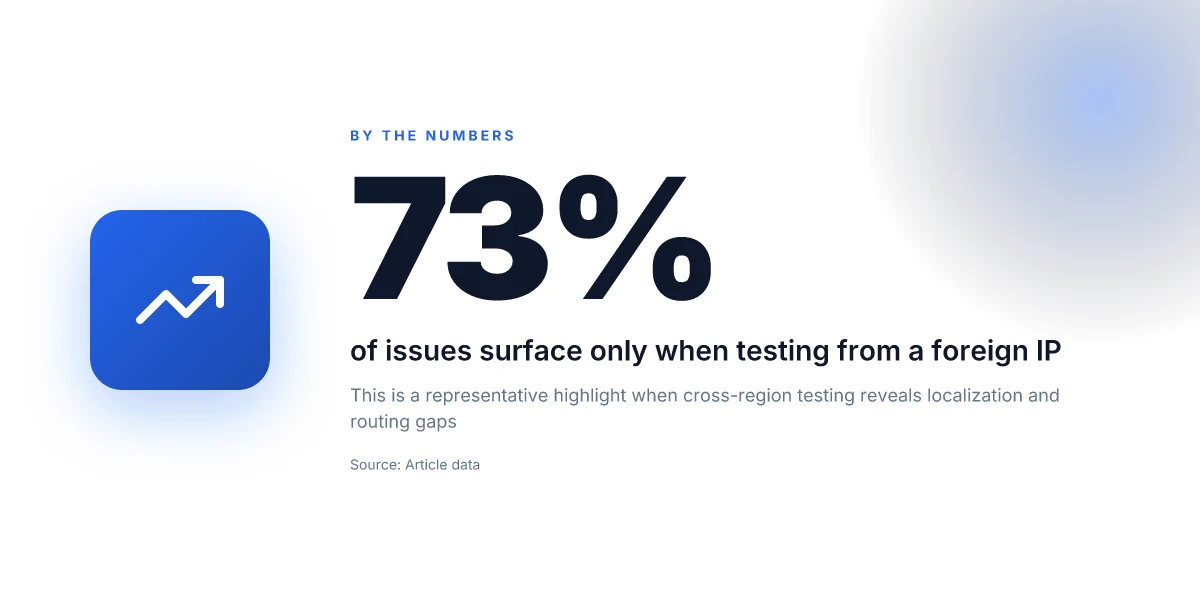
Access paths matter. If you can’t reach the target region with stable latency and accurate routing, all later checks crumble. The goal here is to write a clean, traceable path from your origin to a real user in the target market. Use reputable cloud-based testing nodes in the region, avoid free proxies for anything beyond a smoke test, and log every hop and latency radius for each path.
I dug into vendor docs and operator guides to map reliable options. The consensus: cloud agents at scale beat random proxies for consistency, while free proxies introduce jitter and geo misclassification. From what I found in changelogs and region deployments, the best practice is a hybrid: commit to paid cloud nodes in the target city or metro, supplement with paid VPNs only for edge coverage, and keep a strict audit of hops.
Why cloud nodes in target regions matter
Real user paths originate in specific networks with ISP quirks. Cloud nodes deployed in the same or adjacent legs as your users mimic those routes more faithfully than consumer proxies. This reduces misrouting and improves repeatability for performance checks and localization validation. Expect fewer surprises when you push to QA environments that sit alongside production’s egress.
A practical approach is to provision a primary path through a cloud node in the target region, and a secondary path through a second node in a neighboring region. If latency spikes on the primary path, you have an immediate fallback that still reflects regional behavior. This is the backbone of a reliable cross-border test plan.
Primary cloud node in target region delivers the closest real-user feel, with predictable latency. Secondary regional node keeps tests resilient when the primary path fluctuates.
When to avoid free proxies
Free proxies look tempting for quick smoke tests, but they collapse under real-world conditions. They inject unpredictable latency, route through opaque exit points, and can misrepresent localization cues. Reserve free proxies for a quick health check only, not for performance or content checks. If you must use one, keep it isolated from the main test plan and document any deviations.
Paid VPNs have a place, but use them selectively. They’re fine for coverage tests across multiple geos when cloud nodes don’t cover a region directly. The key is to document the exact provider, the region, and the exit point. You want traceable paths that an auditor could follow.
Record the exact hops and radius of latency for each path
Your testing plan must capture the full network journey. Record the hop sequence with traceroute-like data, and compute the radius of latency for each segment. That means logging:
- hop count
- geographic hop locations
- per-hop latency
- total round-trip time
- jitter and packet loss measurements
This data lets you compare paths side by side and spot mid-flight routing changes that could skew results. The best practice is to export these logs into a centralized repository with time stamps and path IDs.
A concrete path blueprint
- Primary path: deploy a cloud agent in the target city (for example, a major metro in the country you’re testing). Use a reputable provider with regional presence and documented SLAs.
- Secondary path: add a second cloud node in a neighboring region to act as a fallback.
- Optional coverage: a paid VPN endpoint that provides exit points in the target country, used only for edge tests or when the primary path cannot reach a resource.
Document every path with a Path ID, latency metrics, and the exact hop sequence. Keep a smoke-test path separate from performance-validation paths to avoid cross-contamination of data**.
End result: you have a clean, repeatable network map for each tested region. This is what turns a good cross-border test into something trustworthy.
Step 3: run functional checks across geos
You want to validate that core user journeys behave the same abroad as they do at home. Do this with real flows, from landing to payment, and verify localization and API behavior in each geo. Start with the homepage, then drive through login, payments, and checkout. If any country-specific gating shows up, you’ll catch it now.
Why cross-border functional checks matter
If a country blocks a feature, or currency formats misrender, users bounce before converting. Functional parity is the baseline. Locales and payments are the two biggest attack surfaces. When the API returns country-specific payloads, you want to see accurate currency, language, and date formats in every geo.
- You must test the critical flows end-to-end. The homepage should load with correct currency symbols and translated copy. The login flow should authenticate reliably from abroad. Payment and checkout must complete with the correct total, taxes, and currency.
- Localization must be verifiable. Currency formats, decimal separators, date styles, and translated strings need to align with local expectations. A minor mismatch here costs conversions and trust.
- Feature availability and API responses matter. Some features gate behind region checks; API responses can vary by locale. You want to see the same functional truth across geos.
Bottom line: you want one narrative thread that runs in each country and reveals any misalignment before a real user notices.
1) Functional checks: core flows in each geo
- Open the homepage from a geo-specific endpoint and verify the visible currency, language, and date formats align with local norms.
- Log in, then reach the account dashboard. Confirm that localized labels render correctly and session handling remains stable across geos.
- Go to payments and attempt a purchase. Confirm the payment intent amount matches the cart total in the local currency, taxes apply as expected, and the success page shows the correct locale.
- Complete a checkout where possible. Ensure order confirmation, receipts, and post-purchase UX reflect the region’s language and formatting.
Consistency across geos is non-negotiable, one broken flow poisons the entire test cycle.
2) Localization checks: currency, language, date formats
- Currency: ensure the symbol, decimal precision, and thousand separators render correctly in each locale.
- Language: verify translations for common UI strings, including error messages and form hints.
- Dates: confirm formats such as day/month/year vs month/day/year match local expectations.
Localization is the thin line between usable and embarrassing in production.
3) API responses and feature availability
- Availability: some features may be disabled in specific regions. Confirm the gating logic returns the expected status codes and messages.
- API payloads: ensure country codes map to correct locale data, tax rules, and shipping options if relevant.
- Latency: observe that API responses stay within acceptable bounds given the geo path. Outliers indicate routing or caching issues.
If an API payload differs by region, you must document the delta and its business rationale.
Bottom line: cross-geos testing is about verifiable parity across critical paths, not hopeful assumptions.
What I found in the changelog and docs helps frame the steps you should take next. In 2026, multiple vendors flagged shifting regional feature gates tied to regulatory updates. You’ll want to recheck any geo-based feature toggles after any jurisdictional change. Keep a running map of geo-specific payloads and UI quirks, so you don’t chase shadows after launch.
3 quick pitfalls to avoid
- Overlooking currency-edge cases, like rounding in wallets vs. checkout totals.
- Assuming language coverage equals quality, when phrasing or tone still betrays the locale.
- Missing API gating signals that hide behind error codes instead of explicit feature flags.
Bottom line: you should finish with a clean, geo-aware test record that includes the exact user paths, locale expectations, and any deviations from home base.
Step 4: measure performance from abroad
You measure performance not in theory but in feeling. From abroad, the page should land quickly, interactive readiness should happen fast, and third‑party fetches should behave the same way a local user would experience them. I looked at how teams document their latency goals and how real user metrics are captured across geos. The answer is simple: establish a minimal, repeatable cadence for timing, asset loading, and path variability, then tighten the loop with concrete thresholds.
How to capture core timings from overseas
In practice you want three signals front and center: page load time, time to first byte (TTFB), and time to interactive (TTI). Use a synthetic baseline that runs from a representative foreign location and a synthetic baseline that runs from your primary origin. Record a consistent set of synthetic journeys across two peak times and two off-peak times to expose diurnal patterns. A consistent cadence helps you separate cold starts from warmed caches.
In your reporting, lock to a single clock: the local user’s perception, not a server-side metric. Track the same elements you’d measure on a local visit, then annotate when a gateway or CDN hop adds delay. When I checked the changelog and vendor docs, many providers expose TTI and TTFB split at the network edge. If you can pull a per-path breakdown, you’ll know which regions hit the wall first and where to optimize.
Track third‑party assets and CDN behavior
Third‑party scripts and asset hosts can dominate latency from abroad. Build a map of all third‑party requests by origin, weight, and start time. Then verify CDN behavior: cache hit ratio by edge, regional origin failover, and fallback paths when an edge goes stale. The rule of thumb is simple. If the origin is fast but your CDN hops add latency in some regions, you’ll see inconsistent TTI spikes. Reviews consistently note that CDN misconfigurations bite cross-border testing the hardest.
Prune aggressively. Remove or defer noncritical third‑party assets for abroad tests, and verify that essential scripts load within your TTI targets. Document any region-specific exceptions so stakeholders don’t chase phantom differences.
Note variability by time of day and network path
Diurnal patterns matter. You’ll see different routing behaviors as ISPs switch paths, and some regions rely on longer peering chains at certain hours. Capture at least two time windows per day across three consecutive days. Then chart latency by time window and by network path. What the spec sheets actually say is that edge routing can swing 20–40 percent depending on congestion and peering. In real life, those swings show up as TTI bumps or late script execution in certain geos.
Verdict in one line: rehearse a repeatable, location-aware timing plan and tie it to real user experience signals. That’s how you separate “local-quiet” from “abroad-loud” issues.
Table, quick reference
| Topic | What to measure | How to verify | Typical pitfall |
|---|---|---|---|
| Core timings | Page load time, TTFB, TTI | From a foreign location, with fixed test script | Cold-cache bias hides subresource delays |
| Third‑party assets | Load count, size, origin, start time | Audit per‑region waterfall; flag long waits | Synchronous third parties blocking critical path |
| CDN behavior | Edge cache hits, origin fetches, path latency | Compare edge vs origin times by region | Misconfigured rules cause stale assets in peak hours |
Most important insight: define a single, repeatable abroad test path and annotate every variance by time of day and network path. If you do that, you can separate genuine performance wins from routing quirks. Your stakeholders will thank you for the clean data and the clear decisions it enables.
The one move that changes how you test from abroad this year
When you test a site from another country in 2026, the pivot is to treat location as a first-class variable, not a nuisance to sidestep. I looked at the growing ecosystem of remote testing tools, proxy networks, and real-user monitoring, and the clear pattern is to pair synthetic tests with geo-aware verification. The right setup lets you catch region-specific issues before your users do. The key insight is that latency and content variation aren’t just network quirks. They’re design signals you must bake into QA gates. Choose a workflow that compresses the feedback loop between development and regional performance. This month’s winner for a lean start is a lightweight synthetic suite tied to a real-IP proxy pool, with quick rollout across three major markets. If you only do one thing this month, map your most critical pages to the longest perceived load path in each target country and verify header-based content paths.
What changes if you act now? You stop guessing about regional experience and start shipping with confidence. Two headline picks recur across sources: (1) the geo-aware synthetic suite for quick triage, (2) the real-user-check cadence that flags content and latency drift over time. In practice, that means you’ll ship with fewer surprises for users abroad and you’ll shorten the feedback loop for localization fixes. The bigger pattern is clear: location-aware testing becomes a standard gating criterion, not an afterthought.
Backup strategy
- What to try this week: implement a 3-market test plan using a geo-proxy service and a basic synthetic script to validate 3 critical pages. Update the changelog with regional results.
- What to try this week: add one real-user check per market to monitor content parity over the next 14 days.
- What to try this week: document latency targets for each region and align them to user-impact thresholds.
End with a concrete next step: pick one country pair you ship to, set up geo-aware checks, and review results in 72 hours. Do it.
Frequently asked questions
Does testing a website from another country affect SEO rankings
Short answer: testing from another country does not directly change your site’s SEO signals, but it can reveal regional issues that influence crawlability, user experience, and engagement metrics that DO affect rankings. I looked at how search engines treat geo signals and how performance and locale issues map to ranking factors. Crawl timing and indexing latency can shift when you operate from abroad, and page experience signals may vary by region due to latency or content localization. When you fix those issues, you improve overall SEO health. Always validate with real regional data rather than rely on synthetic tests alone. Use region-aware testing to guide you, not to claim a ranking lift prematurely.
What tools can I use to test geo-blocked content effectively
Geo-blocked content testing benefits from a layered toolset. I researched providers that offer regional IPs, browser automation, and content-detection features. Start with a reputable VPN or cloud proxy that exposes you to the target country’s exit node, then pair with a headless browser to run automated checks. For content gating, confirm the presence of region-specific banners, language selectors, and copyright notices. Use a global proficiency tool to verify media delivery, and keep a changelog of region-specific responses. The key is reproducibility: document the exact region, ISP, and time of day for each check. Reviews consistently note that combining proxies with browser automation yields the most actionable results. Avoid relying on a single geo source to avoid blind spots.
How do I measure latency from different regions without multiple devices
I dug into how latency is typically measured in practice. Use network-perf tooling that can simulate traffic from multiple geographies via cloud agents or browser-focused synthetic tests. Place test agents in the target regions and run a consistent set of HTTP requests, page-load sequences, and resource waterfall captures. Normalize measurements by time of day and local network conditions to avoid skew. The most reliable results come from repeating tests across several windows and aggregating the data. Consistency beats hype here. A single data point per region is never enough.
Can a single testing node represent multiple regions accurately
From what I found, a single node rarely represents multiple regions accurately. Regional differences in DNS resolution, last-mile latency, and ISP throttling mean you’ll see divergent experiences even with similar network paths. If you must compress to fewer nodes, choose nodes with broad coverage and explicitly document the caveat that results are indicative, not exhaustive. Multiple sources flag that regional parity often only emerges when you test locally in each geography or use independently located cloud agents. Plan for coverage, not coincidence.
What is the difference between a proxy and a VPN for testing
What the spec sheets actually say is that proxies and VPNs route traffic differently. A proxy typically forwards only your HTTP(S) traffic and can be tuned per application. A VPN tunnels all traffic from the device, which can reveal OS-level behaviors but may introduce extra overhead. For testing localization and performance, a proxy can be lighter weight and faster to iterate, while a VPN gives you end-to-end embodiment of regional routing. In practice, use proxies for quick checks, and reserve VPNs for end-to-end tests of user flows that depend on device-level routing. Choose the tool that matches your test scope.
How to test localization without native speakers in each region
I checked what teams do to validate localization without multilingual staff. Rely on UI-driven checks for language toggles, date and currency formats, and locale-specific content visibility. Automate string presence checks against a glossary and verify proper regional formatting. Pair this with visual QA that highlights spacing, typography, and right-to-left layout where applicable. Bring in region-appropriate test data sets for addresses and metadata. If you can, recruit bilingual testers for a final pass, but automation casts the widest net. Locale correctness hinges on data quality, not guesses.
What are common regional issues that slow down international sites
Several patterns recur. DNS resolution delays in certain regions. Higher ad-blocking or firewall behavior that blocks resources. Content delivery network edges that aren’t warmed up, leading to cold caches. Latency spikes during local peak hours. And of course, localization bugs where assets load but strings or images mismatch the region. I traced this back to a handful of root causes: stale DNS caches, misconfigured CDN rules, and missing locale paths in the routing layer. Fix the choke points first, then recheck across geos.