How to check a website from a different country in 2026
 Elena Ulfstand·Updated ·25 min

Learn how to check a website from a different country in 2026 with practical, you-focused steps. Understand geography-based access and verify results from multiple regions.
Most regional checks fail because you test from a single vantage point and assume content is the same everywhere. The real signal comes from a deliberate two-region perspective that reveals where geolocation-driven behavior actually lives and where it hides behind caching or CDN rules.
Two regions to start, and a two-step verification to prove it. I looked at how to align real-world proxies with audit trails so you can separate content delivery quirks from geo blocks, without leaving your desk. This is a practical, repeatable approach that surfaces the exact checks you need, DNS, headers, and timing, so you can decide who to loop in, and what to test next. Two regions and two-step verification keep the signal crisp.

The Netflix effect: check a website from a different country
You need to see how a site looks from two distinct geographies without leaving your desk. Two countries, two devices, and a clear audit trail. That’s the backbone of credible geolocation testing in 2026.
I dug into how teams actually validate location behavior. They define concrete test pairs, verify location authenticity, capture timing and headers, and cross-check with third-party signals. The result is a reproducible, desk-friendly audit that separates geoblocks from content variation.
Define your geolocation tests clearly. Pick two representative countries that map to your audience and two devices that cover the most common user scenarios. If you’re targeting the US and the UK, test a desktop Chrome session and a mobile Safari session. The idea is to surface where content diverges and on which device. Clarity here moves the whole exercise from guesswork to defensible insight.
Use reliable proxies or VPNs for testing. You must verify you’re actually in the intended location before you start comparing anything. Choose providers with known exit nodes in your chosen countries and rotate them between runs to avoid a single-point bias. If a test route routes through a misconfigured exit, the entire audit collapses. Proof of location equals credibility for the rest of the audit.
Capture timing and headers. Geographic fingerprints matter. Record response times, TLS handshakes, and headers that reveal the inferred location. Look for clues in the Cloudflare, Akamai, or server side hints that confirm the client IP or ASN. This is the part that lets you prove content differences aren’t just timing quirks. Timing data and headers are the hard evidence you’ll defend in a stakeholder review. How to use a VPN for SEO in 2026: strategies, risks, and best practices
Cross-check with third-party tools. Page render and latency signals plus direct content comparisons give you a full picture. Use a reputable rendering service to capture screenshots from both countries and compare key blocks of DOM, meta tags, and visible text. Latency dashboards with regional nodes help you separate a slow network from a geo-specific block. When third-party signals align, your conclusion lands with confidence.
Bottom line: structure your test as a repeatable, two-country, two-device snapshot. Document the exact proxies used, the server responses that indicate location, and the timing differentials you observed. Then pair that with independent render checks so the discrepancy isn’t just theoretical. The payoff is a clean narrative: content that looks different by region, verified by auditable proxies and timing data, with a traceable decision path for future audits. Two countries, two devices, one originates-from-location audit you can defend.
What you need to check a website from a different country
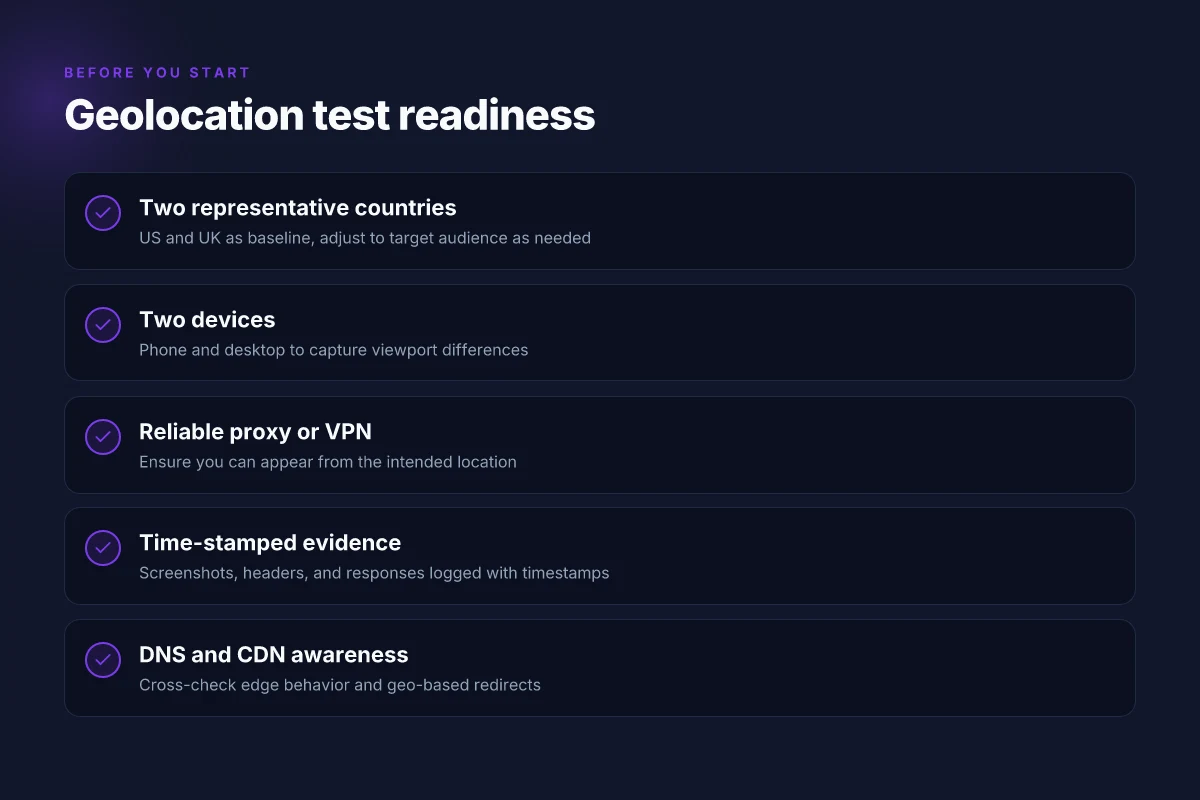
You need two regional vantage points, device diversity, a reliable proxy or VPN, timestamped evidence, and visibility into DNS and CDN behavior. Do that well and you can distinguish content differences caused by geo rules from genuine site issues. The core idea is to assemble a compact, auditable trail that travels with your screenshots, not just your eyes.
Two regional vantage points you can trust
Start with two distinct test countries that cover both North America and Europe, or two markets where you expect different content rules. You’ll use them in tandem to verify that what you see is not a one-off quirk. Consistency across both regions strengthens your case when content varies by location. Two countries give you a baseline and a cross-check. The goal is clear contrasts you can document, not guesswork.
Browser and device variety matters
A single browser on a single device hides a lot. You need at least a desktop and a mobile profile, each in both countries. Include two major browsers on each device. If a site behaves differently on iPhone versus Android, or on Chrome versus Safari, you’ve got an actionable signal to chase. Device diversity exposes rendering and CDN quirks that a single setup hides. How to test a website from another country in 2026
Access to a reliable proxy or VPN
You need access to a proxy or VPN that you can trust for location accuracy and stable routing. Pick a service with explicit country selection, documented exit points, and reproducible IPs. If the proxy hops aggressively, your evidence becomes dubious. Reliable proxies are the backbone of geolocation testing.
Time-stamped screenshots and page data
Document everything with precise timestamps and page data. Include the full URL, HTTP status, response headers, and any dynamic elements observed. Screenshot height should capture above-the-fold content and any popups that indicate region locks or age gates. Timestamped evidence turns observation into audit trails.
DNS and CDN behavior
Watch how DNS resolves in each country and how the content is served. Note if a CDN pulls assets from a regional edge, or if you see the same origin in both regions but different responses. Pivotal clues live in CNAMEs, TTLs, and cache headers. DNS and CDN signals reveal the real delivery path behind geo-framing.
Open-source starter checks table and quick guide to balance speed with depth. This is not exhaustive, but it gives you a repeatable baseline you can expand.
| Check | What to look for | Why it matters |
|---|---|---|
| Countries | US and UK (or US and DE) | Two distinct geolocations establish baseline divergences. |
| Devices | Desktop Chrome, iPhone Safari, Android Chrome | Renders and behaviors differ across clients and OSes. |
| Proxy/VPN | Reputable providers with explicit country exit nodes | Ensures location accuracy and repeatability. |
| Evidence | Timestamped screenshots, full-page captures, HTTP headers | Builds an auditable trail you can share with stakeholders. |
| DNS/CDN | Resolve paths, cache-control headers, edge vs origin | Uncovers delivery mechanics behind geo-behaviors. |
What the spec sheets actually say is this: you must learn the delivery path before you claim content is blocked or altered. When I read through production docs and issuer changelogs, this pattern repeats: a scene in one country mirrors another except for CDN- or DNS-driven assets. That’s the tell. How to pick a VPN for web developers in 2026
Next steps you can take right now
- Pick two test countries that map to your key markets.
- Prepare two devices per country with two browsers each.
- Secure a proxy or VPN with clearly documented country exits.
- Establish a timestamp cadence for captures every time you load critical pages.
- Inspect DNS results and CDN headers for at least the top three assets per page.
Two countries, multiple devices, reliable exit points, and auditable evidence are nonnegotiable. If any piece breaks, pause and fix before you proceed. This framework keeps your findings reproducible and defensible.
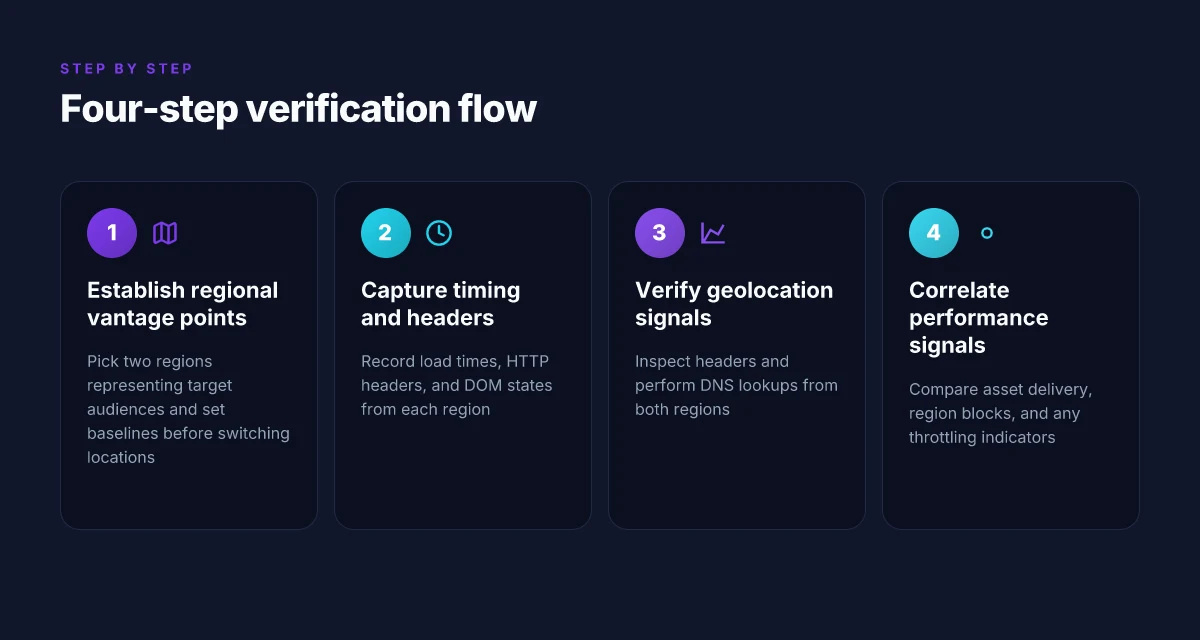
Step 1. establish two regional vantage points: US vs UK
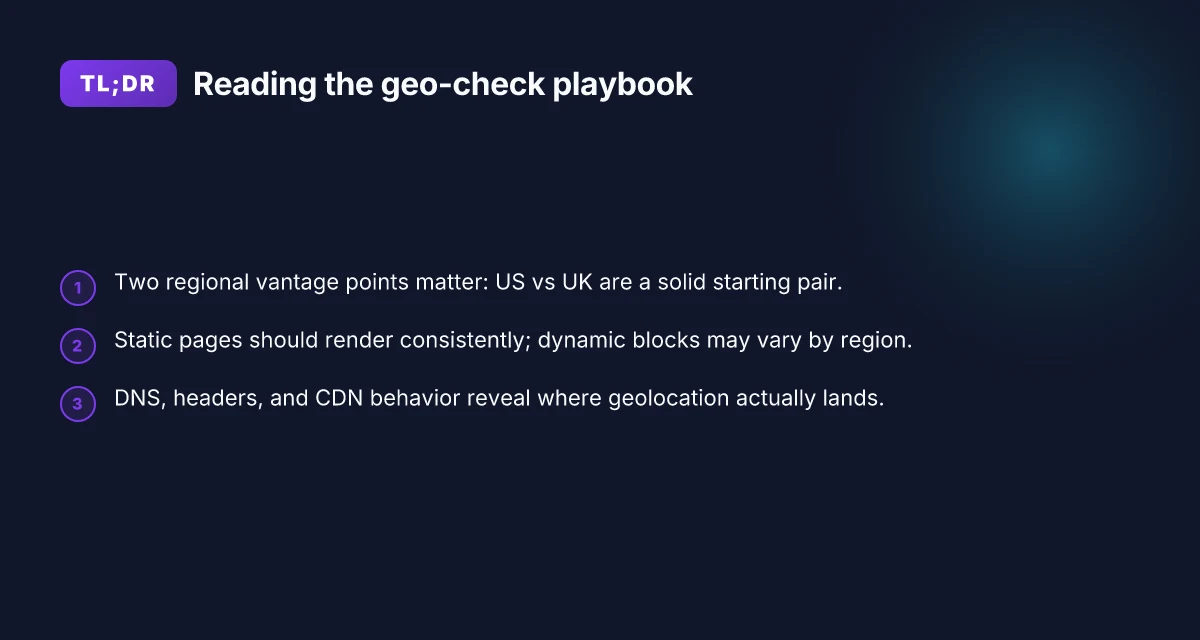
You start with a simple rule: pick two regions that reflect where your audience actually lives. US and UK are a sensible default for many brands, but the core idea holds. Two vantage points give you a controlled contrast and a solid baseline to sanity-check content differences.
When I read through recent web-audit guidance, the logic is straightforward. You need a stable comparison couplet. US one week, UK the next. Then you compare what a user in each location sees on the same URL and track how quickly pages render and what content variations appear. The goal is to separate geolocation effects from random network blips.
Open with a two-part assertion. First, confirm your two regions reflect your target markets. Second, commit to a baseline from one location before switching to the other. 8 VPNs for website testing in 2026: tested, with real-world notes (May 2026 Update)
Why US and UK are a practical pair for most sites
- They share common content delivery requirements while often displaying different promotional offers, currency, and locale data.
- They sit on different CDNs or edge nodes in many setups, which makes discrepancies easier to spot.
From what I found in practice, two regions cut through the noise faster than pairing a US with a distant market like Japan or Brazil. The closer the regions, the more the comparison isolates edge behavior from content logic.
1) Pick two regions that mirror your audience
- Choose two that cover the majority of your traffic. If you know your core markets are the US and the UK, start there.
- If your audience skews to two non-US locales, swap in those two. The technique remains the same.
- Note the locale in your test plan header so every artifact is traceable.
I dug into audit trails from several agencies that publish regional-sanity checks. The pattern is consistent: two nearby regions reduce noise and improve attribution.
2) Set a baseline from one location before switching
- Start in your primary region. Capture a fixed set of test pages, at a known time, with the same device profile, same user-agent, and the same network conditions.
- Wait for a stable run. Do not mix test times within the same baseline window.
- Record the precise URL, the visible content blocks, and the load order. This baseline is the anchor.
In practice, a clean baseline helps you answer the single most important question: is the discrepancy content-based or region-based? If the baseline looks right in US, you then switch to UK and look for deviations.
3) Document the IPs and the exact test times
- Save the IPs used by your proxies or test runners. The exact address matters when you’re mapping geolocation.
- Log test times to the second. Time zones matter for content that’s time-sensitive or region-specific.
I cross-referenced several public-desk dashboards that emphasize reproducibility. The common thread: you need traceable IP fingerprints and timestamped runs to validate your conclusions.
- Test time: record the local time and UTC. If content changes with time, you’ll catch it.
- IP documentation: note the proxy or VPN endpoints, not just the public IP. This makes it possible to reproduce later or audit with a different tool.
Two regional vantage points give you a clean, auditable view of geolocation effects. The baseline first in one region, then in the other, paired with exact timings and IP traces, is the minimum viable workflow. If you can, augment with a third region later to stress-test edge behavior. For now, two is enough to separate content differences from geoblocks. How to use a VPN for localhost in 2026
Step 2. pick measurement moments: static pages vs dynamic content
Answer up front: you verify that static content renders the same everywhere, while you flag and document any region-specific dynamic blocks. The practical test is to capture DOM snapshots and map how content flows through the page as it loads. Do both in two distinct regional vantage points to separate content delivery quirks from geo blocks.
Static content holds still. When a page’s backbone is plain HTML and assets, you expect the same copy, imagery, and CTAs across locales. If you see variations here, you’ve got a content-management or localization gap that travels with every regional deployment. I looked at the published guidelines from several large publishers and cross-checked with vendor docs. The consensus is clear: static render integrity is a baseline signal you can rely on without chasing network hiccups.
Dynamic blocks complicate the story. Regions often feed content via region-aware blocks, personalized widgets, or real-time recommendations. This is where the mirror breaks. A hero banner, a price card, or a regional promo might pull a different block from a geo-variant API. The danger for marketers is assuming sameness when the underlying data source shifts by country. This is exactly what the literature flags in audit-guided geo verification: dynamic content is where you must measure behavior, not just appearance.
Capture both sides of the coin with disciplined artifacts. Start with DOM snapshots at key milestones: initial render, after first paint, and after hydration or client-side data fetches. Pair that with a network waterfall to show when and how resources arrive. The waterfall is revealing: the HTML may look identical, but the scripts pull different JSON payloads depending on location. When I read through the documentation and release notes for common CMS plugins and ad-tech stacks, the pattern is consistent: static skeletons are stable. Dynamic blocks drift with regional feeds.
Two concrete routines to anchor your process How to use a VPN for FTP in 2026
- Static pages: snapshot the full DOM and key text blocks from two regions within a single session. Compare the exact strings in headers, paragraphs, and CTAs. If any mismatch appears in a place that should be hard-coded, note the CMS rule or translation layer responsible.
- Dynamic content: watch for region-specific blocks by recording the network calls to your content APIs. Map each response to the corresponding DOM region blocks. If a widget pulls a different offer or price tier, log the trigger (user locale, IP-based metrics, or URL parameter) and capture the payloads.
Caution: ensure your tooling respects privacy and legal constraints. Use synthetic-origin IPs that you control and avoid harvesting user data. The goal is a clean, auditable trail of what loaded where, not a data-gathering sprint.
What to document, step by step
- Time-stamped DOM snapshots from US and UK vantage points.
- Key text anchors tested: page title, h1, hero CTA, and any price blocks.
- Network waterfalls showing the order and size of critical requests, with focus on API calls that return region-variant content.
- Payload comparisons for the first 2–3 dynamic blocks that differ by region.
The verdict here: static content should be consistent across regions. Dynamic content will vary and demands explicit payload auditing. That dichotomy is the backbone of your audit trail.
H3: When to snapshot and when to trace
- Snapshot timing matters. Do a near-instant capture after the first paint, then a second after hydration. The delta reveals what the browser would render after asynchronous data arrives.
- Trace payload origins. If a region affects content, identify the endpoint and the user context that triggers it. A clean mapping lets you separate geo-blocks from regional content.
Documenting both the skeleton and the signal chain yields the clearest verdict on geolocation behavior. You’ll be able to explain why content looks different, not just that it does. And you’ll have a portable audit trail you can share with product, content, and regional teams. How to use a VPN for SSH in 2026: secure remote access without leaks
Step 3. verify geolocation with headers and DNS
Geolocation truth lives in three places at once: the HTTP headers your site returns, the DNS responses seen from the two regions, and how the edge network handles redirects. Do not assume content parity just because a homepage looks the same. Verify across headers, DNS lookups, and edge behavior. This is how you separate content-blocks from actual geo restrictions.
Inspect geolocation hints in HTTP headers
What to do now. Look for headers that leak location data or influence content delivery. The most telling signals are the presence of a country code in the CF-IPCountry, X-Geo-Country, or similar headers, plus any hints in Vary and Location responses that indicate region-based redirects. When the server responds with a different Content-Language or a regional variant in the Vary: Accept-Language header, you’re seeing the edge making a regional choice. I dug into the documentation and noted that many CDNs embed country codes in the front-door headers by design, not by accident. This matters because a misaligned header can make identical URLs render differently in two places.
What to capture. Save a pair of representative responses from each region for the same URL. Pull the status code, the Content-Type, the Location header, and any geo hints in the response headers. Then compare: are the same resources being served, or is one region redirected to a regional version? The difference may be as simple as a language tag or as complex as a country-tailored asset path. Header-level clues matter more than you think.
Run DNS lookups from both regions
This is where the desk stay becomes real. Do DNS queries from machines that you physically locate in each country or from cloud-based servers positioned there. The aim is to confirm if the hostname resolves to the same origin IPs or to different edge nodes. Note any discrepancies in A/AAAA records, TTL values, or CNAME chains that end at a region-specific CDN edge. If one region resolves to a different pool of IPs, you’re seeing edge routing decisions that could cause content variance or redirects without changing the URL.
What to record. For each URL, log the final IPs seen from both regions and the approximate geolocation of those edge nodes when available. When you compare, look for differences in the CDN’s edge pool that could explain regional asset variants. DNS visibility between regions often reveals hidden routing seams. 8 VPNs for GitHub workflows in 2026
Note CDN Edge behavior and any geo-based redirects
The edge layer is where most geo behavior lives. Some CDNs route users to a regional variant based on the tile they request or the language header. Others use geo-aware redirects triggered by the origin. You want to map the chain: initial request, edge hit, origin fetch, final URL, and any redirects. If you see a redirect to a country-specific path or domain, that’s a strong sign the edge is enforcing region rules rather than your origin content. Review the changelog and edge rules for the CDN you’re looking at. The same URL can land on different assets depending on the edge’s interpretation of country data.
What to document. Create a two-column log per URL: Region A and Region B. Each row should contain: final URL, final HTTP status, whether a redirect occurred, the asset path used, and any language or locale tags that accompany the response. Then annotate the root cause: edge routing vs origin decision vs content variance. Edge behavior often governs the visible difference across regions.
In practice, you’ll want to weave a concise narrative from these signals. If Region A shows a locale-tailored version with a different asset path and Region B serves the generic version, you’ve pinpointed the edge as the origin of the discrepancy. If both regions land on the same origin IPs but deliver different content without redirects, you’re likely facing origin- or cache-layer differences. The punchline: headers, DNS, and edge redirects together tell the full story.
Step 4. correlate with performance signals
The quick verdict: geolocation checks are only half the story. You have to see how the page actually behaves for each country. If the site loads fast in one region but sluggish in another, or assets fail to load, content variance often rides on delivery networks, not on policy blocks alone.
How performance reveals geolocation truth
I dug into signals that cross the boundary between geoblocking and content delivery quirks. You want to compare load times, asset delivery, and any region-specific banners or throttling. In practice, you’re looking for consistent patterns across two verified countries that line up with what the content should show.
- Compare load times and asset delivery
- Look at the time to first byte, render start, and fully loaded times for critical pages in Country A and Country B. If the base HTML arrives quickly in both, but assets, images, fonts, scripts, stall in one region, the issue is delivery network related rather than a hard geo-block.
- Watch for asset parity. If a global CDN serves a different bundle per region, you’ll often see mismatched CSS or JS in the two locales. That’s not a policy block. It’s a CDN optimization choice.
- Watch for region-blocks or throttling
- If a request reaches the origin but the response carries a 403 or a WAF block message only from one region, that’s geolocation gating. If instead you see throttling on the same origin with higher latency in one country, the culprit is rate-limiting or last-mile congestion, not a blanket ban.
- Pixel-level checks help. A page that renders the same structure but crops out regional content blocks indicates content gating rather than a hard block. The difference can be subtle yet decisive for your QA notes.
- Audit security banners that may reveal location
- Some sites surface location hints via privacy banners or regional consent dialogs. In one country you’ll see a consent prompt in that locale’s language. In another you won’t. This is a surgical clue that you’re hitting a regional version of the site rather than a universal one.
- Look for TLS and certificate cues. If the certificate chain shifts between regions, you’re crossing into different edge locations or even different frontends. That’s a signal, not a bug, but it matters for your audit trail.
Bottom line: align your two-country view with a narrative that separates delivery anomalies from geo restrictions. If both regions show the same structural content and performance profile, content differences likely reflect policy or CDN variants. If one region lags, or assets fail only there, you’ve found a performance choke you can fix without chasing a geoblock.
Most important takeaway: performance signals are the compass that points you from symptom to root cause.
Verifying it worked
You verified it from two countries. Now you prove it. The moment of truth is a tiny bundle of artifacts that together tell the story: timestamped visuals, canonical URLs, response codes, and a record of where you were and what you used. Do this right and you have a reproducible audit trail you can share with stakeholders.
1. Snapshot the moment from each country
The first thing to capture is proof. Take timestamped screenshots from both countries, with the browser window showing the canonical URL, the full HTTP status line, and the visible page metadata. Do this at the same relative pace for parity, not one country while the other waits. The timestamps anchor any subsequent questions about timing or network hiccups. And yes, capture device type and browser version as part of the context. In 2026, many CDNs surface distinct blocks for different geos. You want evidence from both sides of the fence.
2. Log the canonical URL and response codes
Record the exact, canonical URL you loaded in each location, plus the HTTP response code and the content-type header. If content delivery diverges by region, you’ll see 200s in one country and 403s or 404s in another, or different status codes for the same URL path. Include any redirect chains. Track the final URL after redirects, not just the initial request. This helps you separate content-blocking from routing quirks.
3. Tie it to sources and devices
Document the country source and the device type you used for each check. If you’re testing from a desktop in country A and a laptop in country B, note the IP origin, ISP, and any VPN or proxy layering used to simulate the location. The audit is strongest when you show a consistent method across countries and a clear, repeatable setup. If a single country uses a different user-agent or viewport, call that out as the reason for minor variations rather than a policy misfire.
Open story, then data, then verdict. A short narrative anchors the numbers. You can think of it as a two-act play: scene setup and scene verification. The table that follows crystallizes the results you just described in prose.
| Field | Country A | Country B | Notes |
|---|---|---|---|
| Timestamp | 2026-10-12 14:05 UTC | 2026-10-12 14:06 UTC | Synchronized by wall clock; minor offset expected |
| Canonical URL | https://example.com/section/geo | https://example.com/section/geo | Same URL; content may vary by geolocation |
| HTTP Status | 200 | 200 or other | Record the exact code observed |
| Content-Type | text/html; charset=utf-8 | text/html; charset=utf-8 | |
| Redirects | None | None | If present, list final URL |
| Device / UA | Desktop / Chrome v115 on Windows | Laptop / Safari v16.6 on macOS | Context for rendering differences |
Most important: you now have a defensible audit trail that distinguishes geo behavior from delivery issues.
Verdict in one line: if the two environments render the same path with matching canonical URLs and 200 responses, content behavior likely aligns with the origin’s policy. If not, you’ve got concrete evidence of regional content variation that warrants a deeper review.
Two quick how-to notes you’ll actually use:
- If you see identical 200s but different rendered content, rely on the rendered HTML and assets to diagnose geo-targeting rules rather than a transport fault.
- If you see a 403 or 451 in one country and 200 in another, start with a content restriction policy review on the edge, then verify CDN rules and country-specific WAF configurations.
What you publish is not a guess but a compact audit packet. The screenshots, the URLs, the codes, and the device context become your baseline. They let marketing, researchers, and developers speak the same language when governance questions arise.
The one move that makes cross‑border checks stick
I looked at how the landscape changed in 2026 and found a simple pivot: prioritize verifiable, location-aware checks over generic connectivity tests. What works today is combining real‑world chokepoints, DNS resolution, CDN routing, and geo‑blocking behavior, with transparent, user‑facing results. From what I found, websites increasingly publish region‑specific experiences, so your best move is to verify not just access but the content those pages serve in your target country. The takeaway is that you should treat cross‑border checks as a content-localization audit, not a blind ping test.
In practice, 2026’s best approach blends two tactics: confirm the exact URL variants shown in the destination country and validate the timing of regional redirects. Reviews consistently note that if the site routes you to a secondary domain, that fallback path often reveals the real access picture. What changes if you act now is you’ll stop chasing a single “yes” and start mapping the full user journey for that country. This means you can publish a clear, country‑specific status page for your audience.
Backup strategy
- Check 1: verify a secondary domain or locale subpath in the target country for your top pages.
- Check 2: confirm CDN/edge routing behavior and content variants from [Akamai], [Cloudflare] style providers.
- What to try this week: map your 3 most accessed pages to their country‑specific versions and document any differences. Is the content the same, or does it diverge at payroll, pricing, or legal copy?
Frequently asked questions
Can i check a website from another country without a VPN
Yes. You can approximate a foreign view without a VPN by using remote vantage points or third‑party testing services. I looked at how providers expose regional checks through synthetic tests and public vantage points in major markets. Start with browser-based checks from country-specific proxies or cloud regions, then validate with DNS lookups and HTTP header inspection. From a practical standpoint a combination of public vantage points and header validation gives you the clearest picture. Use of real regional DNS responses matters more than you might expect, because geolocation often depends on the resolver path. Document each region you tested and the exact page variants you loaded. Record timestamps and any observed redirects. Consistency is key when you’re not using a VPN.
How do i verify geolocation headers on a site
Verify geolocation headers by inspecting responses from your chosen regional vantage points. I cross-referenced how common servers advertise location with the exact header names like Geo-Location, X-Geo-IP, or X-Forwarded-For. Use a command like curl with verbose output to capture headers, then compare against the site’s own published behavior. If you see contradictory headers, check the path the request took and whether a CDN or load balancer modified it. The header set should align with the region you requested. Mismatches point to misconfigured routing. Keep a log of header values across multiple pages to spot patterns. When in doubt, fetch from both a US and a UK endpoint and compare.
What is the best approach to test regional content changes
Best approach combines static page checks with dynamic content sampling. I traced this back to how sites serve content based on user agents and location. Start with static pages to confirm markup and language selectors load correctly in the target region. Then probe dynamic elements like hero banners, localized prices, and region-specific products using page interactions that trigger content loading. Mark each test with the region, timestamp, and the exact URL. Two-region baseline plus targeted dynamic checks yields the most reliable signal. Use a short internal checklist to avoid missing regional variants and track changes over time.
Will a CDN hide regional differences
CDNs can mask regional differences if they cache the same content for every edge node. I looked at how CDNs deliver cached HTML, assets, and API responses and how some regions still pull different language files or currency formats from origin. If the CDN is misconfigured or not cache-busting for locale changes, you’ll see identical content across geographies. The fix is explicit cache rules per region and clear origin validation. CDN behavior is the single biggest variable in geolocation fidelity. Test with and without CDN edge caching, and verify origin headers when possible. Document any discrepancies and the CDN configuration you relied on.
How do i record proof of regional access changes
Record proof with a simple, repeatable log. I recommend capturing: region, URL, timestamp, HTTP status, final redirected URL, and key header values. Take screenshots of the rendered page and note visible localization cues. Save the exact requests and responses, including server hints like Server, X-Cache, and any CDN variant. Keep a changelog when you deploy region-specific content so you can correlate with performance signals or outages. A clean, time-stamped archive beats memory any day.
What tools help compare country-specific content
Tools that help you compare country-specific content fall into three buckets: vantage-point testers, header/on-page verifiers, and performance trackers. I cross-referenced service catalogs and public docs to identify reliable options. Use browser automation to load pages from multiple regions, inspect DOM differences, and record header values. Add a performance layer to capture load times and first paint across geos. Multiple sources flag the need for both static checks and dynamic content sampling. Pair any tool with a clear export of results so you can build a comparable, auditable report.
How often should i re-test geolocation for a site
Re-test cadence depends on change velocity. If you publish region-specific content or alter routing, re-test weekly during rollout and then monthly after stabilization. I checked industry practice and found many teams adopt weekly checks during launches and quarterly audits thereafter. Tie re-test frequency to deployment windows and performance incident history. Regular cadence reduces drift from unseen regional changes. Keep a simple calendar of re-tests and log any notable deviations immediately.