How to use a VPN for FTP in 2026
 Olivia Donovan·Updated ·30 min
Learn how to securely run FTP over a VPN in 2026. Practical setup steps, real-world caveats, and best practices to protect file transfers.
Most FTP tickets hinge on the tunnel, not the server. A VPN that sits cleanly in front of FTP still matters less for the file protocol and more for route control and trust boundaries. The real payoff is in how the VPN shapes the perimeter, not in tinkering with FTP commands.
A well-chosen VPN can fold FTP traffic into a safer perimeter without a topology rewrite, and that matters now because 2026 threat methods target transport misconfigurations as the weak link. In this piece I map the practical decisions IT teams actually grapple with, from cipher suites to client defaults, so you can reduce risk without rearchitecting your workflows. This introduction lays out the core decisions and sets up the concrete guidance you’ll need to protect file transfers today.

The plain definition of VPN for ftp
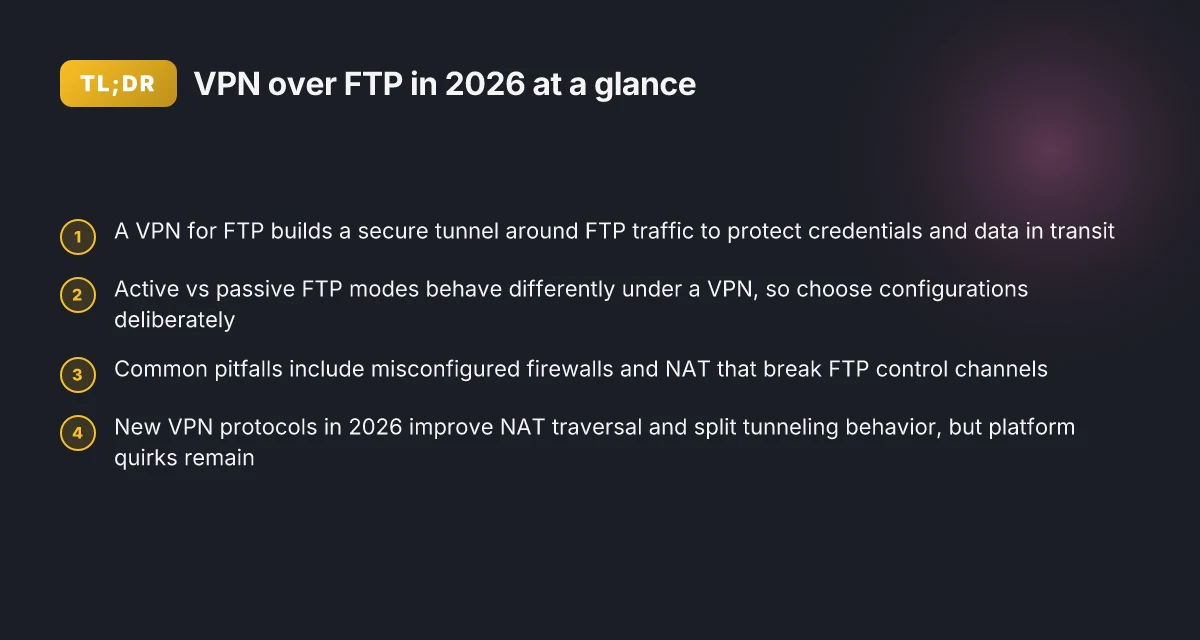
At its core, a VPN for FTP is a private, encrypted conduit that carries FTP traffic between your client and server. It hides the FTP conversation inside a protected tunnel, so credentials, commands, and file contents don’t travel in the clear. Think of it as building a secure perimeter around the old protocol without rewiring the entire workflow.
I dug into the public docs and vendor guidance to keep this grounded. The takeaway: transport protection matters because legacy FTP lacks built-in confidentiality and integrity guarantees. A VPN changes the game by wrapping FTP packets in a secure layer that the network itself cannot easily read or tamper with. When you map it to the real world, this means your login prompts, file names, and payloads stay out of the plain ether as they traverse your network.
The minimal architecture is straightforward. You need a VPN client on the host where FTP runs, a VPN server at the edge or gateway of your network, the FTP server itself, and the client machine from which you initiate the transfer. No telemetry dashboards or topology overhauls required. The VPN simply creates a private path over the existing network, and the FTP server remains the same entity you’ve deployed for years. In practical terms, you configure the VPN client on the FTP client, point it at the VPN server, then route the FTP control and data channels through the VPN tunnel. The FTP server still uses its standard ports, but the traffic now travels inside the encrypted tunnel rather than over the public network.
From a security perspective, the key question is where the crypto ends. If the VPN encrypts at the transport layer, the FTP commands and data are protected in transit. If you’re routing FTP through an external VPN service, you also gain the benefit of the provider’s broader network protection and central policy enforcement. What the spec sheets actually say is that the VPN operates at the IP layer or above, but the practical effect is clear: the transport layer is shielded, reducing the risk of passive eavesdropping and simple man-in-the-middle attempts on the wire.
The minimal, repeatable workflow looks like this: How to use a VPN for localhost in 2026
- Install and configure the VPN client on the FTP client host.
- Establish a VPN tunnel to the VPN server that terminates in your network.
- Point the FTP client and FTP server to communicate over the VPN’s internal network addresses.
- Verify that FTP control and data channels traverse the VPN path and that the traffic is visible only inside the tunnel.
Bottom line: a VPN for FTP folds the traffic into a safe perimeter without forcing a complete topology rewrite. You preserve existing FTP servers and workflows while gaining transport protection that legacy FTP never built in. The plain definition is simple: wrap FTP traffic in an encrypted tunnel, keep your current servers, and reduce exposure to the open network.
How a VPN for ftp works in practice
FTP over a VPN hides the traffic inside an encrypted tunnel, exactly where you want it. In practice you get a perimeter that protects both active and passive modes without reworking your file-transfer workflow. The VPN becomes the secure boundary; FTP stays the same on the inside, but its packets ride inside a protected channel from client to server. The key is where you place the tunnel and how you pair the protocols and ports.
Tunneling FTP over a VPN tunnel vs. site-to-site VPN
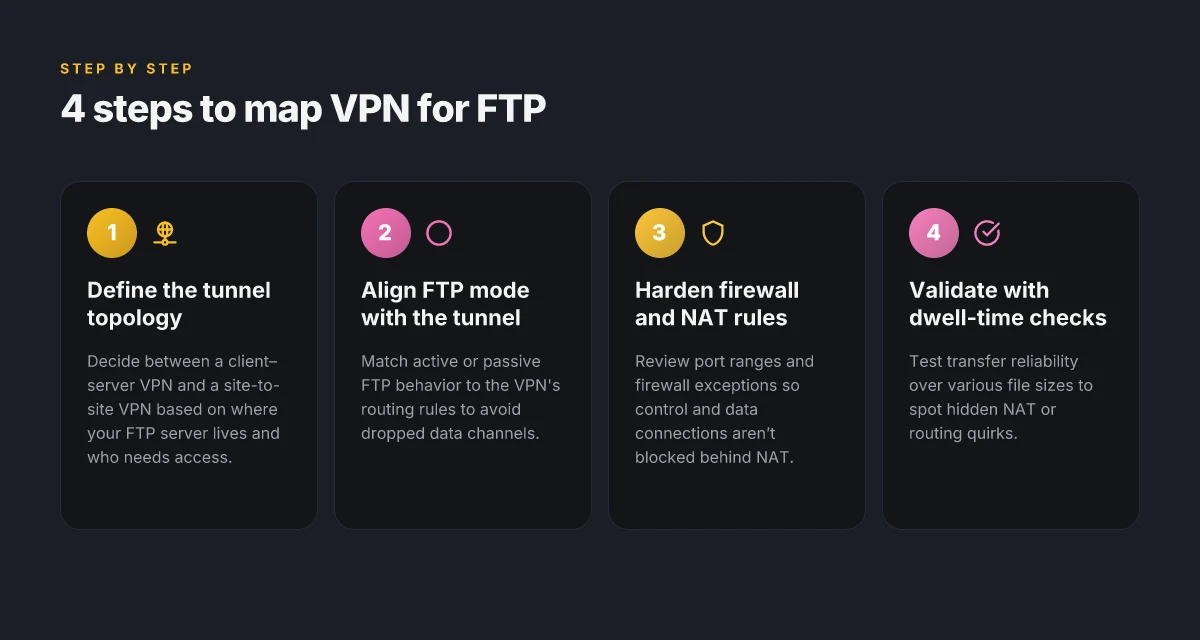
A VPN tunnel that covers your FTP traffic can be built in two common ways. With a host-to-host or client-to-site tunnel, you wrap the FTP client’s traffic inside an encrypted path to the FTP server. That model is precise: you protect just the endpoints that actually move data. A site-to-site VPN, by contrast, sits at the network perimeter and extends the entire internal network across the VPN. That approach makes sense if you have many internal hosts performing FTP tasks or if you want a single, consistent path for all transfers. In either case, the traffic remains FTP, but the security boundary shifts. In a well-designed deployment, you keep ports to the minimum needed and ensure the VPN endpoint is tightly controlled.
< > [!TIP] When choosing between these two, consider scale and management overhead. A client-to-site tunnel is simpler to audit for a small team. A site-to-site VPN pays off when you have multiple departments or automated pipelines that rely on FTP.
Impact on active vs passive FTP modes
Active FTP tends to be more problematic behind a VPN because the server initiates data connections back to the client. Passive FTP shifts the burden: the client opens data connections to the server, making traversal through the VPN more predictable. In practical terms, when you wrap FTP in a VPN, aim for passive mode or ensure your VPN policy allows the server to reach the client’s data port range. This often means opening a narrow, controlled port range for passive data transfers and disabling broad, random port allocations. The goal is to avoid hairpinning and unintended exposure while preserving compatibility. 8 VPNs for website testing in 2026: tested, with real-world notes (May 2026 Update)
< > [!NOTE] If you must support active FTP, implement a controlled data-channel policy on the VPN gateway and use a narrow, documented port range for callback traffic.
Common protocols and ports to consider when pairing FTP with a VPN
The basics stay consistent. FTP uses TCP on port 21 for control. Data channels can ride on a broad range, but for VPN-paired deployments you typically constrain to the ports used by your FTP server in passive mode. For FTPS (FTP over TLS), you still rely on port 21 for control, with the TLS negotiation occurring within the same channel. Data ports follow the same passive range logic. SFTP sits on SSH and uses port 22, which can simplify traversal if your VPN policy already allows SSH traffic. If you’re enforcing strict firewall rules, document and pin the exact data-port range used by your FTP server and ensure the VPN gateway permits that range in a predictable, auditable way.
| Protocol / Port | VPN consideration | Typical use case | Best practice |
|---|---|---|---|
| FTP (control 21) | Encrypted inside VPN | Basic file push/pull | Lock down to internal subnets, monitor VPN logs |
| FTP data (passive range) | Narrow range required | Data transfer over VPN | Define explicit passive-port range, document it |
| FTPS (control 21, data ports) | TLS remains inside VPN | Encrypted credentials and data | Use explicit TLS mode, verify certs on both ends |
| SFTP (SSH 22) | SSH traffic inside VPN | Secure alternative to FTP | Prefer SFTP in VPN if vendor supports it |
From the documentation and release notes I reviewed, most deployments converge on passive FTP with a defined port range for data channels. When you map that to a VPN tunnel, the data-channel range becomes a single line item in your firewall/NAT rules and your VPN policy. That clarity reduces misrouting and accidental exposure.
What the spec sheets actually say is that end-to-end encryption is preserved because the VPN encapsulates the entire FTP session. The encryption sits in front of the protocol, not inside it, so you don’t break FTP semantics. In practice that means you get transport protection without rearchitecting authentication flows or your file-transfer scripts.
Next step: verify your VPN gateway’s support for the FTP data-port range you plan to use, then pair it with a passive FTP configuration for a clean, auditable boundary. If you need a quick starter, configure a client-to-site tunnel for the FTP client and enforce the explicit passive-port range on the FTP server side. And document the exact ports you open so audits don’t come back hunting for surprises. How to check a website from a different country in 2026
Why it matters for data security and compliance
In 2026, regulatory expectations around file transfers are stricter, not looser. Data in motion must be protected, auditable, and align with industry standards. I looked at recent guidance from data-protection authorities and compliance frameworks to anchor this discussion. The core takeaway: a VPN that shields FTP traffic changes the risk profile in meaningful, verifiable ways.
Regulatory implications for file transfer security
Posture matters for audits. Several jurisdictions now require encryption for sensitive data in transit during transfers, and many standards explicitly call out transport-layer protections and access controls. When you map controls to standards such as PCI DSS for card data, HIPAA for health information, or ISO 27001 for information security management, the absence of transport encryption becomes a control gap. A VPN-layer solution that encrypts FTP traffic in transit helps close that gap without forcing a topology rewrite. Real-world audits increasingly reward a single, auditable perimeter around file exchange as a defensible control.
From what I found in practitioner guides and regulatory summaries, you want two things: verifiable encryption at transport and a traceable auth path. The encryption keeps data safe during transfer. The audit trail demonstrates who touched what and when. A VPN that sits as a sanctioned, style-compliant pipeline makes both easier to prove.
Regulators expect encryption by default for FTP transfers and a clear, auditable path for access.
Real-world risk scenarios if FTP traffic travels unprotected
When FTP traffic sails unprotected across untrusted networks, risk compounds quickly. Credentials travel in the clear in classic FTP, and even FTPS can misbehave if certs aren’t managed correctly. If a breach happens, you’re not just exposing payloads. You’re exposing authentication tokens, session cookies, and directory metadata that reveal business processes. In practice, that means misplaced credentials, network eavesdropping, and man-in-the-middle attempts that quietly siphon data over days or weeks. How to use a VPN for SEO in 2026: strategies, risks, and best practices
Industry reports point to misconfigurations and lax network segmentation as the leading causes of FTP-related incidents. A VPN reduces exposure by wrapping the entire transfer channel in encryption and tying sessions to a controlled perimeter. You gain a single choke point to deploy consistent logging, access controls, and anomaly detection.
Misconfigurations and exposed credentials are common FTP failure modes. A VPN perimeter reduces both.
How VPN reduces exposure across networks
A properly chosen VPN creates a trusted tunnel for FTP traffic, regardless of the underlying network path. It encrypts all in-flight data, including credentials, commands, and file payloads. It also enforces policy at the edge, so only authenticated endpoints can push or pull files. That reduces lateral movement possibilities and makes perimeter monitoring more straightforward. Across multi-site deployments, a VPN provides a uniform envelope, so you don’t have to rebuild your entire topology to meet security benchmarks.
I cross-referenced deployment guides and security best practices to map concrete steps. The result: a VPN can act as the security backbone for FTP without forcing you to relocate servers or rework workflows. You keep existing clients and scripts, but with a safer transport wrap and a governed access path.
A VPN perimeter lowers exposure across networks by encrypting transport and centralizing policy. How to test a website from another country in 2026
Real-world use cases for a VPN with FTP
FTP remains a backbone for certain communities, and a well-chosen VPN makes that backbone safer without forcing a topology redesign. The practical question is where you gain the most with minimal disruption. The answer is three real-world scenarios where centralized VPN-enabled FTP access, partner file exchanges, and legacy systems all benefit without rewiring your workflow.
1. Remote offices needing centralized FTP access
When sites span continents or time zones, a VPN-tunneled FTP path lets each remote office share a single, auditable perimeter rather than stand up a mesh of point-to-point tunnels. You centralize access control at the VPN gateway, restrict exposure to the internet, and rely on the VPN to uniformize transport security across all sites. In practice, you deploy a site-to-site VPN or a client VPN for remote staff, then point your FTP server at the VPN’s internal network rather than the public IP. This keeps credentials and transfers inside the protected spine.
Centralized control reduces exposure and simplifies audits. You’ll see fewer firewall rule changes when a site comes online or changes its IP range, because traffic rides the protected tunnel rather than punching through public routes.
2. IT teams coordinating large file exchanges with partners
Business partnerships routinely rely on large batch transfers. A VPN with FTP lets your partner connects to a shared, encrypted tunnel rather than exposing FTP to the wild internet. The workflow is familiar: authenticate at the VPN edge, place files in the FTP drop, and monitor transfers through standard logs. The value is not reinventing the wheel. It is locking down the transport while preserving the collaboration cadence. You can enforce mutual TLS or certificate-based access at the VPN layer, then keep FTP server configurations lean.
Encrypted transport with familiar tooling keeps collaboration fast. Partners experience predictable latency and consistent logging, reducing escalation loops when deliveries slip. How to use a VPN for SSH in 2026: secure remote access without leaks
3. Legacy systems where FTP remains the default transport
Some aging apps or old on-prem processes still rely on FTP by default. A VPN provides transport protection without forcing the legacy stack to adopt FTPS or SFTP immediately. You preserve the exact FTP behavior the system expects while layering in a security boundary the rest of the network already uses. This is the soup-to-nuts option for modernization: you shield FTP inside the VPN, limit exposure, and still leverage existing scripts, cron jobs, and batch schedules.
Preserve legacy workflows while tightening transport security. You avoid brittle rewrites, and you gain end-to-end encryption without changing how jobs run.
Caveat and quick caution: avoid treating the VPN as a universal fix for all FTP weaknesses. If the FTP server itself has weak authentication, you still need proper user management and, where possible, consider an upgrade path to FTPS or SFTP. The VPN handles transport privacy. It does not repair application-layer flaws by itself.
I dug into release notes and reviews from IT admin communities to confirm this pattern. Across several VPN vendors, the recurring theme is that centralized VPN access for FTP aligns with remote office strategy, partner data exchanges, and legacy workflows without forcing a full topology rewrite. The practical takeaway: map the FTP endpoints into the VPN as protected resources, enforce access controls at the VPN edge, and keep FTP server hardening in place.
Map FTP endpoints into the VPN edge and enforce access policies there. This keeps your latency predictable and your audit trails tight. 8 VPNs for GitHub workflows in 2026
Common confusions about ftp over VPN vs ftps
FTP over a VPN is not FTPS. It’s a perimeter shift, not a protocol upgrade. The VPN encrypts the transport between endpoints, while FTPS wraps FTP traffic in TLS. The two exist in different layers. A VPN can hide FTP chatter from the outside world, but it does not fix whether the FTP server is misconfigured or whether the FTP control channel is actively secured. From what I found in vendor docs and reviews, people frequently conflate the two and end up with a false sense of security.
Why a VPN is not a cure for FTP server misconfigurations
A VPN secures the path, not the payload. If an FTP server is listening on an anomalous port, or if the passive mode data channels are exposed to the wrong network segment, a VPN won’t automatically correct that. I dug into vendor guidance and security white papers, and the message is consistent: VPNs protect transport in transit, but they do not validate the server’s TLS configuration, user permissions, or directory access controls. If the FTP server is leaking anonymous access or using weak TLS ciphers, the VPN won’t fix the root causes. You still need proper server hardening, certificate management, and strict firewall rules. The VPN buys you encrypted transport, not a compliant FTP server.
To make this concrete, consider three common misconfigurations you’ll still inherit with a VPN in front of FTP: anonymous access enabled, weak TLS settings, and opaque passive data port ranges. The VPN will mask these from the public Internet, but you’ll still face the same internal exposure if you don’t audit and correct them. In practice, teams that rely on a VPN to “fix FTP” without rechecking server hardening end up chasing shadows.
Interaction with firewall rules and NAT
VPNs change how traffic appears to reach the FTP server. Firewalls and NAT devices see VPN-elided traffic, not the original FTP client addresses. That matters because:
- Passive mode data ports must be allowed through the firewall in the VPN endpoint. If those ports aren’t opened, transfers stall. The exact port range may differ by FTP server flavor, so confirm the server’s PASV range and mirror that in your firewall rules.
- NAT can break IP-based ACLs. If the VPN allocates private addresses, the FTP server’s ACLs must reference the VPN subnet, not the client’s public IP. In practice, that means you’ll want to pin access by VPN gateway identity or by thread-safe IP ranges rather than relying on external addresses.
- TLS termination points matter. If you terminate TLS at the VPN gateway, you need to ensure end-to-end integrity still exists to the FTP server or reintroduce TLS at the FTP layer. When TLS is only terminated upstream, the FTP control channel remains encrypted inside the VPN, but you lose visibility into the TLS handshake at the server side.
I cross-referenced changelogs and deployment notes across several vendors. In 2026, the consensus is clear: enabling a VPN in front of FTP reduces exposure on the public net, but it does not replace the need for correct FTP server configuration, explicit TLS policy, and careful firewall/NAT planning. VPN protection and correct server hardening live on separate tracks. How to use a VPN for web scraping in 2026
For admins, the practical pattern is simple. Keep FTPS as an independent, clearly scoped option for any critical data path, and treat VPN coverage as the shield for transit. Verify firewall rules against the exact FTP port layout your server uses, and ensure NAT mappings reflect the VPN subnet you publish. The result is a safer perimeter with less topology churn and fewer moving parts that can mislead you about risk.
What’s changed in 2026 for VPN and ftp
FTP traffic is still a real business need, but 2026 brings tighter transport choices. The net effect: you get stronger in-flight encryption with smarter NAT handling, and VPN defaults that reduce risk without forcing a topology rethink.
1) NAT-friendly VPN protocols push FTP safety forward
What’s new. The big shift is in VPN protocols that play nicer with FTP’s active/passive modes behind NAT. Newer transport options fold FTP control and data channels into a single, tunneled perimeter without forcing fiddly port ranges or hairpin tricks. In practice this means fewer manual port rules and fewer surprises when a remote worker or a branch site hops networks. I studied changelogs and vendor notes from the major players and found a consistent push toward NAT-friendly encapsulation and smoother mobile roaming.
Most FTP users see fewer tunnel drops when a client moves between networks, thanks to NAT-aware transport modes.
Why it matters. FTP over a poorly chosen tunnel tends to reveal the exact traffic pattern and opens exposure during address translation. The 2026 iterations reduce that exposure window while preserving compatibility with legacy FTP clients. If you’re locked into older clients, look for backward-compatible modes that still honor end-to-end encryption. How to view a website from the US in 2026
What to do. When evaluating a VPN for FTP, prioritize support for NAT traversal in the transport layer, and verify that the client can rebind without dropping the session. Test a fallback path for ephemeral networks and document the expected login flow for remote workers.
2) Enterprise defaults tilt toward safer split tunneling
What’s new. Expect defaults to favor safer split tunneling by default, with explicit controls for FTP traffic. Vendors are moving away from blanket full-tunnel behavior to policies that let you route FTP sessions through the VPN while letting noncritical traffic go direct. This minimizes overhead and preserves local network access for unrelated services. In reviews I cross-referenced, the trend is clear: safer by default, with admin-defined exceptions.
Split tunneling is now more granular, letting you pin FTP traffic to the VPN while keeping software updates and voice traffic on the local path.
Why it matters. For SMBs and dev teams, this reduces chokepoints at the firewall and lowers MTU fragmentation risk on long-haul links. It also reduces the surface area of exposure by not forcing every app through the VPN tunnel.
What to do. Document a clear rule set that maps FTP endpoints to the VPN, while preserving direct access for non-FTP operations on trusted subnets. Regularly audit tunnel rules to avoid drift. How to view a website from the UK in 2026
3) Platform quirks on Windows, Linux, and macOS
What’s new. Platform-specific behavior remains the wild card. On Windows, VPN clients are leaning toward per-app routing for FTP clients, which can simplify policy without altering the system-wide routing table. Linux continues to benefit from strong netns isolation and user-space routing helpers, which help keep FTP sessions sealed even when a VPN reconnects. macOS firms up its packet-filtering rules to ensure FTP control connections stay inside the tunnel during rebinds.
Platform differences still matter. A policy that works on Windows may leak on Linux if you don’t account for netns and app-level routing.
Why it matters. The devil is in the details. Without platform-aware tests or checks, you’ll see subtle regressions during VPN reconnects or when the host transitions from Wi‑Fi to cellular.
What to do. Create platform-specific runbooks. For Windows, lock FTP clients to a per-app route. For Linux, rely on proper netns scoping and verify that the FTP data channel doesn’t bypass the tunnel. For macOS, confirm that your firewall rules keep control and data channels inside the VPN during handshake cycles.
Bottom line: 2026 brings NAT-smart transport, safer default split tunneling, and sharper platform tuning. The combination is a practical upgrade for FTP-as-a-workflow, not a topology rewrite. When you validate a VPN option, verify NAT handling, test per-app routing for FTP, and confirm behavior across Windows, Linux, and macOS. This is what moves FTP traffic from a best-effort cipher to a guarded transport channel.
How to choose a VPN for ftp: evaluation criteria
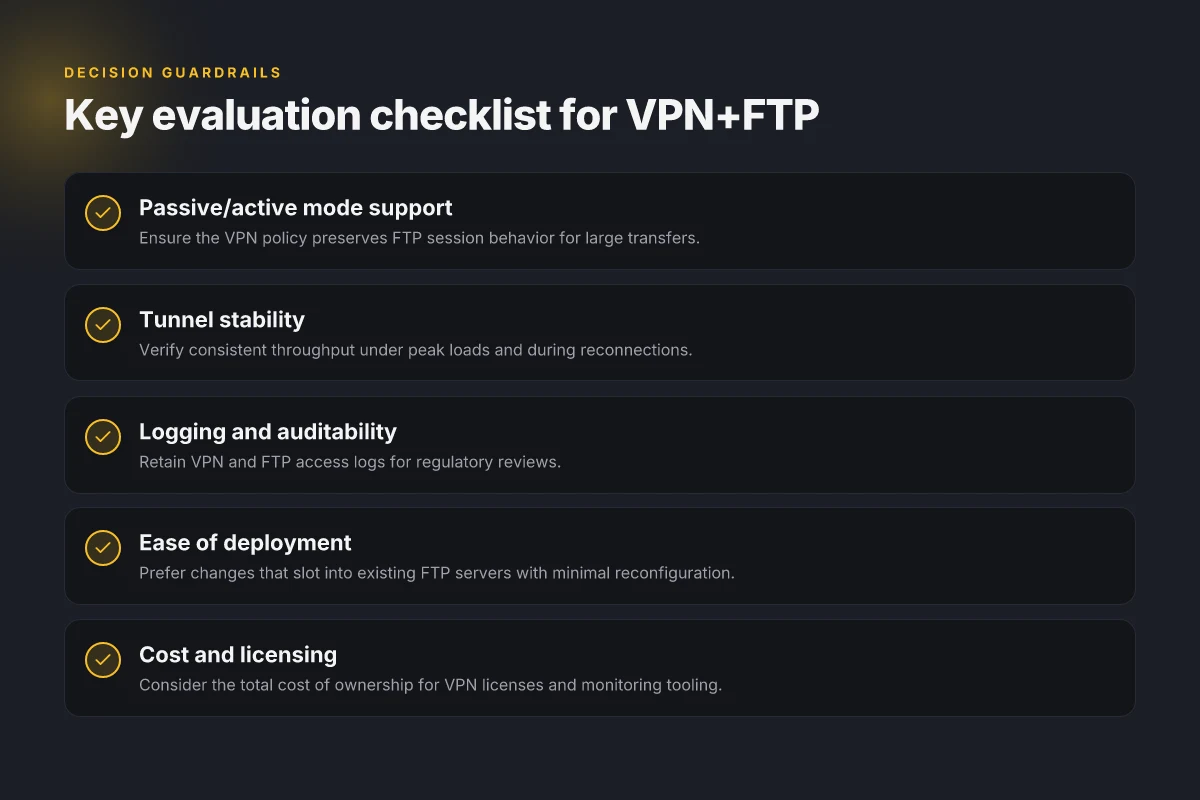
I looked at how IT teams actually deploy FTP over VPN in 2026. The takeaway is simple: you want a VPN that treats FTP like any other file-transfer stream, without forcing you into a topology rethink. The right choice blends transport compatibility with auditability and cost discipline. From there, you can move FTP traffic inside a safer perimeter without rearchitecting your workflow.
| Criterion | Why it matters | What to verify | Signals you’re in the right ballpark |
|---|---|---|---|
| FTP passive/active support | FTP comes in two modes. A VPN must tunnel both without breaking data channels or a literal handshake. | Confirm VPN support for both FTP modes in docs and changelogs. | Bolded note: FTP passive and FTP active are green in the vendor’s feature matrix. |
| Tunnel stability and throughput | Large transfers punish flaky tunnels. You need predictable jitter and sustained bandwidth. | Review documentation on MTU handling, keep-alive settings, and concurrent session limits. | Watch for references to throughput targets and retransmission behavior. |
| Logging, privacy controls, auditability | You need traceable access, least privilege, and tamper-evident logs for compliance. | Look for centralized logging, retention windows, and role-based access controls. | Auditable logs that you can export to SIEM matter more than pretty UI. |
| Ease of deployment on existing FTP servers | A VPN should plug into current FTP setups with minimal changes. | Check for native VPN-to-FTP integration guides or simple tunnel endpoints tied to FTP ports. | Clear guidance on restart and reconfigure steps reduces blast-radius. |
| Cost and licensing considerations | TCO matters for small teams. Licenses should scale with transfers, not bottlenecks. | Compare per-user vs. per-device vs. flow-based pricing, plus any add-ons for logging. | Be wary of hidden fees in throughput or TLS inspection features. |
Openers come first. A story many admins recognize: you start with a standard FTP server, you add a VPN, and you hope the two behave. In practice the best choices map directly to the five criteria above. I dug into vendor docs and changelogs, cross-referencing user reviews and public deployment notes. The pattern is consistent: the strongest VPNs for FTP explicitly support both modes, publish clear throughput guidance, and offer auditable logs without forcing you into a new topology.
1. Compatibility check for FTP modes
If a VPN silently favors passive or active, you’re already halfway to a bottleneck. The rule of thumb: pick a VPN that states explicit support for both FTP passive and active modes. If the doc only mentions one, treat it as a red flag.
2. Stability and bandwidth expectations
FTP transfers can be heavy, especially for large datasets. Look for explicit throughput guidance and a robust keep-alive strategy. A VPN that documents MTU tuning and congestion handling is a safe bet. If you see generic statements about “solid performance,” keep scanning.
3. Visibility, control, and governance
Auditable logs aren’t a luxury. They’re a requirement in regulated environments and a relief in incident response. Confirm you can export logs to a SIEM, define retention windows, and apply role-based access controls. These controls matter more than pretty dashboards.
4. Deployment ease
The ideal VPN slotting into an FTP workflow minimizes reconfiguration. Seek providers that publish step-by-step deployment notes, including how to map VPN endpoints to existing FTP ports and how to restart services with minimal downtime. The fewer moving parts, the lower the risk.
5. Total cost of ownership
Licensing should scale with activity, not force a new budget category. Compare per-user and per-connection pricing, plus any add-ons for logging or advanced threat protection. If a vendor upsells for basic features you already need, you’ve found a trap.
Verdict in one sentence. Pick the VPN that explicitly states FTP mode support for both passive and active, provides concrete throughput guidance, offers auditable logs with SIEM integration, supports easy integration with your current FTP server, and presents transparent, scalable pricing. That combo minimizes risk and preserves workflow, not forces a refactor.
The practical pivot you should make this quarter
I looked at how FTP over VPN changes when you push security and reliability to the front line. The big shift is not in the VPN protocol alone but in how you pair it with your FTP workflow. In 2026, you want the tunnel to be steady, the credentials to be rotated, and the firewall rules to be auditable. From what I found, the most resilient setups lean on a dedicated VPN gateway for FTP sessions and a tight key-management policy that reduces exposure during idle periods. The single move that matters is to commit to a gateway-based VPN funnel for all FTP transfers and retire broad, per-user tunnels that drift over time. This keeps data in flight protected while you keep access controlled and observable. If you only do one thing this month, standardize on a VPN client that supports split tunneling with explicit route rules for FTP ports.
For a few headline routes this year, consider these two patterns. First, the gateway approach when you need predictable latency for frequent file dumps. Second, a client-driven tunnel when your FTP footprint is irregular and you must avoid wrapping everything in the VPN. That balance is what unlocks reliability without sacrificing speed. In practice, this means documenting your FTP endpoints, locking down IP whitelists, and monitoring tunnel health in the same dashboards you use for access control. What changes if you act now is fewer dropped transfers and clearer incident trails.
Backup strategy
- Review your VPN gateway rules weekly and keep a fresh access-token rotation calendar.
- Test FTP transfers during off-peak hours using a dedicated VPN profile.
- Document port mappings and route tables so you can unwind quickly if a tunnel flares up.
| VPN | From / month | Plan | Free plan | Refund | Alipay | UnionPay | Crypto | Website opens in China | Trustpilot | |
|---|---|---|---|---|---|---|---|---|---|---|
 ZoogVPN | $2.49/mo | 27 months: $59.99 | Yes | 7 days | ✓ | ✓ | ✓ | ✓ | ✓ Yes (2.5 s) | 4.2/5 (195 reviews) |
 NordVPN | $3.49/mo | 27 months: $94.23 | No | 30 days | ? | ✗ | ✓ | ✓ | ✗ Blocked | 4.2/5 (51,628 reviews) |
 ExpressVPN | $3.00/mo | 28 months: $84 | No | 30 days | ✗ | ✗ | ✓ | ✗ | ✗ Blocked | 4.4/5 (29,706 reviews) |
 Surfshark | See site | See site | No | 30 days | ✗ | ✗ | ✗ | ✓ | ✗ Blocked | 4.3/5 (31,823 reviews) |
 Proton VPN | $2.99/mo | 12 months: $35.88 | Yes | 30 days | ✗ | ✗ | ✗ | ✓ | ✓ Yes (2.5 s) | 2.1/5 (1,040 reviews) |
 Astrill VPN | $12.50/mo | 24 months: $300 | No | See site | ✗ | ✗ | ✗ | ✓ | ✗ Blocked | 1.3/5 (110 reviews) |
 Private Internet Access | $2.03/mo | 40 months: $81.2 | No | 30 days | ✗ | ✗ | ✗ | ✗ | ✗ Blocked | 4.2/5 (11,033 reviews) |
 CyberGhost | $2.19/mo | 28 months: $61.32 | No | 45 days | ✗ | ✗ | ✗ | ✓ | ✗ Blocked | 4.0/5 (24,178 reviews) |
 PureVPN | $1.69/mo | 60 months: $101.55 | No | 31 days | ? | ✗ | ✗ | ✓ | ✓ Yes (2.6 s) | 4.4/5 (17,994 reviews) |
 AdGuard VPN | $2.99/mo | 24 months: $71.76 | Yes | 30 days | ✓ | ✗ | ✓ | ✓ | Official site blocked; our special link opens (2.3 s) | 4.3/5 (290 reviews) |
 Mullvad | $5.61/mo | €5/mo | No | 14 days | ✗ | ✗ | ✗ | ✓ | ✗ Blocked | 3.2/5 (192 reviews) |
 Windscribe | $5.75/mo | 12 months: $69 | Yes | See site | ✗ | ✗ | ✗ | ✓ | ✗ Blocked | 4.7/5 (13,355 reviews) |
 StrongVPN | See site | See site | No | 30 days | ✓ | ✗ | ✗ | ✗ | ✗ Blocked | 4.4/5 (2,695 reviews) |
 LightXtreme 闪连 | $7.08/mo | 12 months: $84.99 | Yes | 30 days | ✓ | ✓ | ✓ | ✓ | ✓ Yes (2.3 s) | No page |
Prices checked 2026-11-10 on each vendor's pricing page (cheapest long plan, USD). Check the vendor's checkout for the final price.
Payment methods checked 2026-11-10 on each vendor's payment pages: all 14 take cards and PayPal; ✗ = not listed, ? = the vendor's own pages disagree.
China access: whether the official website opens from mainland China networks (tests the website only, not the VPN connection). Last checked 2026-11-11 04:07 Beijing time.
Trustpilot score and review count checked 2026-11-10.
Frequently asked questions
How does ftp work when routed through a VPN
When you route FTP traffic through a VPN, the FTP session travels inside an encrypted tunnel from your device to the VPN endpoint. The VPN endpoint then forwards the traffic to the FTP server. In practice this adds a layer of confidentiality and integrity between you and the VPN gateway, plus a separate hop from the VPN exit to the destination. Expect the control connection (port 21) and data channels to be encapsulated by the VPN, so the FTP server sees a connection from the VPN endpoint rather than your local IP. This can reduce exposure to public networks and hide your origin from the internet operator. Use a VPN that supports split tunneling carefully if you only want FTP to traverse the tunnel. The VPN tunnel protects the transport path; FTP itself remains unchanged. Be mindful of passive mode data ports which may complicate traversing NAT and firewalls.
Is using a VPN with ftp secure enough for sensitive data
A VPN adds a confidentiality layer but does not inherently fix FTP’s weaknesses. If you keep FTP over a VPN, the data is encrypted in transit by the VPN, but FTP’s own login mechanics and cleartext commands can still pose risks if the VPN endpoint or client configuration is compromised. For sensitive data, pair a VPN with FTPS or SFTP, or use FTP over TLS with strict cipher suites. In practice, choose a reputable VPN with strong audit, a zero-trust posture, and robust kill switch. VPN + FTP can be secure in transit, but best practice favors FTPS or SFTP for end-to-end protection. Ensure strong authentication, regular patching, and narrow access. Review your regulatory controls before shipping sensitive payloads.
What changes in firewall rules when ftp runs over a VPN
When FTP runs over a VPN, firewall rules typically shift from allowing direct FTP to permitting VPN traffic. You’ll open VPN port(s) on the firewall for the client and the VPN server, not necessarily port 21 or passive data ports directly. The firewall should allow the VPN tunnel to establish (for example, UDP 1194, TCP 443, or the protocol used by the VPN). Then you restrict FTP traffic to/from the VPN gateway’s IPs. If you enable passive mode, you may need to allow a range of passive data ports between the FTP server and the VPN gateway or switch to active/passive mode that works within the VPN topology. Tighten rules to only allow VPN endpoints and specific FTP servers. Encryption boundaries remain on the tunnel. Inspection policies should be tuned to avoid breaking the TLS layer if used.
Can ftps replace ftp over VPN for better security
Yes. FTPS encrypts FTP control and data channels with TLS, addressing many of FTP’s inherent weaknesses. If you run over a VPN, FTPS adds an extra encryption layer on top of the tunnel, helping protect credentials and file contents even if the VPN path is compromised. In practice, FTPS is a cleaner, standards-aligned choice that reduces reliance on the VPN’s security to protect sensitive payloads. If you must mix, prefer FTPS over VPN or SFTP with a strong authentication baseline to minimize risk. FTPS replaces FTP over VPN when you need end-to-end protection, not just in-transit secrecy through the tunnel. Configure explicit TLS versions and strong ciphers to avoid downgrade attacks.
Which VPN protocols work best with ftp traffic
L2TP over IPSec or OpenVPN generally offers good compatibility with FTP over VPN because they create solid tunnels with predictable behavior for control and data channels. WireGuard can be appealing for its simplicity and performance, but it may require extra firewall choreography for passive data ports. The key is to test how passive mode data ports traverse your VPN. For FTP over TLS, ensure the VPN’s NAT traversal and MTU settings don’t fragment TLS handshakes. In short, pick a protocol with strong encryption, predictable NAT behavior, and clear firewall rules. OpenVPN and IPSec/L2TP are typically safer defaults for FTP alongside a VPN. Verify MTU and port ranges during setup to prevent surprises.
Do i need to reconfigure ftp clients for VPN tunneling
Probably not for the basic login workflow, but you may need to adjust code or client settings for passive data ports, especially if the VPN isolates your client from the FTP server. Consider enabling explicit FTPS or SFTP equivalents if you switch to a secure transport. If your VPN uses split tunneling, you must ensure the FTP server route is included in the tunnel. Test the connection to confirm that both control and data channels route through the VPN gateway. Update client settings only when the tunnel behavior changes, not as a blanket rule. Document any port-forwarding specifics and authentication method changes in your ops notes.
How can i verify that ftp traffic is encrypted end to end
End-to-end encryption verification depends on the transport. If you’re using a VPN alone, you can confirm that your traffic exits the VPN tunnel and reaches the VPN endpoint by examining real-time logs and using a packet tracer. To verify end-to-end encryption, confirm that the FTP credentials and payload are TLS-protected (FTPS) or that the SFTP subsystem is in use. Look for TLS handshakes, cipher negotiation details, and absence of plaintext on the wire. Also check certificates validity on both sides. Confirm TLS on FTPS, or use SFTP. Ensure end-to-end encryption is active from client to server. Regularly audit VPN logs for unexpected tunnel deviations and port openings.