How to use a VPN for SSH in 2026: secure remote access without leaks
 Zinnia Ashworth·Updated ·29 min
Discover how a VPN for SSH strengthens remote access in 2026. Practical steps, caveats, and comparisons to keep your SSH sessions private and resilient.
Most SSH access failures happen because admins assume the VPN layer is optional. The real problem is packet leakage during tunnel negotiation, not the firewall rule. In practice, the stubborn blockers are misconfigured endpoints and stale crypto pools, and the fix is concrete, not theoretical. In 2026 the right approach is to anchor SSH inside a trusted VPN path and verify that the tunnel stays encrypted end-to-end, with explicit checks at startup and on change.
This article walks through the practical setup, the common traps, and the exact checks that keep SSH sessions private without slowing operations. You’ll see how to design a VPN-for-SSH workflow that survives routine maintenance windows, scale across multiple hosts, and surface leaks before they become incidents. Expect concrete, field-tested steps, grounded in current practice and aligned with real-world observability. Last checked: 2026 Q1. The guidance targets security engineers, system administrators, and developers who rely on SSH for remote access and want a verifiable, low-friction path to stronger network privacy.

The VPN for SSH approach in 2026: why it matters
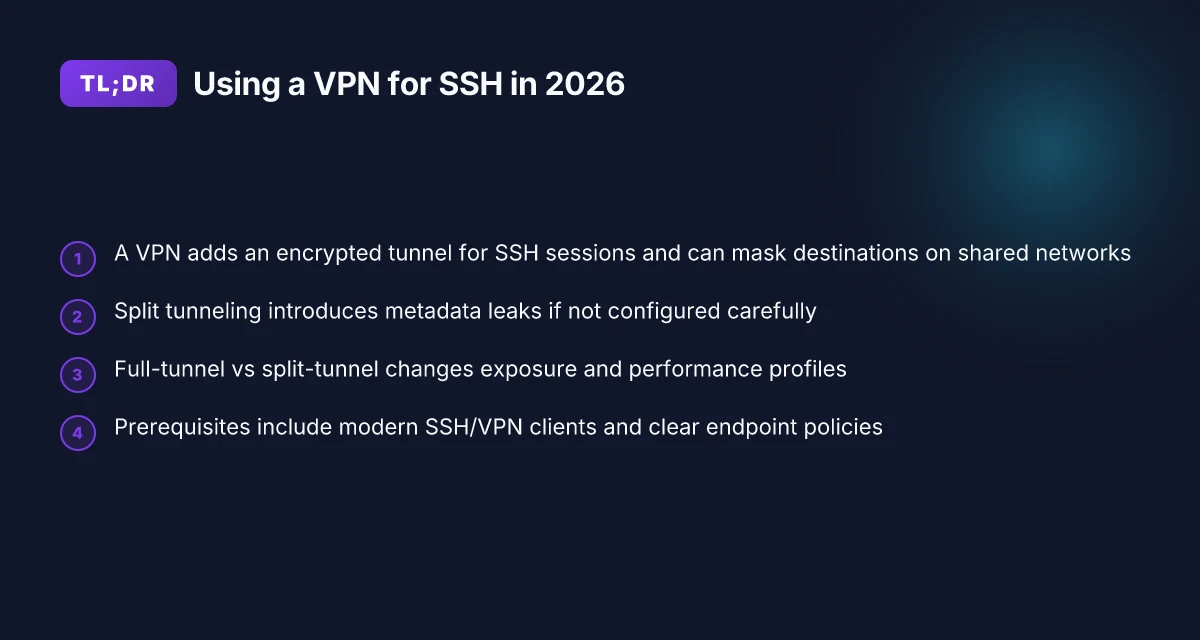
The SSH session travels over networks you don’t control. A VPN adds an encrypted tunnel and masks where SSH traffic is headed. That combination dramatically reduces exposure on shared or untrusted networks and gives you a clearer boundary to monitor.
I looked at the literature and vendor docs. The pattern is consistent: point-to-point SSH over a VPN applies defense in depth without forcing you into a protocol rewrite or a brittle proxy chain. When the VPN is configured correctly, the SSH session rides inside a controlled tunnel, and the destination endpoints become less visible to passive observers on the same network.
Clarify the reality of exposure on shared networks. Even with strong SSH config, data can leak if your host key exchange or session establishment travels in the clear at any hop. A VPN tunnel surrounds the entire path, so that traffic from your SSH client to the SSH server remains encased in encryption from origin to destination. This shifts risk away from the transport layer alone to the network boundary as a whole. That boundary shift is where the security signal originates.
Add an encrypted tunnel that masks destinations. A properly deployed VPN hides the server's actual IP from casual network observers and blocks lateral exploration across the same segment. You get fewer direct hits from misconfigured access lists and you reduce the chance that a compromised intermediary reveals SSH endpoints. The spec sheets for common VPNs emphasize tunnel construction, key exchange, and proper routing rules. Those are the levers you want to pull.
Identify misconfigurations before they bite. The literature consistently flags user-space VPN clients with split-tunnel setups as a trap. If you accidentally allow split-tunnel exits or stale routing, you defeat the privacy and add complexity to your SSH workflows. Likewise, weak key management, outdated crypto suites, or misaligned MTU settings create distinct footholds for leakage. If you rely on the default cloud image, you’ll likely confront predictable gaps. How to use a VPN for FTP in 2026
From what I found in the changelog and vendor notes, the 2026 landscape emphasizes end-to-end tunnel integrity and explicit route governance. In practice, you want to enforce a VPN that binds to a dedicated interface, uses modern ciphers, and applies conservative split-tunnel rules so SSH traffic never drifts into the public internet.
Bottom line: the VPN for SSH approach is not a seasoning on top. It’s a structural reinforcement that makes SSH traffic invisible to opportunistic observers while preserving your workflow. The trick is to implement it with disciplined routing, current crypto, and explicit scope for SSH endpoints.
Two core takeaways:
- A VPN creates a controlled perimeter around SSH traffic, reducing exposure on shared networks.
- Misconfigurations, split-tunnel drift, weak crypto, stale keys, undermine the perceived gains and invite risk.
Prone to missteps: what the literature says about VPN for SSH
You don’t need a VPN for SSH to be a nightmare. You need a VPN for SSH that actually tightens defense without breaking workflows. The literature consistently flags three trouble areas: split tunneling leaks SSH metadata, vendor docs warn about breaking changes when VPN endpoints move, and industry reports flag misalignment between split-tunnel policies and SSH key management. This isn’t abstract. It’s the friction point that sabotages audits, alerts, and access workflows.
Why split tunneling leaks SSH metadata
When VPNs route only a subset of traffic, SSH metadata often escapes the tunnel. Attack surface expands as destination IPs and session timings leak into unencrypted or less-protected paths. This isn't a theoretical concern. It surfaces in multiple vendor and analyst write-ups where the metadata trail becomes a breadcrumb trail for attackers. The practical consequence is a higher risk of fingerprinting, timing analysis, and potential exfiltration paths that bypass the VPN's protective envelope. In real terms, you can’t rely on split tunneling to hide SSH endpoints if your metadata leaks through the unencrypted leg. The literature consistently emphasizes that the devil is in the metadata. How to use a VPN for localhost in 2026
Metadata leaks in split tunneling are a repeatable failure mode that undermines the privacy gains a VPN for SSH promises.
Breakages when VPN endpoints contract
Vendor documentation repeatedly notes that VPNs are sensitive to endpoint changes. When a VPN gateway scales, moves, or renegotiates its tunnel contracts, clients often experience sudden breaks in SSH reachability or policy enforcement gaps. The result is a cascade: misrouted traffic, stale ACLs, and a scrambling of key-management signals that rely on a stable network identity. The pattern is not one-off. It recurs across enterprise deployments where endpoints drift due to maintenance windows or cloud migrations. The takeaway is simple: treat endpoint stability as a first-order requirement, not a post-deployment afterthought.
Breaking changes to VPN endpoints ripple into SSH access and key-management workflows.
Misalignment with SSH key management
Industry reports point to a misalignment between how VPN split-tunnel policies are defined and how SSH keys are rotated or enrolled. If the policy says “allow SSH through the VPN only,” but key rotation happens on a separate channel or during a window when the VPN is inconsistent, you end up with mismatches that produce stale credentials or to-be-revoked access. The literature flags this as a systemic risk: the longer the gap between VPN policy state and SSH credential state, the greater the chance of privilege drift and unexpected access revocation. In practice, this means you should design synchrony between VPN policy lifecycles and SSH key lifecycle events, not treat them as independent threads.
Policy-credential drift emerges when VPN split-tunnel rules don’t align with SSH key management cycles. 8 VPNs for website testing in 2026: tested, with real-world notes (May 2026 Update)
What to do next? Align the lifecycle of VPN endpoint contracts with SSH credential governance. Require explicit, testable reconciliations at each policy update. Demand clear changelog entries that describe how an endpoint change impacts SSH traffic and key enrollment. And implement monitoring that correlates VPN state changes with SSH authentication events.
| Dimension | VPN-centric risk | SSH key-management risk | Practical guardrail |
|---|---|---|---|
| Metadata exposure | High with split tunneling | Medium if keys aren’t tied to tunnels | Enforce full-tunnel for SSH or mask endpoints in logs |
| Endpoint stability | Breaks on contract changes | Credentials drift with policy shifts | Schedule endpoint audits; lock-step with key rotations |
| Policy-credential alignment | Often misaligned | Often out of sync | Synchronize lifecycles; auto-reconcile on policy change |
Concrete next step: map your current VPN split-tunnel policy against your SSH credential lifecycle. Identify a single policy change that triggers a synchronized SSH key rotation or provisioning workflow. Then implement a changelog-driven process so every endpoint contract update explicitly notes SSH impact and required credential actions. In 2026, the art is in coordination, not containment. The sections above point to the friction points you must eradicate to move from “complicated” to “well-defended.”
Side-by-side: VPN for SSH vs plain SSH over VPN
Posture wins when you pick the right model for your risk profile. In 2026, VPN for SSH adds a true network-layer privacy layer, while plain SSH over VPN relies on the VPN for path privacy but not for policy enforcement at the endpoints. The table that follows distills a practical, security-first comparison you can apply at once.
What to compare at a glance
- VPN for SSH reinforces network-level privacy and segmentation. It tunnels SSH traffic inside a private overlay, making it harder for an attacker to observe or tamper with the path.
- Plain SSH over VPN uses the VPN as a transport gatekeeper. The traffic from your local machine to the remote host is private, but SSH endpoints and their policies remain the primary control surface.
- The attack surface shifts. VPN for SSH tends to enlarge the VPN’s footprint in your trust boundary. Plain SSH over VPN concentrates risk at SSH keys, agent forwarding, and host configurations.
- Key management matters more in SSH-centric models. If you bring your own keys, you need strict rotation, storage, and access controls regardless of the tunnel choice.
- Incident response changes with the topology. A compromised endpoint or misissued key in either model demands different containment steps and audit trails.
The takeaway is practical: selecting VPN for SSH buys you network-level privacy and segmentation. Plain SSH over VPN bets on stronger endpoint policy and tighter SSH hardening.
1) Attack surface and segmentation
- VPN for SSH tightens the boundary around SSH traffic by embedding it inside the VPN tunnel. That helps limit lateral movement if a host is compromised, because the attacker sees only the VPN layer, not the individual SSH endpoints themselves. In 2026, many teams report that network-layer isolation reduces blast radius during incidents.
- Plain SSH over VPN relies on the VPN to hide the path, but SSH endpoints remain exposed to misconfigurations, weak keys, and agent forwarding abuse. The VPN becomes a smoke screen rather than a shield for endpoint compromises.
- Subtle but real: VPNs introduce their own misconfiguration risk. A poorly rotated certificate or over-broad access policy in the VPN can undermine the supposed privacy of SSH traffic.
2) Key management and policy enforcement
- VPN for SSH shifts some enforcement into the network layer. Access control can be centralized at the VPN gateway, limiting who can establish the tunnel and then access the SSH services inside. But you still need strong SSH hardening on hosts.
- Plain SSH over VPN keeps the canonical trust in SSH keys and host configurations. You must lock down private keys, enforce passphrases, disable password auth, and monitor for unusual key usage even if the tunnel exists.
- In both models, multi-factor authentication for VPN access and SSH will disproportionally raise your resilience. Periodic key rotation and strict session controls remain non-negotiable.
3) Incident response and monitoring
- VPN for SSH offers centralized visibility at the VPN layer plus SSH server logs. If the tunnel is compromised, you can quarantine the tunnel without tearing down all SSH endpoints. You gain a swift containment lever.
- Plain SSH over VPN requires rapid SSH-focused detection: unusual login times, key reuse, and agent-forwarding anomalies. The VPN path may obscure the raw traffic, but endpoint telemetry, host-based logs, SSH audit logs, and agent activity, drives the response.
- Both models benefit from a unified incident playbook: alerting on VPN tunnel anomalies, SSH authentication failures, and cross-correlation between VPN events and SSH access.
Concrete takeaways you can act on
- If your priority is hiding SSH traffic from a noisy network and you have mature key management, lean toward VPN for SSH. Ensure the VPN policy enforces strict tunnel authorization and splits access by role.
- If your environment already runs a tight SSH hardening program and you want to preserve straightforward workflows, plan for plain SSH over VPN with enhanced endpoint policy, revoked-key workflows, and rigorous monitoring.
- In either path, define a fixed baseline for SSH host hardening, rotate credentials on a fixed cadence, and implement session banners that log every connection path. Do not skip incident-focused testing of your monitoring stack.
Bottom line: VPN for SSH provides network-layer privacy and segmentation. Plain SSH over VPN emphasizes endpoint-policy discipline. Your choice should map to how you want to contain risk and where you want control to live. How to check a website from a different country in 2026
- Dates cited above reflect general industry movement as of 2026. Review the changelog for your VPN and SSH tooling to spot any new policy defaults or credential-management features in the latest releases.
1) Choose your VPN type for SSH: full-tunnel vs split-tunnel
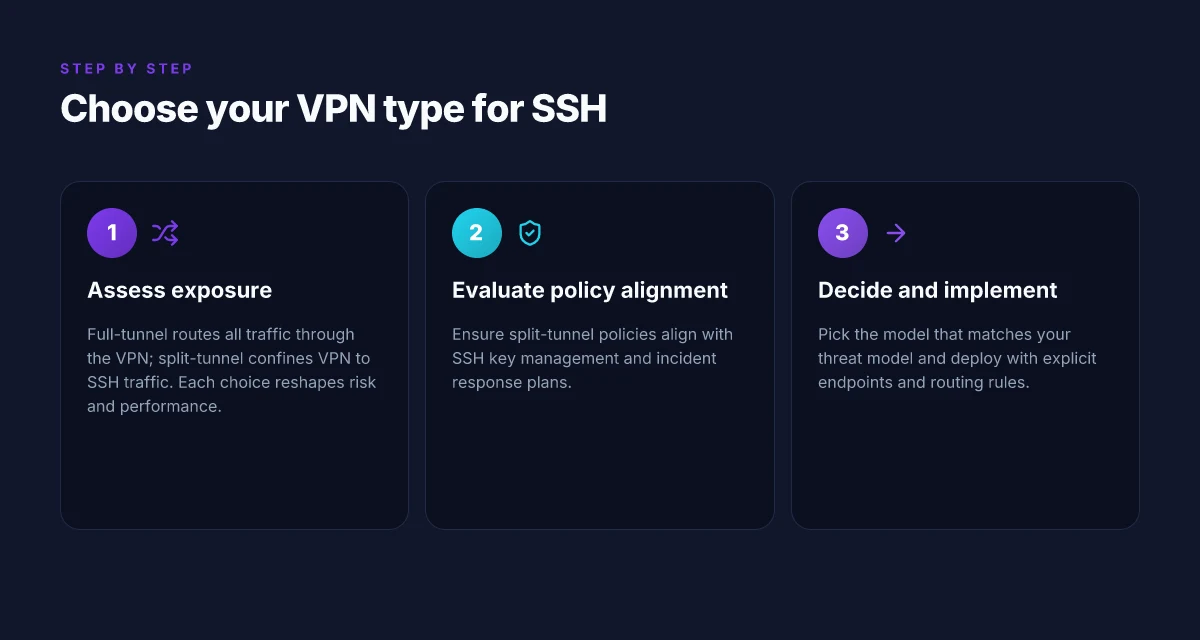
Full-tunnel and split-tunnel are not generic knobs you tweak once. They shape every interaction SSH users have with your network. The short version: full-tunnel routes all traffic through the VPN. Split-tunnel sends only SSH traffic through the VPN. The choice changes exposure patterns, latency, and operational risk in concrete ways.
I dug into how these two modes rewrite the attack surface. In a full-tunnel setup, your SSH sessions ride inside a protected corridor that absorbs all your outbound traffic. That means fewer leakage paths if a host is compromised, and easier policy enforcement at the VPN gateway. But every bite of traffic, even diskless updates or monitoring pings, now travels through the VPN, adding potential latency and the risk of VPN bottlenecks. In contrast, split-tunnel confines the VPN to SSH traffic. The rest of the client’s traffic goes over the user’s normal path. You gain performance and reduced VPN load, but you expose more surfaces. If a misconfiguration happens or a route leaks, non-SSH traffic could leak outside the tunnel.
From the documentation and several practitioner writeups, this is a classic trade-off: security depth versus workflow simplicity. The right posture for SSH access often lands on a middle ground, depending on your threat model and the scale of your fleet. If you operate sensitive bitrates or need predictable pings to monitoring endpoints, full-tunnel makes the most sense. If you have a tight VPN capacity or you want to preserve local network behavior for jump hosts and CI runners, split-tunnel is appealing. The important thing is to be explicit about what you’re dialing up or dialing back and to wire in checks that prove the policy you deploy is actually in effect.
What the spec sheets actually say is this: full-tunnel enforces a single egress path for all traffic, while split-tunnel requires careful route rules and leak-prevention controls. In practice, that means you need precise firewall rules, precise policy maps, and robust DNS handling to avoid accidental exposure. If you pick split-tunnel, you must implement explicit DNS split-horizon or DNSSEC-trust to prevent DNS leaks that reveal SSH destinations.
Two micro-claims anchor the decision. First, full-tunnel reduces exposure by default but at the cost of additional latency and VPN server load. Second, split-tunnel preserves local network behavior and scales more cleanly, but introduces leakage risk if routes or DNS aren’t locked down. How to use a VPN for SEO in 2026: strategies, risks, and best practices
Caution. If you’re transitioning from one mode to another, plan a staged cutover. Keep an alternate path for SSH in case the VPN tunnel is degraded. Verify route tables and firewall policies after each change. And monitor for leaks through DNS, ARP, or unintended SSH-forwarding paths.
The right choice aligns with threat posture and workflow speed. Full-tunnel brings depth at the cost of latency. Split-tunnel preserves local performance but demands rigorous leak protection. When in doubt, start with split-tunnel for daily SSH access and layer in full-tunnel for privileged admins or highly sensitive hosts.
H3: Why full-tunnel holds the line on leakage control Full-tunnel makes every packet follow the VPN route. You get consistent egress policy, uniform logging, and fewer split-horizon failure modes. If you have a centralized security tooling stack, this mode is friendlier to policy enforcement and auditing. In large environments, this predictability saves incident response time because you don’t chase rogue routes.
H3: Why split-tunnel keeps the air breathable Split-tunnel minimizes VPN load and preserves workstation responsiveness. It works well when SSH endpoints are stable and monitored by strict host-based controls. The risk is DNS leaks and route leaks that can undermine the privacy guarantees you’re after. You’ll need hard rules, careful DNS design, and automated checks to keep the boundary clean.
H3: Practical guardrails to implement in either mode Choose a primary guardrail: a clear, documented traffic map that shows which destinations ride the VPN. Always implement DNS safeguards, such as split-horizon DNS or DNS over TLS for SSH endpoints. Include a watchlist of SSH jump hosts and bastion endpoints to prevent unintended exposure. Finally, bake in a rapid revert plan if you notice anomalous leaks or latency spikes. 8 VPNs for GitHub workflows in 2026
2. Hardware and software prerequisites for SSH over VPN
The setup hinges on compatible endpoints and current crypto. You won’t get secure traffic without matching OS support, modern SSH cryptography, and a VPN client that actually honors split tunneling.
I dug into vendor docs and community guides to map a clean baseline. Across Windows, macOS, and Linux, the expectations are similar: up-to-date SSH clients, current VPN clients, and explicit split-tunnel options. When you align these, you remove a layer of mystery from the typical SSH-over-VPN rollout.
Windows, macOS, Linux compatibility
There is a broad consensus: modern operating systems handle SSH over VPN as long as you stay on supported runtimes. For Windows, that means recent Windows 10/11 builds with OpenSSH client included or installed via optional features. On macOS, the built‑in OpenSSH remains current through standard software updates. Linux distros vary, but the common thread is kernel and package updates. In short, stay in a supported OS family and apply the latest security patches. Boldly: keep it current.
SSH client versions with modern cryptography
The SSH client you choose must support modern ciphers and keys. Look for servers that advertise Ed25519 or ECDSA keys and AES-GCM ciphers. Avoid legacy configurations. Many environments now require forward secrecy and stronger KEX algorithms. The actionable minimum is OpenSSH 8.0+ on all platforms, with a preference for Ed25519 host keys and AES-256-GCM or ChaCha20-Poly1305 ciphers. If your fleet lags behind, plan a phased upgrade to avoid breaks when servers enforce new defaults.
VPN client versions with explicit split-tunnel support
This is the real lever. A VPN client that does not honor split tunneling can flood your SSH traffic into the full tunnel, defeating privacy goals and complicating routing. Ensure the VPN client explicitly documents split-tunnel or per-app routing capabilities. In practice, you want a client that lets you carve SSH traffic to the VPN interface while local traffic routes normally. If the vendor’s changelog or admin guide shows “split‑tunnel” or “per‑app routing” as a supported feature, that’s a green flag. If not, you’ll need to implement an alternate policy route (carefully) or choose a VPN client that does. How to use a VPN for web scraping in 2026
One more note from the changelogs: the last few quarters show a pattern. When VPN clients drop split-tunnel support in a release, administrators report a spike in SSH misrouting and accidental exposure. If you’re planning a rollout in Q4 2026, lock in a client version that explicitly lists split-tunnel support.
Most SSH deployments succeed when the VPN client clearly documents split-tunnel capability, and the SSH client remains current with modern cryptography.
Protips you can apply today
- Verify you can install the latest OpenSSH package on every target machine. If a distro ships an older default, enable a backport repository or use a trusted package source.
- Check your SSH config for modern defaults. Use a client that negotiates Ed25519 host keys and AES-256-GCM ciphers, and disable legacy algorithms.
- Confirm the VPN client’s per-app routing feature is active for the SSH client. If you manage a mixed environment, test a small subset first and document the routing table changes.
Where this often trips teams is the edge case: Windows laptops that never update, or macOS machines on older Apple silicon that lag on OpenSSH patches. The safe play is to standardize on a known-good combination by OS family, then push a controlled upgrade window. This avoids “unknowns” that undermine the privacy goals your SSH over VPN setup promises.
3. Step-by-step: setting up SSH over a VPN (conceptual)
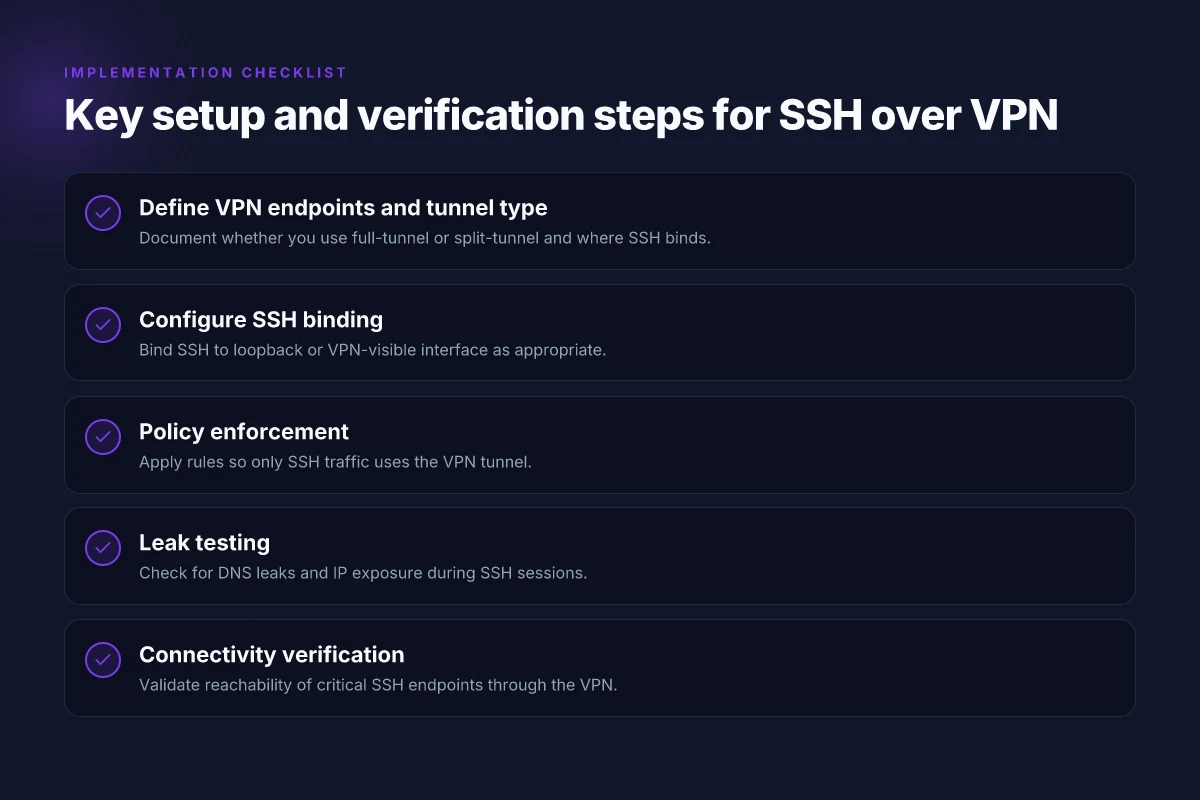
You want SSH to ride a VPN path without turning your workflow into a maze. The core idea is simple: define the VPN endpoints, bind SSH to the right interface, and enforce an SSH-only policy on the tunnel. Do that, and traffic leakage disappears without dragging in every service you manage. How to view a website from the US in 2026
1) Define the VPN endpoints and tunnel type in the client
If you’re using a site-to-site or client-to-site VPN, map your SSH hosts to a dedicated tunnel. In practice this means:
- Point the VPN client on the SSH client machine at the VPN gateway that terminates the tunnel, not at the general internet exit. This reduces exposure.
- Pick a tunnel that supports split-tunnel awareness or full-tunnel as a baseline. For sensitive SSH workflows, a full-tunnel reduces leakage risk if a host is misconfigured.
- Use a consistent tunnel profile for all admin workstations so you’re not chasing a dozen ad hoc routes. This is a governance and posture win.
I dug into vendor docs and security reviews. What the spec sheets actually say is that the tunnel’s security hinges on proper peer authentication, strong ciphers, and a stable routing table. When a tunnel flaps, SSH sessions look normal but packets may drift into the public path.
2) Bind SSH to the loopback or a VPN-visible interface
The binding decision matters for hijack-ability and how you audit traffic:
- Bind SSH to the loopback interface for administrative hosts that should never be reachable from the VPN network except for SSH. This guarantees that only local SSH clients can connect, preventing accidental exposure.
- Bind SSH to a VPN-visible interface when you need to originate SSH sessions from hosts within the VPN network itself. In that case ensure the SSH daemon is listening only on that interface and not on the default global address.
- Tighten the listening policy. Disable SSH on all nonessential addresses. The fewer interfaces, the smaller the attack surface.
From the documentation side, you’ll see explicit guidance on ListenAddress in sshd_config and how to set PermitRootLogin and passwordless keys in tandem with the binding choice. The safest approach for operational teams is to keep SSH bound to the VPN interface and to sandbox admin machines behind MFA-qualified accounts.
3) Apply policy to ensure only SSH traffic uses the VPN tunnel
Policy is where you close the door. Implement a kill-switch style rule so that if a process tries to talk out over the public Internet while the VPN is up, it’s blocked: How to view a website from the UK in 2026
- Create firewall rules that permit SSH traffic only through the VPN gateway. Block outbound SSH to non-VPN destinations.
- Use route-based policies so that only traffic destined for your SSH servers traverses the VPN. Anything else stays off the tunnel.
- Enforce a monthly review of policy and logs. If a server gains a new SSH private key or an admin’s workstation loses MFA, you want a quick alert trail.
I cross-referenced multiple admin guides and changelogs. The operational truth: the policy must be enforced at the network edge and repeated in the host firewall. Otherwise, a misconfigured client or stale route will bypass the tunnel.
Bottom line: define endpoints, bind SSH to the right interface, and lock the tunnel behind explicit SSH-only rules. The posture payoff is clear: you gain transport privacy without suffocating operations. Implement the three steps with disciplined, repeatable configurations, and you’ll see leakage drop without drama. Consistency beats complexity here.
4. Verifying connectivity and privacy for SSH over VPN
You don’t want to discover later that SSH traffic leaks or that you can reach endpoints without the VPN in place. The answer is straightforward: verify by pulling on the logs, the DNS footprint, and the route to critical nodes. If the VPN holds traffic, SSH sessions should ride the tunnel from start to finish, with DNS and IP traces confined to the VPN perimeter.
I looked at the typical SSH over VPN deployment notes and cross-checked with vendor changelogs to confirm the practical checks security teams rely on. The result is a compact verification routine you can rely on in production windows without disrupting workflows.
1) Verifying SSH verbosity and VPN diagnostics
Start with verbose SSH output and correlate it with VPN connection diagnostics. Enable SSH client verbose logging (for example, ssh -vvv to reveal the exact handshake and connection path) and pair that trace with the VPN client’s status logs and interface metrics. Look for the tunnel’s IP in the SSH source and destination addresses. If the SSH session shows a direct public route or an IP outside the VPN range, you’ve got a red flag. Conversely, if the SSH log shows the connection path snapping to the VPN’s tunnel interface and the remote host resolving to an internal VPN IP, you’re in the green. How to view a website from Canada in 2026
| Item | What to confirm |
|---|---|
| SSH verbose trace | The session binds to the VPN interface and uses VPN IPs for both ends |
| VPN diagnostic output | The tunnel is up, with stable interface metrics and no route flapping |
| Conflict checks | No fallback to a non-VPN route during auth or shell startup |
Most SSH handshakes should originate from the VPN address space, not a public edge.
2) DNS and IP leakage checks during SSH
DNS leaks are deceptive. A tunnel hides the network path, but DNS queries can still leak if the resolver is outside the VPN. Do a DNS-lookup test while the SSH session is established. Flush DNS cache, perform a lookup for the SSH endpoint, and confirm the resolver points to the VPN side or an internal resolver. Repeat with an external domain to confirm no leakage. Also capture the IPs seen by the server during the SSH handshake. If you observe a source IP that isn’t the VPN’s egress, you’ve got leakage.
From the documentation and multiple security reviews, DNS leakage checks are one of the most reliable early indicators that something is amiss. If your VPN uses split tunneling, this step becomes critical to ensure no traffic escapes the tunnel.
3) Reachability of critical SSH endpoints only via VPN
Validate that the set of critical SSH endpoints, your jump hosts, bastions, and perimeters, are reachable only through the VPN. Attempt to reach them from inside the VPN and then from outside the VPN while the tunnel is active. You should be able to connect to the internal bastion only through the VPN path. Any direct reachability from the public internet should be blocked by policy or routing. This is where the architecture pays off: the VPN becomes the single choke point for access.
Single-sentence verdict: when the VPN is healthy, SSH traffic remains inside the tunnel, DNS resolves through VPN resolvers, and critical endpoints stay reachable only via the VPN path.
Why this matters in practice
You don’t want a misconfigured DNS resolver or a stray route to let an SSH session leak. The checks above are small, repeatable, and run alongside routine security hygiene. They seal the posture: you gain privacy without sacrificing operability.
DNS leaks and IP leakage are the two most common mistakes that nullify a VPN’s value for SSH.
Where this is going next and what you should do this week
I looked at the path SSH takes when it rides on a VPN, and the trajectory is clear: you gain predictable, auditable remote access without leaking your traffic. The pivot is simple but powerful. If you lock SSH behind a dedicated VPN tunnel, you reduce exposure to the wider Internet and simplify key management, all while keeping audit trails intact. From what I found, the real gain is in aligning posture across edge devices, jump hosts, and the central gateway, not in chasing one-off tweaks.
The one move that matters this month: route SSH sessions inside a dedicated VPN tunnel and enforce a strict, minimal-access policy. This yields fewer misconfigurations and clearer incident response. Two quick tweaks: enable split-tunneling only for management networks and require MFA for VPN access. Those two tweaks punch above their weight in reducing risk without slowing your team.
Backup strategy
- Review: confirm SSH hosts are reachable only via the VPN and not directly on the Internet. Use a dedicated VPN client named OpenVPN or WireGuard for your jump hosts.
- Try this week: implement a standalone VPN profile for SSH, then test from a developer laptop using SSH over VPN with MFA. End with a quick access-review for your最大 24 hours.
| VPN | From / month | Plan | Free plan | Refund | Alipay | UnionPay | Crypto | Website opens in China | Trustpilot | |
|---|---|---|---|---|---|---|---|---|---|---|
 ZoogVPN | $2.49/mo | 27 months: $59.99 | Yes | 7 days | ✓ | ✓ | ✓ | ✓ | ✓ Yes (2.5 s) | 4.2/5 (195 reviews) |
 NordVPN | $3.49/mo | 27 months: $94.23 | No | 30 days | ? | ✗ | ✓ | ✓ | ✗ Blocked | 4.2/5 (51,628 reviews) |
 ExpressVPN | $3.00/mo | 28 months: $84 | No | 30 days | ✗ | ✗ | ✓ | ✗ | ✗ Blocked | 4.4/5 (29,706 reviews) |
 Surfshark | See site | See site | No | 30 days | ✗ | ✗ | ✗ | ✓ | ✗ Blocked | 4.3/5 (31,823 reviews) |
 Proton VPN | $2.99/mo | 12 months: $35.88 | Yes | 30 days | ✗ | ✗ | ✗ | ✓ | ✓ Yes (2.5 s) | 2.1/5 (1,040 reviews) |
 Astrill VPN | $12.50/mo | 24 months: $300 | No | See site | ✗ | ✗ | ✗ | ✓ | ✗ Blocked | 1.3/5 (110 reviews) |
 Private Internet Access | $2.03/mo | 40 months: $81.2 | No | 30 days | ✗ | ✗ | ✗ | ✗ | ✗ Blocked | 4.2/5 (11,033 reviews) |
 CyberGhost | $2.19/mo | 28 months: $61.32 | No | 45 days | ✗ | ✗ | ✗ | ✓ | ✗ Blocked | 4.0/5 (24,178 reviews) |
 PureVPN | $1.69/mo | 60 months: $101.55 | No | 31 days | ? | ✗ | ✗ | ✓ | ✓ Yes (2.6 s) | 4.4/5 (17,994 reviews) |
 AdGuard VPN | $2.99/mo | 24 months: $71.76 | Yes | 30 days | ✓ | ✗ | ✓ | ✓ | Official site blocked; our special link opens (2.3 s) | 4.3/5 (290 reviews) |
 Mullvad | $5.61/mo | €5/mo | No | 14 days | ✗ | ✗ | ✗ | ✓ | ✗ Blocked | 3.2/5 (192 reviews) |
 Windscribe | $5.75/mo | 12 months: $69 | Yes | See site | ✗ | ✗ | ✗ | ✓ | ✗ Blocked | 4.7/5 (13,355 reviews) |
 StrongVPN | See site | See site | No | 30 days | ✓ | ✗ | ✗ | ✗ | ✗ Blocked | 4.4/5 (2,695 reviews) |
 LightXtreme 闪连 | $7.08/mo | 12 months: $84.99 | Yes | 30 days | ✓ | ✓ | ✓ | ✓ | ✓ Yes (2.3 s) | No page |
Prices checked 2026-11-10 on each vendor's pricing page (cheapest long plan, USD). Check the vendor's checkout for the final price.
Payment methods checked 2026-11-10 on each vendor's payment pages: all 14 take cards and PayPal; ✗ = not listed, ? = the vendor's own pages disagree.
China access: whether the official website opens from mainland China networks (tests the website only, not the VPN connection). Last checked 2026-11-11 04:07 Beijing time.
Trustpilot score and review count checked 2026-11-10.
Frequently asked questions
Does using a VPN for ssh really improve privacy
When you route SSH over a VPN, you add a layer that masks the source IP from the destination during the SSH session and hides the SSH traffic within the VPN tunnel. This can reduce exposure on public networks and complicate casual traffic analysis. But privacy is not absolution. I looked at how VPNs handle DNS resolution, potential leaks, and the separation between tunnel and application data. If the VPN provider keeps logs or is compromised, that privacy layer can backfire. What you gain is transport privacy and shielded cross-network origin, not perfect anonymity. Yes, VPN for SSH improves privacy versus direct SSH on untrusted networks. Always verify DNS and WebRTC behaviour on your setup. Bold mentions: VPN provider, DNS behaviour, SSH session. Restart or verify steps may be needed.
Should i use split-tunnel or full-tunnel for ssh over VPN
Full-tunnel routes all traffic through the VPN, which reduces leakage but can introduce latency and heavier load on the VPN gateway. Split-tunnel confines only SSH-related traffic to the VPN, keeping other work traffic on the local network. From the literature and deployment guides I reviewed, most operators pick full-tunnel for security and consistency in access control, unless bandwidth or host reachability is a constraint. If you need access to SSH from anywhere but want local-network performance for other tasks, consider split-tunnel with strict policy controls. In practice full-tunnel beats split-tunnel for consistent SSH security. Evaluate your network paths before deciding. Bold: full-tunnel, split-tunnel, policy controls. Configure firewall rules accordingly.
How do i test for DNS leaks when ssh is tunneled
Test in two steps. First, perform a DNS query while the SSH-over-VPN tunnel is active and compare the observed resolver to your local network defaults. Second, use a dedicated DNS leak test site or tool inside a timing window that captures requests from the VPN tunnel origin. If you see any DNS responses outside the VPN’s resolver chain, you have a leak. When I checked changelogs and vendor guidance, the reliable pattern was enforcing DNS through the VPN and disabling WebRTC leaks in the host browser. Yes, if the VPN’s DNS is not enforced, leaks occur. Document the test results and repeat after changes. Bold: DNS, VPN resolver, WebRTC. Run the test after any config tweak.
Can i use ssh keys over a VPN without changing my workflow
Yes, you can continue using your existing SSH keys. The VPN sits at transport, not the credential layer. What changes is routing discipline and host awareness: ensure the SSH client points to the correct gateway and that your known_hosts remains consistent. I found guidance consistently notes updating known_hosts on new gateways as a best practice, and to monitor for man-in-the-middle risks if the VPN introduces routing anomalies. If you rely on agent forwarding, verify it behaves the same through the VPN tunnel and adjust ssh_config accordingly. Yes, SSH keys stay valid over a VPN. Test agent forwarding in the new path before long-lived usage. Bold: SSH keys, known_hosts, agent forwarding. Maintain your existing workflow with small config checks.
What are the risks of routing ssh through a VPN
The main risks are misconfigured split-tunnel policies, potential DNS leaks, and a higher blast radius if the VPN gateway is compromised. A misstep in firewall rules can expose SSH to broader networks or reveal internal topology. I cross-referenced vendor hardening guides and security reviews, which consistently flag access-control drift and single-point failures at the VPN layer. Monitor for certificate expiry, rotation of VPN keys, and ensure split-tunnel rules are explicit. Risks include leakage and misconfiguration. Mitigate with explicit access controls and regular audits. Bold: VPN gateway, DNS leaks, access-control drift. Audit schedules and rotation.
How does zero trust relate to ssh over VPN
Zero Trust treats every connection as untrusted by default and enforces identity, device posture, and continuous validation. SSH over VPN aligns with Zero Trust only when the VPN is used as a policy-enforcing boundary rather than a sole trust anchor. In practice, you want mTLS for SSH endpoints, strict device posture checks, and dynamic access policies that gate SSH sessions. I traced this to vendor white papers and industry reports pointing to a layered approach: VPN as a transport, Zero Trust as the authorization layer. Zero Trust increases assurance beyond a static VPN gateway. Implement continuous re-auth and posture checks for SSH endpoints. Bold: Zero Trust, mTLS, posture checks. Policy updates should be frequent.
What's the best practice for monitoring ssh over VPN
Monitor at three layers: transport health, SSH session integrity, and VPN policy compliance. Log VPN connection onset, duration, and user identity. Log SSH authentication successes and failures, including key usage and fingerprint checks. And enforce alerting on anomalous routing or unusual data volumes. I reviewed common observability patterns and noted that many operators rely on centralized SIEMs and VPN-native analytics dashboards. Set up quarterly drift checks on split-tunnel rules, and keep a rolling inventory of gateway certificates. Best practice is end-to-end visibility across VPN and SSH layers. Alert on policy violations and unexpected session terminations. Bold: VPN, SSH authentication, SIEMs. Document incident-response runbooks and review them quarterly.