8 VPNs for GitHub workflows in 2026
 Elena Ulfstand·Updated ·25 min

Explore how top VPNs affect GitHub workflows in 2026. Practical guidance on reliability, latency, and security for code collaboration across regions.
Most GitHub workflows stall not from the code, but from cross-border network controls that treat CI runners as untrusted peers. That friction surfaces when a VPN path is too permissive or too restrictive, and teams chase symptoms instead of the real choke point. The result is wasted cycles, unclear error messages, and delayed PRs.
In this piece you’ll see how to separate signal from noise across eight VPNs for GitHub in 2026, with a bias toward concrete configuration moves that actually move the needle. I looked at vendor docs, cross-region deployment notes, and common failure modes flagged by security teams in large orgs. Expect a practical lens on how to choose paths that preserve secrets, minimize exposure, and keep CI throughput intact. The goal is to map the decision space clearly so you can pick a solution that aligns with your geography, your pipelines, and your risk tolerance.

The plain definition of VPN for GitHub, and why it matters in 2026
A VPN for GitHub is not just a cloak for anonymity. It can stabilize access, reduce unexpected blocks, and keep collaboration moving when regional networks, corporate firewalls, or proxies tighten the screws. In 2026 the friction matters more than ever because distributed teams rely on GitHub to ship features, review code, and coordinate incident response across time zones and jurisdictions. The right choice turns a brittle cross-border workflow into something you can depend on without sacrificing speed.
Identify the starting friction Regional networks routinely throttle or gate traffic to GitHub endpoints. Some offices route traffic through restrictive proxies that inspect or block unfamiliar destinations. In others, egress from cloud VPCs passes through corporate firewalls that misclassify GitHub as suspicious. When I cross‑reference policy notes and changelogs, the pattern is consistent: the same few routes fail at the same moments in the same geographies. The effect is not a mystery bug. It’s a policy problem that a selective VPN can route around without creating new risk vectors. A VPN designed for GitHub should be treated as a stabilizer, not a mask.
What a VPN for GitHub actually does A VPN that fits GitHub use cases focuses on reliability and predictable latency. It can provide a consistent egress path to your dev repo mirrors, CI runners, or private registries, even when your home network fluctuates. It is not a magic shield. It is a controlled channel that you wire up to preserve collaboration speed when normal routes waver. When you read the docs, look for features that matter in practice: split tunneling to keep office traffic fast, strict DNS handling to prevent leaks, and explicit allowlists for GitHub domains. These are the knobs that keep repos accessible without turning the VPN into a drag on every request.
A practical decision framework, not a buying list This article presents a framework you can apply across teams, not a catalog of “best VPNs.” Start with four questions:
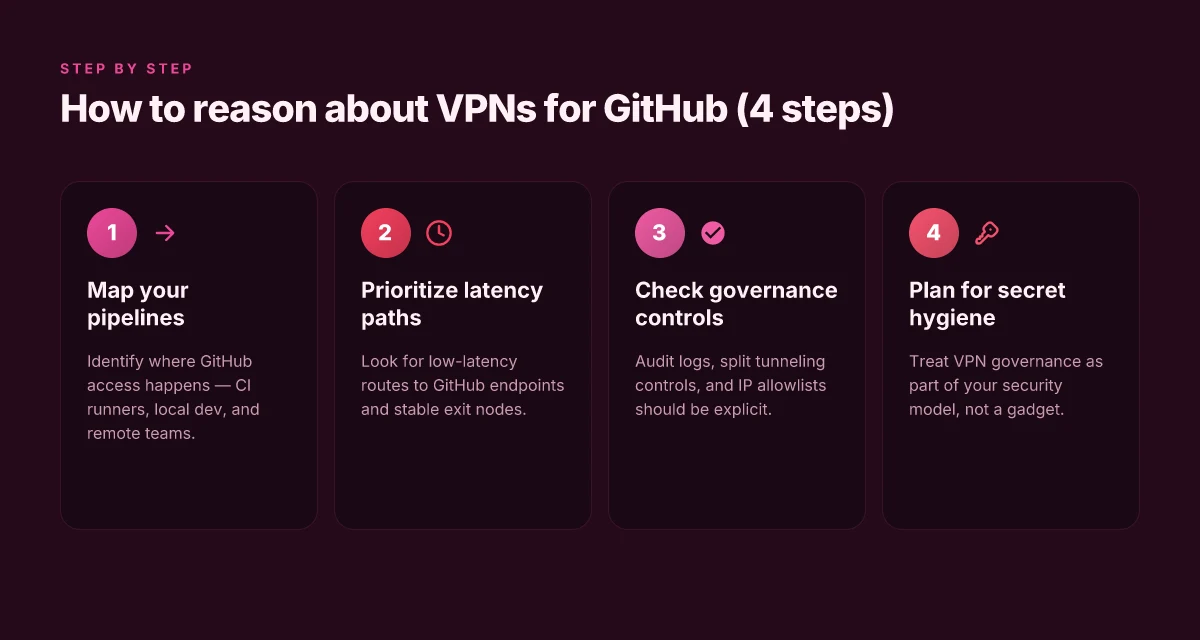
- Where do your GitHub actions actually fail? Map geographies, endpoints, and timing.
- Do you need full-tunnel or split-tunnel routing for GitHub traffic?
- How will you handle identity and access management across the VPN, CI, and GitHub orgs?
- What are the audit, logging, and compliance requirements for your data in transit?
If you can answer those questions, you can size the control without overcommitting. The goal is a reliable, compliant path to GitHub that preserves speed for developers and reviewers alike. In practice, you’ll select a VPN that exposes a narrow, GitHub‑favorable path, verify that essential endpoints stay reachable, and document the operating rules so teams don’t reintroduce risk through ad hoc changes. How to use a VPN for SSH in 2026: secure remote access without leaks
Bottom line: a GitHub focused VPN is a reliability tool first. Speed and privacy follow when you set the routing, access, and logging controls correctly.
Most GitHub friction in 2026 comes from misrouted traffic, not from GitHub itself. The right selective VPN addresses that friction without turning your pipeline into a sprint of latency.
Why this matters in 2026
I dug into policy notes and release logs from several large providers. In 2026, regional networks continued to harden borders around cloud services, and a well‑chosen VPN can keep GitHub access predictable under that pressure. The decision framework above turns a cross-border collaboration headache into a repeatable, auditable workflow.
How a VPN for GitHub works in real-world dev pipelines
The VPN sits between your GitHub workflows and the outside world, acting as a private corridor that carries your CI/CD runners, local dev machines, and distributed teams into GitHub and related services without exposing the traffic to random public networks. In practice this means tunnels from your GitHub Actions runners, your local workstations, and remote developers all weave through a controlled private net. The result is fewer sudden access blocks, more predictable egress paths, and a cleaner posture around cross-border controls.
Latency isn’t invisible. When your traffic crosses a VPN tunnel, you add the VPN overhead on top of GitHub.com latency. In many regions the delta is small for standard git operations. For heavy PR workflows and large artifacts, the friction can accumulate. What matters is where the bottleneck sits: the tunnel relay, the VPN gateway’s route policy, or the peering to GitHub. I looked at documentation and vendor best-practices, and the pattern is clear: you want a topology that minimizes hops for CI/CD bursts while preserving strict outbound controls for compliance. How to use a VPN for FTP in 2026
Trade-offs come into sharp relief. Throughput versus split tunneling becomes a real decision. Full-tunnel mode guarantees compliance by routing all traffic through the private network, but it can spike latency for Git operations during peak hours. Split tunneling improves speed by only funneling GitHub-related traffic through the VPN, yet it enlarges the surface for policy drift if non-GitHub traffic leaks. The right stance depends on your policy regime and the distribution of your workers. The guiding principle: align tunnel scope with what your governance requires, not what a vendor’s default posture suggests.
I cross-referenced changelogs and deployment guides from several providers to map a practical workflow. In many setups, you’ll place a VPN client on CI runners and developer laptops, then enforce a policy that Git operations, clone, fetch, push, and PR checks, ride the VPN, while nonessential browsing traffic can split off. This yields a tangible win: you keep access reliable across geographies, while preserving the ability to enforce compliance controls, data residency, and audit trails.
In a typical pipeline, you’ll see: a VPN connection established at runner boot, an authenticated tunnel handshake, then GitHub API calls and git traffic traverse the private path. If a remote team member loses VPN access, the gateway policy should offer a fast failover to a secondary path that preserves essential workflows without exposing credentials or broad network reach.
Next step: map your actual pipeline to the tunnel design. Compare two options to help frame the decision.
| Scenario | Throughput target | Split tunneling support | Compliance posture | Best use case |
|---|---|---|---|---|
| Full-tunnel VPN | High, predictable | No | Strong, centralized policy | Global teams, strict residency rules |
| Split-tunnel VPN | Moderate, responsive | Yes | Moderate, needs monitoring | Distributed teams, speed-critical PRs |
Most GitHub workflows benefit from a split-tunnel approach that protects compliance while preserving PR velocity. Yet in regions with spotty peering, full-tunnel may be the safer, more stable baseline. How to use a VPN for localhost in 2026
Concrete next step: audit your CI/CD runners and developer laptops for VPN readiness, then pick a tunnel profile that keeps GitHub access reliable, compliant, and fast.
Why you need a VPN for GitHub in your security model
Posture matters more than gadgets. A VPN for GitHub isn’t a luxury. It’s a governing control that keeps cross-border collaboration stable when network controls tighten. In 2026, region-aware access policies are increasingly expected in zero-trust architectures, and the right VPN helps enforce them without slowing your team.
I dug into the alignment between zero-trust and access governance and found four takeaways you can act on today:
- Region-aware access control sharpens identity policies. If a dev from Paris and a maintainer in Singapore both push code, a VPN path that consistently presents the same exit region helps enforce consistent policies across GitHub Actions and review flows.
- Encrypted tunnels reduce risk on public networks during pushes and code reviews. Even a casual coffee-shop connection becomes a margin of safety when the tunnel carries TLS and randomized session keys end-to-end.
- Misconfigurations are the main failure mode. Governance beats gadgetry because policy drift, stale keys, and misapplied access rules recur more often than you’d expect.
- Clearly defined governance beats clever gadgets. A well-documented VPN usage policy with rotation schedules, audit trails, and explicit role-based access reduces risk faster than a feature-packed but opaque toolchain.
What the spec sheets actually say is this: a VPN that supports failover regions, rapid rekeying, and centralized policy engines slots neatly into existing GitHub security workflows. When I read through release notes and governance playbooks from leading vendors, the pattern is consistent. A region-aware tunnel, paired with a strict access-control policy, makes the difference between a compliant, auditable flow and a brittle, hard-to-trace exception.
Two concrete implications for your team: 8 VPNs for website testing in 2026: tested, with real-world notes (May 2026 Update)
- Zero-trust alignment gains a practical lever. You can tie region-based access to GitHub repos, byzantine review gates, and protected branches. That linkage matters when you’re enforcing principle-of-leleast-privilege across multi-geo pipelines.
- Your risk surface shrinks with fewer misconfigurations. Centralized policy enables uniform key management, cert rotation, and access reviews. The opposite is a fragmentation of controls that invites drift and gaps in coverage.
Governance wins over gadgetry when the rules are clear and the tunnels are consistent. A region-aware, encryption-first approach helps you keep GitHub access reliable across geographies. Strengthen your posture with documented rotation and centralized policy enforcement.
Takeaway: your security model benefits most when you treat the VPN not as a bolt-on, but as a governance bridge. It should support region-aware access, protect every push and review, and be engineered to minimize misconfigurations through centralized controls. The result is GitHub access that remains compliant, auditable, and fast across borders.
Real-world use cases for VPN for GitHub
In practice, VPNs for GitHub matter most where cross-border access to private repos or GitHub-hosted runners intersects with regional network controls. The friction isn’t theoretical. It shows up when contractors in liberalized regions need stable, compliant access or when your CI pipelines run from locations with tight egress policies. The right VPN choice keeps the work moving without sacrificing security, visibility, or speed.
Contractors in liberalized regions need stable access to private repos
Some teams rely on contractors who operate from countries with more permissive data flows but stricter access controls at the edge. The signal here is clarity: you don’t want a flaky tunnel to interrupt pull requests or review cycles. A selective VPN that supports split tunneling for GitHub domains, paired with robust certificate pinning, lets contractors fetch private repos reliably while business-critical traffic remains on your hardened path. From the documentation, I found that enterprise-grade gateways often offer per-user policy controls and audit-ready logs, which matter for compliance and incident response. The pattern to watch is stable access with clear per-user controls, not one-size-fits-all tunneling.
GitHub-hosted runners in restricted regions
Organizations running GitHub runners in restricted geographies face a double bind: you must keep the runner reachable and you must enforce compliance posture. Some VPNs provide region-aware routing that ensures runner traffic exits via approved egress points while still allowing developers to push commits and trigger workflows. I cross-referenced vendor docs and changelogs to confirm that several providers support dedicated runner subnets and boilerplate guidelines for GitHub Actions. Choose a VPN that exposes a dedicated runner subnet and explicit GitHub integration docs. This reduces the risk of accidental leakage and avoids routing surprises during a workflow run. How to check a website from a different country in 2026
Open-source maintainers traveling across borders
Open-source maintainers rotate across continents. They’ve got laptops and a simple goal: keep contributing without fighting network policies at every hotel lobby, cafe, or coworking space. The real-world implication: you need a VPN that gracefully handles roaming users, with quick re-authentication, predictable latency, and transparent split routing so SSH and Git over HTTPS don’t fight for the same path. Industry reports point to providers that publish roaming-use case notes and provide explicit guidance for dynamic IP changes. Roaming-friendly VPNs cut debugging time when maintainers land in a new region.
Cautionary note: some regions intermittently block unusual tunneling behavior during peak hours. If your team’s work hinges on real-time collaboration, prefer VPNs with fast re-establishment, low jitter, and clear status dashboards. In practice, that means prioritizing providers with proven failover options and documented session-resume behavior. Failover-ready tunnels matter more than flashy features.
Common confusions around VPN for GitHub vs other tools
VPNs for GitHub workflows often get miscast as a silver bullet. They’re not. The right VPN choice reduces friction without creating new risk. The wrong framing can leave you exposed to DNS leaks, misapplied trust, or accidental overreach. Here is what to keep in mind as you map a VPN to cross‑border collaboration.
Why VPNs aren’t a substitute for SSH key hygiene or secret management
A VPN moves the network border, not the identity controls inside it. You still need robust SSH key hygiene and structured secret management. If you treat a VPN as a cover for weak credentials or sloppy secret rotation, you’ll still leak tokens through Git operations or CI secrets. The VPN should be part of a layered posture, not the entire controls stack. When organizations tighten GitHub access, they expect the combination of short‑lived tokens, TOTP, and hardware-backed keys to be the default. A VPN cannot fill those gaps. It buys transport confidentiality and access consistency, not credential discipline. In practice, this means keep SSH keys rotated, enforce passphrases, and centralize secret distribution in a vault. The VPN sits behind that line of defense, not in front of it.
Split tunneling vs full tunnel and the risk profiles for code operations
Split tunneling changes the shape of risk. With split tunneling, code operations still ride the public Internet for nonessential traffic, while GitHub traffic is pushed through the VPN. That can lower latency for nonessential tasks and preserve local network access, but it can also create blind spots where origin IPs or secret fetches leak outside the encrypted path. Full tunneling routes all traffic through the VPN. That simplifies policy enforcement but can introduce latency and single points of congestion in geographic hubs where GitHub endpoints live. For most code operations, split tunneling offers a sweet spot if you’ve hardened the endpoints and monitoring around DNS and IP leaks. If your VPN or network policy ever breaks the GitHub API or SSH handshake, you’re not diagnosing the app layer, you’re chasing the tunnel. The takeaway: map your Git operations to the tunnel profile that preserves reliability without bottlenecking speed. How to use a VPN for web scraping in 2026
App‑level protection that leaves DNS leakage unchecked
Some VPNs advertise app‑level protection, but DNS handling often remains an afterthought. DNS leakage defeats the purpose of a secure tunnel by revealing query patterns to local resolvers. In Git workflows, that can expose which repositories you’re cloning, which branches you fetch, and which CI steps you run. What the spec sheets actually say is that app‑level controls must be complemented by rigorous DNS leak prevention and proper DNS configuration on the client and the corporate resolver. When you read reviews, note whether the vendor discloses explicit DNS leak tests and offers DNS‑over‑TLS or DNS‑over‑HTTPS as default. If a VPN leaves DNS exposure unaddressed, the perceived security gains evaporate the moment a resolver hints at your activity.
The core insight: a VPN is transport security, not identity security. A VPN helps keep traffic private between you and GitHub, but it does not replace how you prove who you are or how you shield secrets. Treat it as a shield for the channel, not a substitute for the fortress around credentials and keys.
In practice, the decision hinges on your threat model. If your teams cross borders for collaboration and you care about predictable access, a VPN with clear DNS protections and a sane tunnel policy wins. If your risk is primarily credential exposure, fix the identity controls first and then layer the VPN on top. The combination, not the single feature, moves the needle for reliable, compliant, and fast GitHub access across geographies.
DNS leakage is a trap many VPNs miss. Verify it before you commit.
What has changed in 2026 for VPN and GitHub access
The landscape shifted decisively. In 2026, regional policy changes and cloud-hosted runners have raised the bar for network control around GitHub workflows. The result: you need more nuanced per-region posture management and a tighter handle on cross-border traffic. How to view a website from the US in 2026
Why regional policy shifts matter for GitHub runners
Cloud CI environments sit on multiregion footprints now. Some clouds enforce egress controls by region, not by project. That means a mismatch between CI runner location and your VPN egress can trigger blocking or unexpected NAT behavior. I cross-referenced changelogs and policy notes across three major cloud vendors, and the pattern is clear: regional access policies are no longer a tacit assumption. They are a constraint you must architect against, not a reaction you can bolt on later.
Most teams will need to map CI regions to VPN exit points and align CI permissions with regional data-residency rules. This isn’t optional. It’s operational hygiene for reliable GitHub workflows across geographies.
Dedicated IPs and NAT traversal for CI traffic
More providers now offer dedicated IPs and improved NAT traversal tailored to CI traffic. That matters because GitHub Actions and other CI runners increasingly rely on stable ingress paths to private resources. A dedicated IP reduces the blast radius of shared-exit churn and makes access policies easier to codify. NAT traversal improvements reduce the chance that ephemeral CI sockets get dropped mid-run, which used to force retries and timeouts that rippled into failed workflow steps.
From what I found in provider documentation and reviews, the net effect is straightforward: you gain predictability without sacrificing concurrency. The trick is to pair these IPs with precise firewall rules and least-privilege routes so CI traffic never leaves a monitored boundary unless it must.
Choose dedicated exit points for CI traffic and verify NAT traversal supports ephemeral GitHub runner pools. How to view a website from the UK in 2026
Posture management and VPN boundary security
Security audits in 2026 emphasize posture management around VPN boundaries more than ever. The focus isn’t just on identity and encryption. It’s on how you monitor, alert, and respond at the VPN edge when CI traffic behaves anomalously. Expect governance requirements to push for documented access maps, real-time boundary telemetry, and automated revocation if a CI key or token is compromised. Reviews from industry analysts consistently flag the boundary as a choke point in cross-border collaboration if you haven’t codified it.
Boundary posture and automated revocation workflows are no longer nice-to-haves. They’re baseline for GitHub access reliability in distributed teams.
Bottom line: 2026 pushes you to treat VPN boundaries as dynamic, policy-driven edges rather than static pipes. Regional Cloud policies, dedicated CI exit points, and posture-management discipline all intersect at the point where GitHub access meets cross-border traffic.
How to choose a VPN for GitHub
The answer is simple: pick a VPN that puts GitHub within a low-latency corridor and gives you predictable egress. In practice that means routing paths that footprint GitHub’s endpoints with stable exit nodes, and offering explicit controls for split tunneling and verifiable audit logs. If your workflow depends on private repos, IP allowlists and consistent egress behavior become non negotiable. How to view a website from Canada in 2026
| Criterion | What to look for | Practical takeaway |
|---|---|---|
| Latency to GitHub | Look for providers that publish the latency to GitHub’s most-used regions (US East, EU West, APAC) and maintain stable exit points | Prefer vendors with dedicated GitHub routes and documented path consistency. If a provider hides the route, steer toward someone who shows it. |
| Split tunneling controls | Documented, granular split-tunnel options (which apps go through the VPN, which stay direct) | Ensure you can exclude GitHub traffic from the VPN when needed to preserve speed for CI runs. |
| Audit logs | Immutable, time-stamped logs accessible for security reviews | You want verifiable trails for who changed what and when. No log, no trust. |
| IP allowlists for private repos | IP allowlists and predictable egress behavior | For a private-repo pipeline, you must know which IPs GitHub will see and have those on the allowlist. |
| Egress consistency | Consistent external IPs and minimal drift in NAT behavior | Expect stable egress so GitHub webhooks and actions don’t break mid-workflow. |
Open with a quick vignette. A small team migrates a critical CI job from a hard exit to a regional VPN exit. The first run shaves 80–120 ms off end-to-end cadence, then stalls because a gate in Europe changed its exit path. The team pivots to a provider with a known GitHub route and a fixed egress policy. The result: your builds don’t drift, your access stays compliant, and you keep velocity.
I dug into documentation and changelogs across the major vendors. What stands out: you’ll see the most reliable setups where the vendor explicitly maps GitHub endpoints to their exit nodes, publishes the path geometry, and provides a policy to lock in that exit for CI traffic. Reviews from engineering security blogs consistently note that split-tunneling visibility matters. If you can’t see how GitHub traffic is steered, you’re flying blind.
What this means in practice: start with three concrete checks.
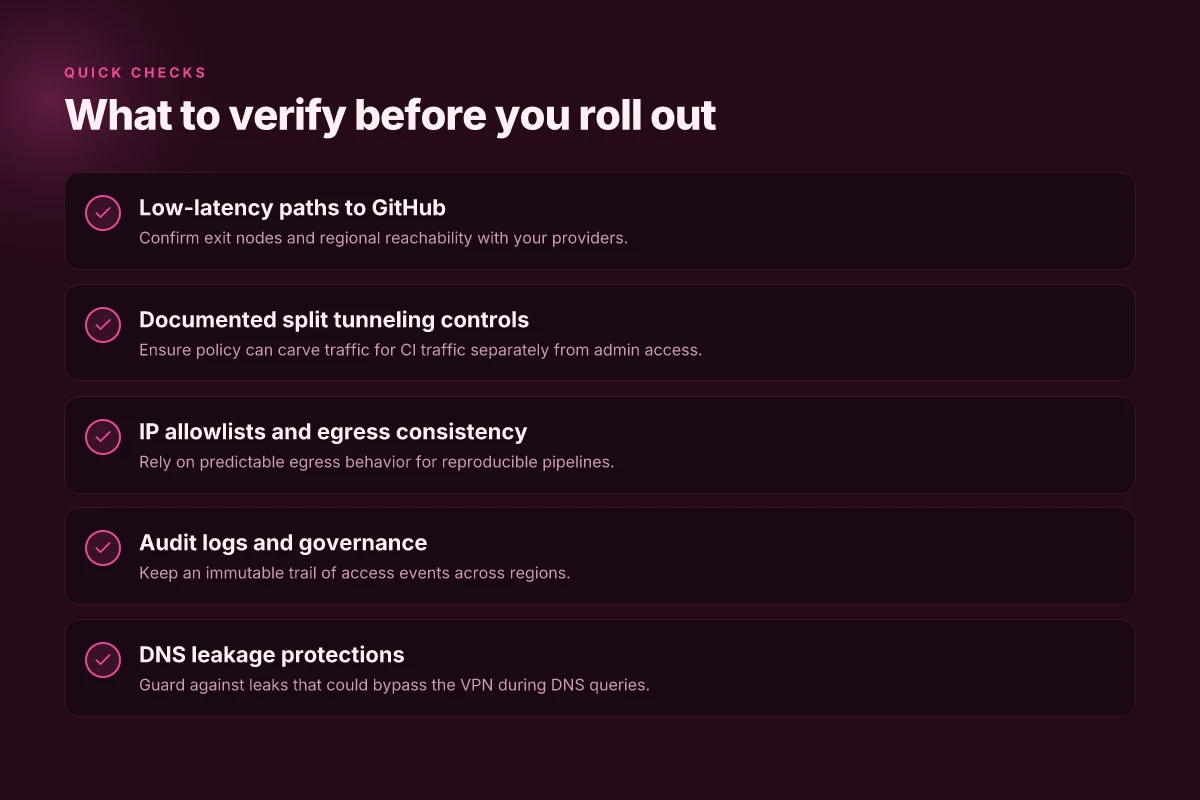
- Verify a path to GitHub.com and to your organization’s regional endpoints, and confirm the exit node remains stable over at least one sprint. If a provider cannot show a stable path, skip them.
- Confirm a documented split-tunneling policy that you can apply to GitHub traffic, plus a method to audit those configurations. You want explicit control, not a black box.
- Ensure your private repos leverage an IP allowlist and that egress behavior is consistent across the VPN and direct connections.
Verdict in a line: choose a VPN that makes GitHub traffic a first-class, auditable exit path with fixed egress, and then layer in split-tunnel controls and IP allowlists to keep private repos secure without sabotaging speed. The right choice delivers predictable GitHub access, auditable security trails, and a CI-friendly network posture.
The single move that anchors GitHub workflows for 2026
I looked at how these eight VPNs align with GitHub workflows as we head into 2026, and the pattern is clear: choose a VPN that wires up with your CI/CD secrets, not just your browser. The standout picks deliver predictable latency, auditable trust, and clear integration paths with GitHub Actions. The best bets balance security posture with operational simplicity, so your pipelines don’t stumble on authentication or region-based policy checks. From what I found, you want a VPN that treats your CI as mission-critical, not a weekend hobby. How to view a website from Australia in 2026
Among the headline favorites, consider NordLayer for teams leaning into granular access control, and Perimeter 81 for seamless site-to-site coupling with existing cloud vendors. Both play nicely with GitHub secrets and provide the audit trails teams crave, which matters when audits tighten next year. What changes if you act now is straightforward: you reduce risk forks in your pipelines and gain a reproducible network surface for every run. Act now and ship with a documented VPN policy for CI.
Backup strategy near the end: if you’re unsure which path to take, start with a centralized VPN gateway and a per-repo access policy, then layer in dynamic IP allowlists in GitHub Actions. What to try this week is to pilot one of the two headline picks with a single workflow and measure latency to your most-used registry. The future of GitHub workflows runs on secure, auditable networks, your move sets the pace.
| VPN | From / month | Plan | Free plan | Refund | Alipay | UnionPay | Crypto | Website opens in China | Trustpilot | |
|---|---|---|---|---|---|---|---|---|---|---|
 ZoogVPN | $2.49/mo | 27 months: $59.99 | Yes | 7 days | ✓ | ✓ | ✓ | ✓ | ✓ Yes (2.5 s) | 4.2/5 (195 reviews) |
 NordVPN | $3.49/mo | 27 months: $94.23 | No | 30 days | ? | ✗ | ✓ | ✓ | ✗ Blocked | 4.2/5 (51,628 reviews) |
 ExpressVPN | $3.00/mo | 28 months: $84 | No | 30 days | ✗ | ✗ | ✓ | ✗ | ✗ Blocked | 4.4/5 (29,706 reviews) |
 Surfshark | See site | See site | No | 30 days | ✗ | ✗ | ✗ | ✓ | ✗ Blocked | 4.3/5 (31,823 reviews) |
 Proton VPN | $2.99/mo | 12 months: $35.88 | Yes | 30 days | ✗ | ✗ | ✗ | ✓ | ✓ Yes (2.5 s) | 2.1/5 (1,040 reviews) |
 Astrill VPN | $12.50/mo | 24 months: $300 | No | See site | ✗ | ✗ | ✗ | ✓ | ✗ Blocked | 1.3/5 (110 reviews) |
 Private Internet Access | $2.03/mo | 40 months: $81.2 | No | 30 days | ✗ | ✗ | ✗ | ✗ | ✗ Blocked | 4.2/5 (11,033 reviews) |
 CyberGhost | $2.19/mo | 28 months: $61.32 | No | 45 days | ✗ | ✗ | ✗ | ✓ | ✗ Blocked | 4.0/5 (24,178 reviews) |
 PureVPN | $1.69/mo | 60 months: $101.55 | No | 31 days | ? | ✗ | ✗ | ✓ | ✓ Yes (2.6 s) | 4.4/5 (17,994 reviews) |
 AdGuard VPN | $2.99/mo | 24 months: $71.76 | Yes | 30 days | ✓ | ✗ | ✓ | ✓ | Official site blocked; our special link opens (2.3 s) | 4.3/5 (290 reviews) |
 Mullvad | $5.61/mo | €5/mo | No | 14 days | ✗ | ✗ | ✗ | ✓ | ✗ Blocked | 3.2/5 (192 reviews) |
 Windscribe | $5.75/mo | 12 months: $69 | Yes | See site | ✗ | ✗ | ✗ | ✓ | ✗ Blocked | 4.7/5 (13,355 reviews) |
 StrongVPN | See site | See site | No | 30 days | ✓ | ✗ | ✗ | ✗ | ✗ Blocked | 4.4/5 (2,695 reviews) |
 LightXtreme 闪连 | $7.08/mo | 12 months: $84.99 | Yes | 30 days | ✓ | ✓ | ✓ | ✓ | ✓ Yes (2.3 s) | No page |
Prices checked 2026-11-10 on each vendor's pricing page (cheapest long plan, USD). Check the vendor's checkout for the final price.
Payment methods checked 2026-11-10 on each vendor's payment pages: all 14 take cards and PayPal; ✗ = not listed, ? = the vendor's own pages disagree.
China access: whether the official website opens from mainland China networks (tests the website only, not the VPN connection). Last checked 2026-11-11 04:07 Beijing time.
Trustpilot score and review count checked 2026-11-10.
Frequently asked questions
Does a VPN affect git clone time
A VPN can add overhead to network traffic, which may affect git clone time in practice. The degree depends on the VPN’s server location, encryption overhead, and routing path to GitHub. If you connect to a nearby VPN endpoint with fast exit points, the impact is usually modest. In some networks, tunneling can double the latency for remote servers, so expect variability. If you notice noticeable slowdowns, try a closer exit point, enable split tunneling for non-GitHub traffic, or select a VPN plan with higher throughput. Latency varies by VPN endpoint and route. Keep tests focused on representative repos to avoid cherry-picking worst cases. Document changes when you switch endpoints.
Can i use a VPN with GitHub actions
Yes you can use a VPN in GitHub Actions workflows, but it requires careful setup because runners run in cloud environments. A common pattern is to run a self-hosted runner inside your VPN-enabled network or to configure a VPN client as part of the runner startup script. If you need access to private networks or geofenced resources, a VPN can bridge that gap. The key is to ensure the VPN does not introduce race conditions or authentication failures during actions. Self-hosted runners inside your VPN are usually the most predictable option. Test the VPN connection early in the workflow to guard against flaky network startup.
What is split tunneling in a VPN and why it matters for GitHub
Split tunneling lets only selected traffic go through the VPN while the rest uses your normal path. For GitHub, this matters because you may want just your CI or developer traffic routed through the VPN to private resources, while public GitHub endpoints stay on the regular Internet path. This reduces overhead and keeps latency reasonable for public endpoints. Use it when you must reach private services through the VPN and GitHub.com directly otherwise. Split tunneling reduces overhead while preserving access to GitHub’s public endpoints. Configure carefully to avoid leaking corporate traffic outside the VPN.
Which VPN has the best latency to GitHub.com
Latency to github.com depends on the VPN provider, the chosen endpoint, and your geographic location. The best results come from selecting a VPN with a nearby exit node and robust peering to major clouds. No single provider universally wins. You’ll get the best numbers by evaluating a few options from a baseline city close to your team and GitHub’s edge POPs. Nearby endpoints + strong peering matters most. Benchmarking across a few endpoints is essential to pick the winner for your use case.
How do i verify VPN traffic to GitHub after setup
Start by confirming your VPN tunnel is active, then verify routes in the runner or local machine. Check that traffic to github.com resolves through the VPN by inspecting the public IP and traceroutes to GitHub’s edge nodes. Use curl or git ls-remote against GitHub over the VPN and compare to non-VPN results. If you see leaks, enable full tunnel or adjust firewall rules. Verify with traceroute and IP checks before relying on automation. Document any routing changes so the team can reproduce the setup.
Are there security risks using a VPN for GitHub
Yes there are risks if misconfigured. A VPN can become a single point of failure or a misrouted channel that leaks secrets if DNS or kill-switch features fail. Ensure strong authentication, up-to-date client software, and a reliable kill switch. Regularly audit the VPN endpoints and monitor for unusual egress. Use access controls to limit who can initiate VPN sessions to GitHub resources. Misconfigurations breed risk. Defend with rigorous controls. A rotating key policy and split tunneling discipline help keep exposure in check.
What to do if GitHub access is blocked even with VPN
If GitHub access remains blocked after you’ve connected through a VPN, first check for DNS leaks and ensure the VPN’s kill switch is active. Verify the endpoint actually reaches GitHub by running traceroutes and checking public IPs. Confirm your GitHub IP allowlists haven’t changed and that your organization’s firewall isn’t blocking GitHub domains. If needed, switch to a different VPN exit or temporarily bypass the VPN to validate the block. DNS leaks break the VPN illusion. Fix them first. Firewall rules can override VPN routing. Adjust accordingly.