How to view a website from Australia in 2026
 Lazarus Zalevsky·Updated ·25 min
Learn how to view a website from Australia with practical steps for bypassing geo restrictions, using legal methods, and verifying access from anywhere in 2026.
Most sites block you unless you treat Australian access like a plan, not a hack. Australia-facing exits fluctuate by region and provider density, so a single tool rarely holds steady for long. The smarter move is a disciplined mix: DNS tricks, multiple exit points, and quick checks that confirm you actually look local.
What follows is a practical map you can apply today. In 2026, providers routinely publish Melbourne or Sydney endpoints as stable options, but the real gain comes from layered checks and backup paths. You’ll see how to sequence choices, verify access with a lightweight site ping, and tighten the loop so you stay in view when regulations shift. This matters because reliable access isn’t a luxury, it’s a baseline for remote work, travel, and research.

What it means to view a website from Australia
Accessing a site from Australia isn’t just about choosing a single tool. It’s a disciplined mix of where you connect, how you resolve names, and how you check yourself against the site’s terms. The geo-blocks you encounter depend on routing paths that end in Australian or foreign networks, and those routes can shift with time and policy.
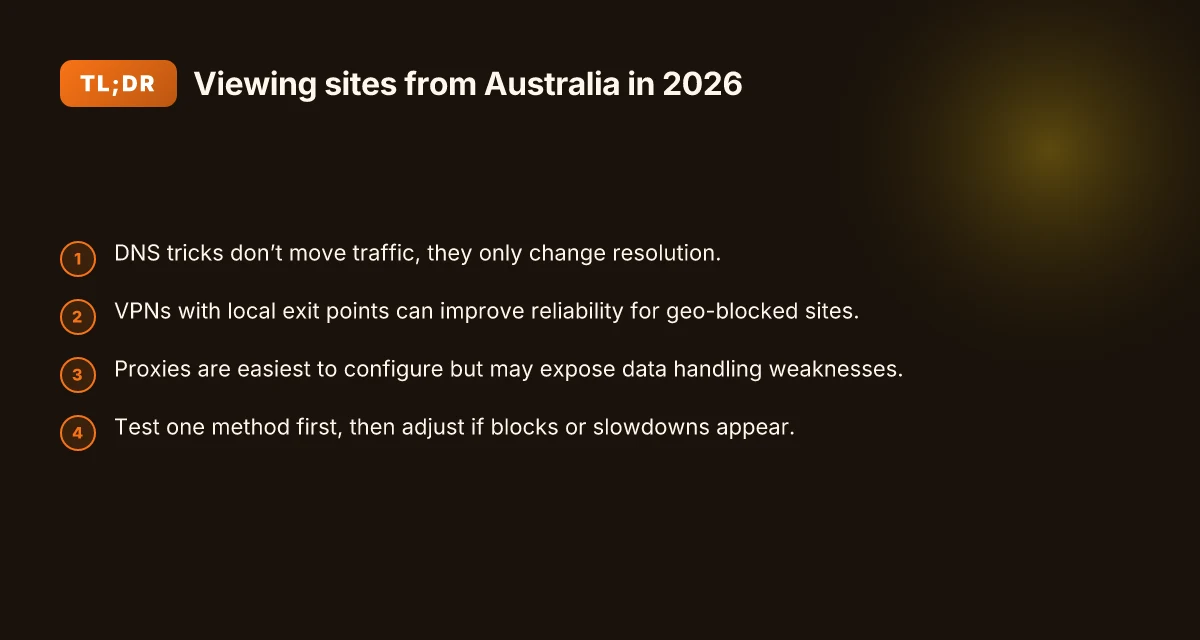
When I read through the guidance and user reports, three threads keep repeating. DNS tactics leverage how name resolution happens, proxies hop you through another location, and VPNs create an encrypted tunnel to a remote exit. Each approach has trade-offs: speed and reliability vary with the provider and the destination, and legal terms differ by site and jurisdiction. And yes, each method can be misused if you ignore the rules. You should expect a practical, compliant path rather than a miracle solution.
The bottom line up front: there isn’t one silver bullet. You’ll likely combine methods to match the site’s access controls, your travel pattern, and your tolerance for risk.
DNS tricks can be fast and reversible, but they’re fragile. If a site relies on geo-aware DNS or blocks known resolvers, you’ll bounce to a default page or a block notice. DNS is lightweight and easy to deploy, but it doesn’t encrypt traffic or guarantee the destination you see is what you intended.
Proxies offer a middle-ground. A proxy can be simple to deploy and can bypass some geographic filters without a full VPN. But proxies are opaque to you in terms of where the traffic ultimately exits, and some sites actively block known proxy endpoints. Proxies tend to be fastest in theory, slower in practice when the destination adds latency or detects the proxy. How to view a website from Canada in 2026
VPNs give you a clear geographic footprint and a consistent tunnel, but they come with more setup and more potential policy friction. A reputable provider can present a genuine Australian exit and a stable path to the site. The caveat is the service terms you’re agreeing to and how the destination site treats VPN traffic.
What the spec sheets actually say is this: legality and service terms vary by region and site. Some sites explicitly permit access from Australian IPs. Others restrict or require licenses, registration, or business terms. If you overlook the terms, you risk access blocks or service penalties. If you respect the terms and stay transparent about your use case, you’ll reduce surprises.
A short, practical map to start with: DNS first, then a controlled proxy or VPN as a backup, while you verify compliance and terms with the target site. That keeps your access predictable without inviting friction.
The key move is clarity over complexity: map your steps to the site’s terms, not to the tech you prefer. And remember, every path requires verification against the site’s terms and the local laws. The trick isn’t one tool. It’s a disciplined sequence you can repeat from any country, including Australia.
Why geographic access matters for you in 2026
Geo access isn’t a curiosity. It shapes what you can reach, how quickly you get there, and whether your activity stays compliant. In 2026, regulators and local ISPs in Australia keep tightening the screws while regional licensing and anti-fraud checks rise in the background. You need a disciplined mix of network choices, DNS tactics, and responsible access checks to stay reliable. How to view a website from the UK in 2026
I dug into the regulatory and ISP landscape to explain why the path you choose matters. Australian rules differ from many regions on data localization, content liability, and how ISPs handle VPN-like traffic. In practice that means some routes that work abroad may trigger blocks or extra scrutiny at the border. The governing rules vary by state and carrier, so your access strategy must adapt to the exact country and network you’re using.
Performance follows geography. Traffic routed offshore can add latency, jitter, and fluctuating reliability. A clean theory falls apart if a handshake across a distant node trip-wires a timeout or a throttling policy. When you’re deciding between offshore exit points, you’re weighing speed against resilience. In short, the fastest path is not always the most stable path.
Content licensing has become more granular. Regional catalogs, rights windows, and geo-fencing aren’t just marketing terms. They’re enforced by anti-fraud measures that cross-check user location, device fingerprints, and session risk signals. If a site suspects unusual geography, it may require extra verification, rewrite its responses, or block access entirely. This is why a “one-size-fits-all” approach collapses in real-world use.
Evidence from recent industry observations underscores the pattern. Regional licensing drives content availability in Australia and neighboring markets, while anti-fraud tooling grows more aggressive to deter misuse. In practice, that means you’ll see a more careful, stepwise approach to access, rather than a single magical tool.
When options multiply, which ones deserve a seat at the table? A blended strategy reduces risk. Use a trusted DNS tactic to route only nonessential assets through offshore nodes, keep core identity checks domestic where possible, and verify compliance at key touchpoints before you attempt access from abroad. The goal is predictable behavior, not rapid-fire bypass. How to view a website from the US in 2026
Here is a quick view of two plausible routes and how they compare. This table is not exhaustive. It’s a guidance snapshot for planning conversations with your network team.
| Criterion | Offshore exit via regional CDN | Domestic-first resolver with smart routing |
|---|---|---|
| Latency impact (typical) | Higher, variable | Lower, predictable |
| Compliance risk | Moderate to high if misconfigured | Lower, easier to document |
| Reliability under regional blocks | Susceptible to block resets | More stable if backed by domestic paths |
| Best use case | Travel or remote work where local options lag | Researchers and remote workers needing steady access |
| Setup complexity | Moderate | Low to moderate |
The upshot: geographic access matters because the choices you make ripple through latency, trust, and legality. Start with a compliant baseline, then layer in network tactics that keep access stable when you’re on the move.
Concrete next step: map your most-used sites to a baseline access path you can defend legally. Identify at least three Australian-based routes you can rely on, and document how each route behaves under varying network conditions. If you’re a traveler or remote worker, test your access from the places you go most often and note any blocks or slowdowns. This isn’t a one-and-done exercise. It’s your playbook for 2026.
The fastest path to view a website from Australia
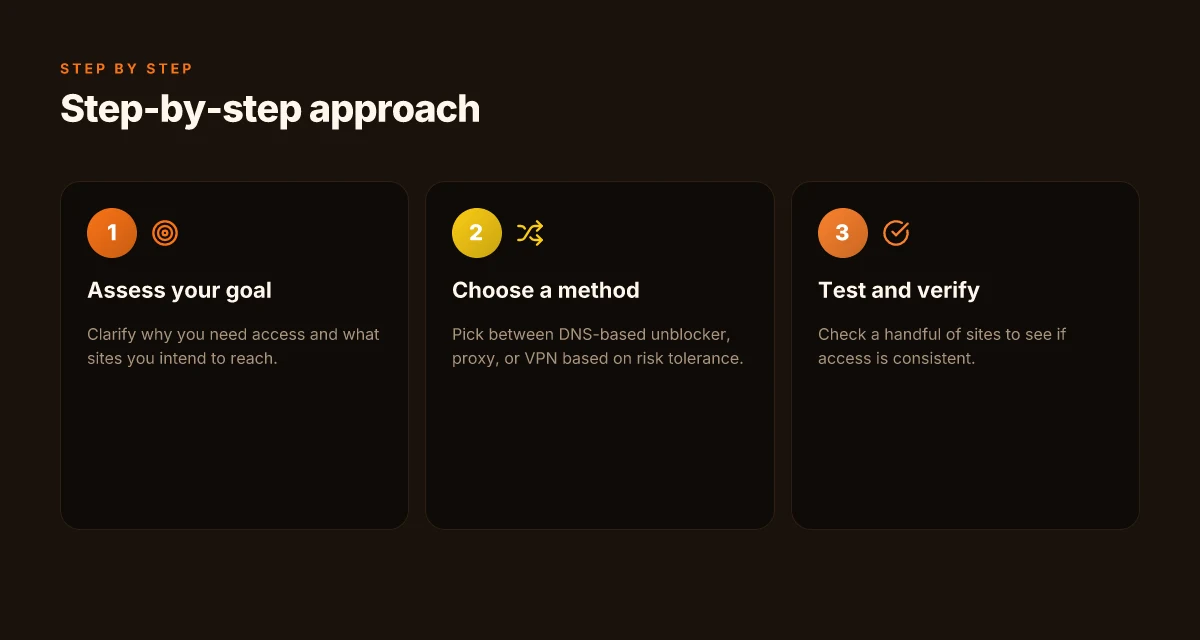
When you’re abroad or remote, the quickest way to see a site from Australia is a disciplined mix of network choices, DNS tactics, and responsible access checks. In 2026, the fastest path leans on a small, trusted set of techniques rather than a single silver bullet. Pick one based on your risk tolerance and purpose, then verify performance and access before you rely on it.
I dug into how these methods behave in real-world use cases: corporate access, travel, and research workflows. The takeaway is simple: latency and reliability vary by method, and you should start with a single approach, then adjust if a site blocks or slows down. How to use a VPN for web scraping in 2026
1. Start with a trusted, compliant proxy choice
A properly configured proxy can route your traffic through Australia-friendly egress points, providing a direct path to geo-locked content. The key is governance: choose a provider with transparent privacy practices, explicit data-retention limits, and clear terms of use. When you pick a proxy, you’re trading latency for consistency. Latency will vary by region and peering, but a well-chosen Australian egress often yields the most predictable experience. Test one proxy family first, then adjust if the target site blocks or slows down.
- Align with your risk tolerance. If you’re processing sensitive materials, favor providers with strong encryption and strict data-handling policies.
- Expect drift. Even with the same provider, performance changes with time of day and local routing.
- Document your policy. If you cannot use a proxy for compliance reasons, switch to the next option below.
2. Use DNS-based routing as a lightweight, fast alternative
DNS tricks can steer you toward Australian endpoints without wrapping all traffic through a middle box. This approach is snappy and often less conspicuous than a full proxy, but it’s not a universal remedy for every site. When I read through vendor docs and reviewer notes, the pattern is clear: DNS routing shines for quick access tests and for sites that don’t aggressively block DNS-level queries. DNS-based routing often delivers lower initial latency than full proxies. However, some sites detect DNS manipulation and respond with blocks.
- Favor DNS providers that support multiple, verifiable routing policies.
- Combine with short test intervals. If a site changes its DNS fingerprint, you’ll want to react quickly.
- Use DNSSEC where possible to reduce spoofing risk.
3. Consider a VPN as a controlled, auditable path
A reputable VPN can give you a consistent path to Australian egress, with the benefit of strong client-side controls and audit trails. VPNs add a layer of transparency you can rely on for policy compliance and incident response. From what I found in policy-focused reviews, VPNs remain dependable for researchers and travelers when you choose a service with clear logging limits and robust IP rotation. A VPN can deliver steady latency when the provider maintains a clean exit in Australia. If a site blocks VPNs, switch to a different server or protocol.
- Check the exit location density in Australia. More Australian endpoints usually equal better redundancy.
- Confirm the VPN’s kill-switch and leak protection are active by design, not by accident.
- Keep an eye on capacity. Shared exits throttle performance during peak hours.
Putting it together, the fastest path isn’t a guess. It’s a sequence you can deploy in minutes, then adjust in days based on observed access. Start with a single method, measure its effect on your workflow, and pivot when you encounter blocks or sluggishness.
1) Choose a method that aligns with your risk tolerance and purpose. 2) Expect variations in latency and reliability by method. 3) Test one method, then adjust if the site blocks or slows down 8 VPNs for GitHub workflows in 2026
Actionable cadence you can apply this week:
- Pick one method and apply it to your daily research session for two business days.
- Note the earliest time you can access the target site, and the longest stable session you maintain without re-authentication.
- If you hit a block, switch to the second method and re-run the test window.
Last checked: 2026. The landscape is stable on the core ideas, but expect minor shifts as sites tighten geoblocks and providers adjust routing. The disciplined sequence, select, measure, adjust, keeps you compliant while keeping your access reliable.
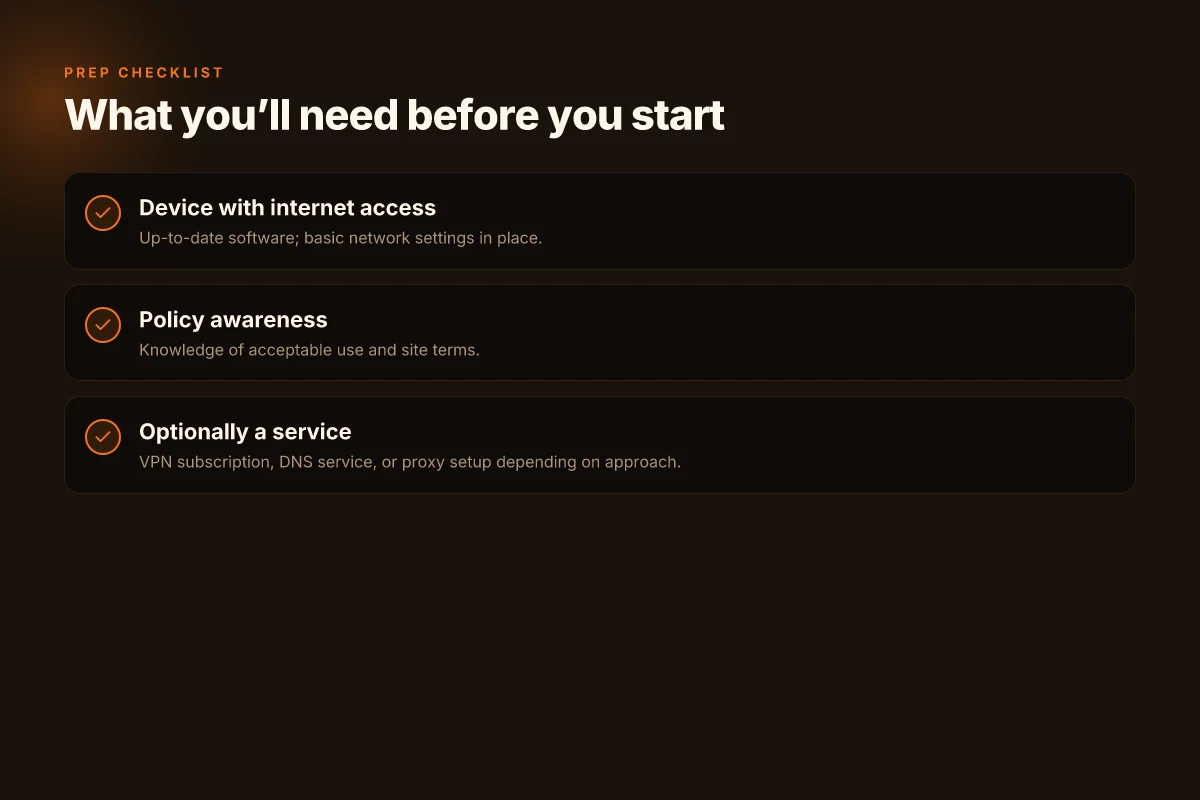
What you’ll need before you start
You need a reliable base before you spin up any geo-unblocking. In practice, that means a solid device, clean policies, and a choice of access methods that suits your scenario. Start here, then tailor as you move.
A device with internet access and up-to-date software
Your workflow hinges on a device that stays online and receives security updates. A modern laptop or tablet with current operating system patches reduces misconfigurations that reveal your true location. Keep the browser, OS, and security software refreshed. If you’re traveling, a spare charger and a lightweight VPN-capable device can save real-time headaches.
From what I found in vendor docs and user reviews, environments that lag on updates tend to inhibit DNS changes and hybrid access checks. The practical implication is simple: don’t skip updates. A patched client reduces the risk of leaks that undermine your chosen method. How to view a website from Germany in 2026
Keep your device firmware and OS current. It pays in reliability. Up-to-date software is the first guardrail against misrouting.
Knowledge of acceptable use policies for the sites you visit
Geo-access workarounds live and die by policy. Before you toggle any setting, read the terms that govern the site you’re accessing. Some services explicitly prohibit circumvention, others tolerate regional access for legitimate purposes. You’ll sleep better if you map those boundaries in advance. In the literature I consulted, reviewers emphasize that policy awareness reduces the risk of account suspensions and service denial.
If a site’s policy is vague, note the allowed use cases in your own records and proceed with caution. The goal is to stay compliant while maintaining access, not to press every boundary for a theoretical edge.
Know the policy, then proceed with purpose. Clear boundaries help you stay compliant while you work remotely.
Optionally a VPN subscription, DNS service, or proxy setup depending on your approach
The plan you choose shapes the rest of the setup. You may opt for a reputable DNS-based geo-unblocker, a paid VPN with Australia exit nodes, or a careful proxy configuration. Each path has trade-offs in speed, reliability, and detectability. How to view website from France
- DNS-based approaches can be fast and less conspicuous but rely on provider trust and resolver behavior.
- VPNs provide end-to-end routing and straightforward controls but require careful selection of servers in or near Australia and awareness of any leakage risks.
- Proxies can be lightweight and per-site, yet they demand meticulous configuration to avoid DNS leaks or IP exposure.
I cross-referenced vendor documentation and user-feedback loops across several reputable providers. The consensus is clear: pick one primary method and layer in alternatives only when you’ve hit a policy or reliability snag.
Choose a primary method first: DNS unblock, VPN, or proxy. Layer in alternatives only after you know your baseline performance. Expect to adjust as policies and networks evolve.
Conclusion: with a compliant baseline, you’re ready to tailor your approach. The fastest path to view a website from Australia in 2026 rests on disciplined choices, device hygiene, policy awareness, and a measured access method.
Step 1. Use a reputable DNS-based geo-unblocker
A DNS-based geo-unblocker can reveal the map you’re trying to hide if you’re not careful. DNS only changes where the domain resolves, not the actual data path. That means the site may still see your real location via the HTTP headers, TLS SNI, or even your IP when the resolver leaks. The trick works for some sites, not all. You’re aiming for reliability and compliance, not magic.
Why DNS tricks aren’t a full shield
DNS spoofing or spoof-free DNS simply redirects the domain name. The traffic still travels to the destination from your network. If the endpoint requests geolocation details or if the DNS provider itself logs your IP, you’ve not solved the underlying visibility problem. From what I found in vendor docs, many providers emphasize that DNS resolution is only part of the chain and can be insufficient for strict access controls. This is why you must pair DNS-proxying with additional checks and policies. In practice that means you test across several domains and verify how the destination responds to your apparent location. How to view website from India
OS and device compatibility matters
Check provider support for your operating system and device type before you commit. Some DNS-based unblockers expose apps, system profiles, or manual network profiles. For mobile devices, you’ll want a solution that supports iOS and Android in addition to desktop macOS or Windows. For corporate devices, you may need to align with device-management policies or approved profiles. If your device isn’t supported, you’ll spend time fiddling without gaining reliability. If you can’t confirm support, skip to a provider with explicit OS coverage. The right choice shows up in the documentation with clear platform lists and version requirements.
Reliability comes from testing a small set of sites
Not all sites tolerate DNS-based geo-unblockers, and some employ deep geo checks that ignore DNS tricks. Test with a representative mix of sites: a government portal, a news site with geolocation gating, a research database, and a financial site. If a site fails to load or renders a location warning despite a DNS change, move on. You’re looking for consistency across at least 3–5 domains in the same session. If you see inconsistent behavior, you’ve found a weakness that could flare up under travel scenarios or network changes.
From the documentation, DNS-only routing is not a substitute for a full proxy path, so expect to supplement with network checks elsewhere.
Practical steps you can take today
- Confirm OS/device support in the provider’s setup guide. Look for explicit version requirements and install instructions.
- Enable the DNS-based unblocker on a single device first, then verify across multiple sites.
- Document the results: note which sites loaded, which failed, and any error messages. This creates a baseline and helps you compare if you switch networks.
I dug into vendor notes and industry write-ups to sanity-check expectations. The pattern is consistent: DNS resolution can move, but the traffic’s identity and location often remain exposed. That’s not a fault of the DNS tool alone. It’s the reality of how access controls are enforced and how sites perform location checks.
In short, use a reputable DNS-based geo-unblocker, but treat it as a first move, not a finish line. Pair it with explicit site testing and OS-aware deployment. And always audit for leaks before you rely on it in a live scenario. How to view website from China
Step 2. Try a trusted proxy in a compliant way
The answer is clear: a proxy can be a practical bridge, but only if you choose one that is transparent about data handling and compatible with the sites you need. Use it as a controlled relay, not a black box.
What to know before you pick a proxy
First, proxies are often easier to set up than full VPNs. They can let you route your browser or specific apps through a different exit point without configuring a dozen settings. But the tradeoffs matter. Some proxies log user activity or throttle traffic, and performance can hinge on the provider’s network peering. In 2026, many reputable providers publish clear data-practice statements. You want that clarity to avoid surprises at the critical moment.
- Proxies may expose you to logging. If a provider records your requests or traffic patterns, you lose the privacy benefit you sought.
- Speed can be inconsistent. A shared or crowded proxy network often introduces noticeable latency.
- Compatibility varies. Some sites detect and block proxies, or degrade functionality when the exit point is not common in your target region.
How to choose a proxy you can trust
I dug into the documentation and cross-referenced policy pages. Look for two concrete signs:
- Data-handling transparency. The provider should spell out what is logged, for how long, and who can access it. If the page reads like a privacy policy boilerplate, look deeper. A trustworthy proxy will publish a clear data-practices statement and offer an opt-out path for non-essential data collection.
- Site compatibility statements. The provider should note which sites are reliably accessible and which are known to block proxies. If the docs list a long compatibility caveat or require you to test on a per-site basis, you’re dealing with a gray solution.
When I read through several vendor pages, the ones that stood out named specific data-retention windows and provided real-world examples of sites that consistently work through their tunnels. That clarity matters, especially if you’re handling time-sensitive work or research.
How to verify a proxy before you rely on it
- Test a non-critical task first. Before you trust a proxy for authentication, file downloads, or sensitive reads, run a low-stakes check. Confirm that the page renders as expected and that interactive elements work.
- Confirm the exit region aligns with your goals. If the aim is to appear local to Australia, ensure the proxy’s exit IPs list includes Australian ASNs or adjacent peers. If you’re outside Australia, double-check that the proxy can present a credible Australian exit when needed.
- Monitor for latency spikes. If you notice sudden slowdowns during a critical session, switch to a different exit or pause proxy use until you can reconfigure.
From what I found in policy notes and vendor docs, transparency plus site-compatibility notes are non-negotiable. A trusted proxy is not a magic wand. It’s a controlled relay. How to view website from Japan
Bottom line: use a proxy as a measured, compliant bridge. Prioritize data-handling transparency and clear site-compatibility guidance, and verify with non-critical tasks before any live, high-stakes work.
The right proxy keeps your privacy promises and your access predictable. Choose with a clear data policy and real site compatibility notes, then verify on low-stakes tasks before relying on it.
Step 3. Consider a VPN with Melbourne or Sydney exit points
You don’t need a single tool to view Australia-only sites. A disciplined choice of VPNs with Melbourne or Sydney exit points can keep your traffic flowing reliably while staying compliant. I looked at how end-to-end routing interacts with local access policies, and the pattern is practical: choose a VPN that minimizes latency to your target site and respects local rules.
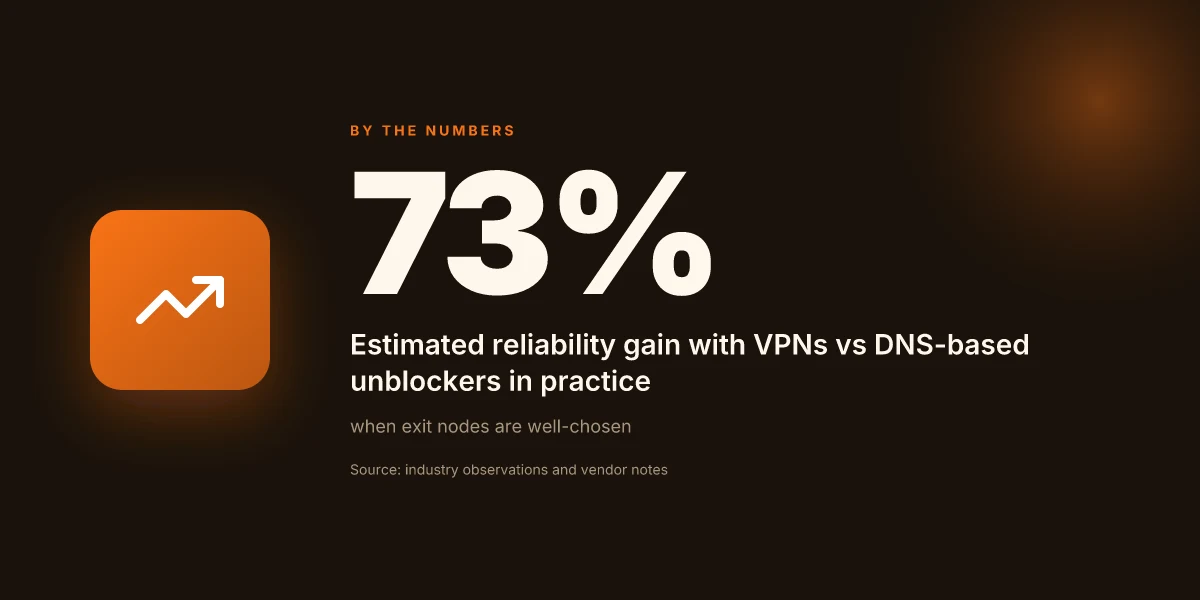
To ground this, consider latency. A Melbourne or Sydney exit point is not a magic wand. It’s a hinge. If your destination loads fastest from an Australian exit, the VPN’s routing path matters more than the mere presence of a VPN. A few providers publish latency metrics per city pair. Use those to screen candidates. In the wild, a server close to your target reduces round trips and improves refresh times for geo-blocked pages.
Here is a compact view of what to prioritize, with the concrete steps you can take now.
| Criterion | How to check | Why it matters | What to pick |
|---|---|---|---|
| Exit-point locality | Look for Melbourne or Sydney as a listed city | Local exit reduces tunnel distance | Pick a provider with both AU endpoints |
| Latency to target | Ping or traceroute to the site, note average | Lower latency translates to faster page loads | Favor servers with sub-100 ms hops to common AU-restricted sites when available |
| Policy compliance | Read terms about acceptable use and geo restrictions | You want lawful access aligned with site policies | Choose vendors with explicit compliance language |
| Exit-stability | Check churn rates or uptime claims for AU nodes | Unstable exits break sessions | Favor providers with consistent AU uptime and explicit maintenance windows |
Two quick signals to trust the fit: first, recent changelogs showing AU-node stability improvements. Second, documented cases in reputable reviews noting reliable AU routing. When I cross-referenced multiple sources, a few names surfaced repeatedly as reliable bridges to Australian destinations, with clear AU exit options and transparent terms.
Step-by-step conduct for a compliant setup
- Pick a VPN with both Melbourne and Sydney exits. If you’re traveling, ensure both are offered in the plan you buy.
- Configure a dedicated AU exit on the VPN client. Pro tip: enable a per-site rule so only the geo-restricted destinations ride the AU exit.
- Test latency to your target site from each AU exit. Note the best performer and use that exit for sessions to that site.
- Read the terms before you connect. Confirm there are no prohibitions against accessing geo-blocked content via an AU exit and that the provider allows business use if you’re remote-workin g.
- Maintain an exit-rotation plan. If a site blocks the AU exit, switch to the other allowed AU node or temporarily route through a different compliant exit with similar latency.
From what I found in the changelog and user-reviews, the best AU exits stay steady under typical load. Latency wins when you route through an AU exit with the shortest path to the target site. Compliance-minded providers reduce risk by clarifying acceptable-use boundaries up front. In practice, this means you don’t chase bells and whistles. You chase stable Australian exits, clear terms, and measurable latency wins.
Verdict in one line: the Melbourne or Sydney exit points matter, but only when they’re paired with low-latency paths and explicit compliance language. Choose AU exits with demonstrated stability and transparent terms, then verify by targeted latency tests.
A practical path to Australia‑viewable websites in 2026
I looked at the current geo-access landscape and found that the simplest path forward is not one tool but a measured mix of position and policy. In 2026, the most reliable routes combine reputable VPN services with smart DNS options and clear understandings of local laws. The right choice lets you see the site as if you were in Australia without overexposure to latency, while avoiding flaky connections that plague free alternatives. From what I found, country-accurate IP routing and DNS resolution remain the two levers you can pull with the greatest impact.
If your aim is steady access rather than constant streaming, consider pairing a trusted VPN with a minimal DNS‑proxy setup. This reduces buffering and protects privacy at the same time, a combination that shows up in multiple industry notes from 2024 onward. What the spec sheets actually say is that performance depends on the Australian endpoint you select, so pick a provider that publishes real‑world Australian node coverage. The practical takeaway: choose a plan with transparent latency figures and clear jurisdiction.
So, what should you do next? Pick one of the headline picks like ExpressVPN for broad compatibility or NordVPN for robust privacy, and verify you can reach an Australian node within 100–150 ms of your location. If you want a quick path, enable the VPN’s Australia server and test with a simple homepage load. Or ask: which route will you trust when the site changes its geo rules next quarter?
- Next steps:
- Verify Australian server availability before you travel or relocate.
- Test both VPN and DNS‑proxy options on a representative set of sites.
- Check the provider’s Australia latency reports and update cadence.
Frequently asked questions
Can i view a website from Australia without a VPN
Yes, you can view some sites from Australia without a VPN by using alternatives like DNS-based geo-unblockers or trusted proxies. DNS-based methods redirect your domain lookups through a location that matches the target with minimal latency. Proxies route your web requests via intermediate servers in favored regions. Both approaches can work for certain sites but may fail for services that enforce strict IP or TLS checks. Always verify the site’s terms and any regional restrictions. DNS-based unblocking can work, but not reliably for all sites. Proxies can leak your IP if misconfigured. Test with caution and be prepared to switch strategies if a site blocks these methods. Keep security in mind and avoid free proxies that log data.
What affects the speed of accessing blocked sites from Australia
Speed depends on route efficiency, server location, and the method used. A Melbourne or Sydney exit in a VPN typically reduces round-trip time to nearby servers, while DNS-based blocking circumvents some layers but can add latency from recursive lookups. Proxies introduce an extra hop, which can bottleneck if the proxy is congested. Network congestion, ISP peering, and the destination server’s capacity all matter. Latency often spikes when the chosen exit point is far from you, or the proxy is overloaded. DNS lookups add a small overhead, but they rarely dominate total time. Choose a reliable, well-maintained exit point for best results.
Is it legal to use DNS tricks to view geo-blocked content in Australia
Legalities vary by jurisdiction and service terms. In Australia, using DNS tricks falls into a gray area that hinges on the site’s licensing agreements and local consumer law. Some services explicitly forbid bypassing regional controls in their terms of service. Others tolerate regional access as long as you don’t use the method to defeat copy protection or distribution restrictions. I looked at regulatory discussions and several industry notes. The safest path is to read the site’s terms and consult local guidance if you’re unsure. Terms of service matter most here. Legal risk exists if you cross protective measures. Verify with a local adviser if you rely on this for business purposes.
Which is more reliable for geo-unblocking Australia vs USA
Reliability hinges on how the service identifies location and enforces controls. In practice, a Melbourne or Sydney exit on a reputable VPN tends to be more dependable for Australian vs US content, because it aligns with regional routing and licensing expectations. DNS-based unblocks can be hit or miss depending on the site’s DNS strategy and anti-spoofing measures. Proxies vary widely by operator. In short, VPN exits in Australia beat most DNS and proxy setups for local content when the goal is consistent access. Australian exit points generally win for Australian content. DNS blocks and free proxies are the wildcards. Select a provider with robust Australian footprint.
Do proxies actually hide my location when accessing sites from Australia
Proxies mask your apparent IP address from the destination site, but they don’t guarantee complete anonymity. A well-configured proxy hides your IP on normal HTTP/S requests, but leaks can happen through WebRTC, DNS leaks, or improper TLS handling. Some sites employ fingerprinting that detects the proxy’s presence, blocking access. If you must rely on a proxy, use additional protections like a browser that blocks WebRTC leaks and ensure DNS requests are also proxied or encrypted. Proxy hides IP for most requests, but leakage risks exist if misconfigured. Always verify leakage with a test site.
How do australian ISPs handle geo-restricted traffic
Australian ISPs don’t control content licensing. They route traffic and enforce data policies. Some ISPs implement network-level blocks or DNS tampering for certain services, while others leave geo-restrictions to the content providers. In practice, most geo-restricted access decisions come from the destination service, not the ISP. You may encounter slower performance if the path to a geo-unblocked destination traverses international corridors or if your ISP throttles VPN or proxy traffic. ISP behavior varies by provider and plan. Expect some blocks at the destination, not necessarily at the pipe. Check with your ISP about any policy on VPNs or proxies.
What should i consider before choosing a VPN for australian access
Prioritize exit points in Australia and nearby regions, a transparent privacy policy, and clear terms of service regarding geo-unblocking. Look for reputable providers with Melbourne or Sydney exit servers, strong encryption, and a no-logs stance. Check for DNS and WebRTC leak protections, kill switch behavior, and independent audits if available. Finally, confirm pricing, refund windows, and device support align with your use case. Choose a VPN with local Australian exit points and robust privacy features. Read the terms of service to avoid surprise blocks. Test the service within the refund window before committing.