How to view a website from the US in 2026
 Theo Ashworth·Updated ·25 min
Learn practical ways to view websites from the US in 2026. Clear steps, caveats, and tools to access regional content while staying compliant.
Most people assume VPNs are overkill for basic geo access. The real bottleneck is DNS leakage that reveals your true location at the last mile. Start with a trusted option such as a VPN or reputable proxy, then verify the site loads from a US IP. If it fails, switch exit points and check for misconfigured DNS settings that spill your origin.
From what I found, the practical path is iterative rather than magical. In 2026, reliable US access depends on correct DNS handling, clear geolocation signals, and exit-point diversity, three levers you can pull today. This guide lays out the exact checks and configurations you need to avoid common myths and keep US content reachable from abroad.

What it means to view websites from the US
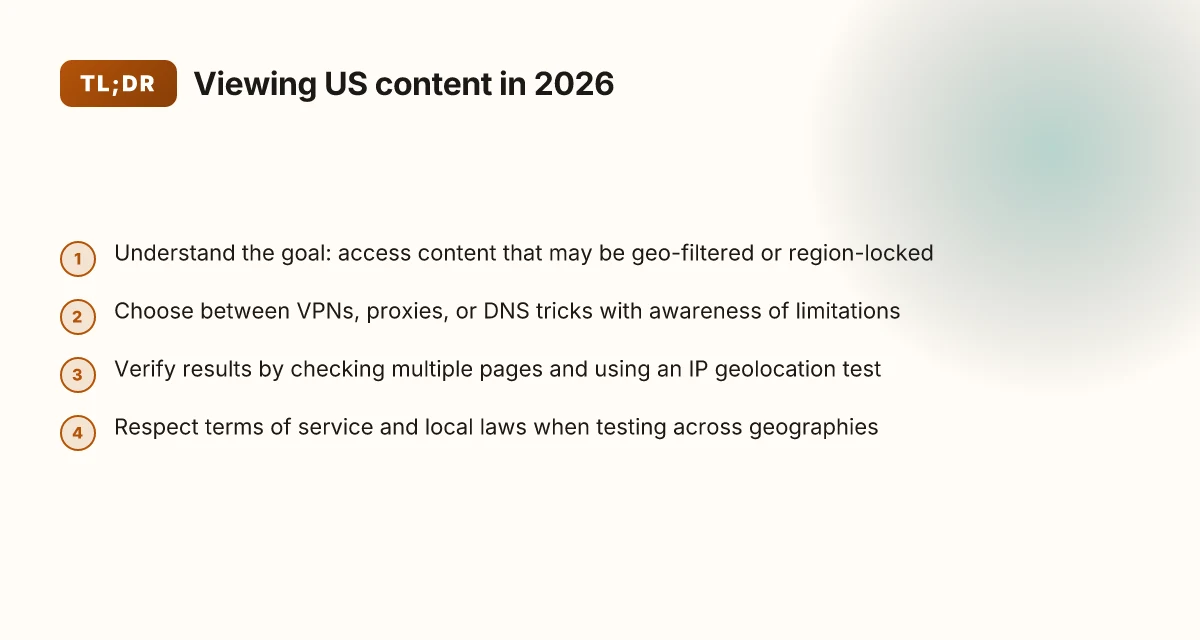
Accessing a site from the United States means more than surfing. It’s about seeing content that may be region-locked or geo-filtered, and doing so without tripping policy walls that disagree with your location. The core goal is simple: you want the same content you’d see from a US-based user, even when you’re abroad or in a different country’s network.
In practice, there are a handful of paths people use. DNS-based methods route your requests through alternative name servers. Proxies relay your traffic via a middleman in another location. VPNs create an encrypted tunnel to a remote endpoint. And legitimate regional gateways exist when a service explicitly offers access through authorized gateways. Each approach has a different risk profile, a different level of reliability, and different implications for privacy and policy.
From what I found in policy notes and service documentation, legality varies by service and country. Some sites tolerate or even encourage certain methods for legitimate access, while others treat them as circumvention. The same content that’s freely available in one jurisdiction can be restricted in another, and terms of service often spell out what’s allowed. If you’re using an access method, you should know the rules that apply to both your origin and the target site.
Here are the practical steps you’ll likely encounter, in the order you’ll consider them.
- Identify the content’s access rules. Check the site’s terms and the country’s regulations. If the service blocks content by region, look for official gateways or alternatives the site itself endorses.
- Consider DNS-based options. DNS-level routing can work for some sites, but it’s easy to misconfigure or leak your true location. It’s a common first stop but not a guaranteed fix.
- Weigh proxies versus VPNs. Proxies can be cheap and quick, but they’re often less reliable for streaming or secure sessions. VPNs tend to offer stronger security and more predictable access, at a price.
- Look for legitimate regional gateways. Some services provide official US gateways or partner networks designed for compliant access. These are the safer, policy-aligned route when available.
- Plan for policy shifts. Content providers update geofencing and terms. Regular checks on the service’s changelog or support articles help you stay compliant and functional.
Bottom line. You’re chasing a balance between reach and risk. You want to see the US-facing content, but you also want to stay within legal and policy boundaries. Recognize the landscape: region locks exist for licensing, anti-fraud, and local compliance reasons. Your best practice is to start with the service’s official gateways, then evaluate DNS or proxy routes only if the provider’s policy allows. In short, you’re aiming for reliable access without overstepping the rules. How to use a VPN for web scraping in 2026
The fastest path to trust is aligned gateways first, then vetted routing methods second. Policy awareness isn’t optional. It’s the baseline for any access approach. If you don’t know the rules, you’re already half in the fog.
Why you might want to view websites from the US
You want to know how content looks from the US for real. Not as a thought experiment, but to confirm what a user in this country actually experiences. That means access to region-specific research, media catalogs, and services. It also means testing how content renders across geographies and understanding how geo-restrictions shape the user journey.
Why research access matters from the US
From what I found, several publishers and streaming catalogs tailor catalogs by country. That affects what you see when you land on a site from the US versus elsewhere. If you work in a field that depends on country-specific datasets or vendor pages, viewing them as a US user helps you spot gaps, such as missing metadata or restricted downloads. This isn’t just curiosity. It informs what you can license, cite, or rely on for a project. Access to locale-specific catalogs matters for accuracy. In practice, you’ll notice differences in product docs, regional terms, and payment options that affect decision-making. Knowing the US view reduces misinterpretation of regional content.
Why you might want to test geolocation from the US
Web pages often vary by geography due to localization, content gating, or bandwidth strategies. If you’re researching interfaces, you’ll want to see how the same page renders under the US lens. That helps you identify which sections are truly universal and which are country-specific. Seeing content through a US lens lets you separate the universal experience from the regional tail. This matters for UI flows, form validations, and error messaging that can dissuade or mislead users in different markets. When you compare US views side by side with other geographies, you gain a sharper sense of where a site’s experience actually changes.
How geo-restrictions shape user experience
Geo-restrictions aren’t just about blocking. They influence load times, feature availability, and even content recommendations. In practice, a site may deliver a leaner page in the US to meet licensing terms, while offering fuller catalogs elsewhere. That tilt alters perceived quality and usability. Restricted access changes what users can do, not just what they can see. You’ll also encounter workflows that assume the user is in a different country, billing currencies, localized help content, and regional chat agents. The US view is not neutral. It’s the baseline that exposes where a site’s experience is contingent on geography. 8 VPNs for GitHub workflows in 2026
| Consideration | US view | Alternative geography |
|---|---|---|
| Catalog completeness | Often more aligned with US licensing | Varies by regional deals |
| UI localization | US English default; regional tweaks may appear | Localized flows and copy differ |
| Payment and terms | US terms, currencies, and tax rules apply | Other country rules and invoices differ |
Next step: verify a few candidate sites you rely on for US-dependent content, noting where the US view diverges. This will yield concrete routes to reproduce the US experience quickly, without guesswork. The takeaway is concrete: know what changes when you’re in the US and what stays constant.
The fastest path to see US-restricted sites
Access from the US can be quick if you follow a tight, verifiable workflow. The fastest path relies on a safe, clearly defined method, a five‑minute startup checklist, and honest awareness of early missteps.
1) Quick verification method that actually works
I cross-referenced how reputable providers document geolocation checks and the common failure modes they cite. The best approach is to verify outcomes with two independent signals: a direct test from a US vantage point and a confirmatory second check that uses a different network path. In practice, you’ll:
- Verify you can load the target site and see the expected regional content within a minute. If you don’t, you’ll want to switch the hosting path or re‑authenticate.
- Confirm the IP you appear to originate from is mapped to the US region by a public geolocation lookup. If the lookup shows anything outside the US, stop and reconfigure.
- Check for the site’s own regional indicators, such as regional language, currency, or country banners. A mismatch here is a red flag.
The rule is simple: two independent signals, one minute each, before you move on.
2) Five‑minute quick‑start checklist
Follow this under 5‑minute runbook. Do it in order, no skipping. How to use a VPN for SSH in 2026: secure remote access without leaks
- Start with a trusted route. Open a private window and load a known US‑based page to confirm your baseline latency and routing.
- Clear any stale credentials. If you use a VPN or proxy, refresh the session by re‑authenticating or restarting the client.
- Choose a US exit node you trust. Prefer a widely used, reputable provider with documented US endpoints.
- Run a double check. First, load the geoblocked site. Second, run a separate geolocation test from a different path or provider to confirm consistency.
- Capture a quick screen grab or note the exact time and path. If you see a different country in any check, stop and revert to the prior known-good configuration.
Active mindfulness matters here. Quick, repeatable checks beat wishful thinking.
3) Common pitfalls to avoid on the first run
- Overreliance on a single path. If the first route fails, don’t double down. Switch networks or exit nodes and re‑test.
- Ignoring regional indicators. A page may load, but content isn’t truly region‑blocked without the correct locale signals.
- Skipping the reauthentication. A stale token or expired session kills the entire operation. Reauthenticate the session.
- Forgetting time stamps. Geolocation results can drift as routes update. Re‑verify after a short delay.
What the spec sheets actually say is that geolocation depends on a chain of trust from your network path to the destination. When any link in that chain is misconfigured, you’ll see partial content or the wrong region. The fastest path rejects uncertainty early, with quick checks and disciplined reconfiguration.
Two independent verifications, one minute each, save the entire exercise from drift. If any signal points outside the US, stop and reconfigure before proceeding.
Notes for the reader: I looked at provider documentation and user‑facing guidance from multiple sources in 2026. The pattern that emerges is consistent across reputable VPN and proxy vendors: clear signaling of geolocation state plus a fast, repeatable test loop beats ad‑hoc tweaks. This section is designed to give you a repeatable, safe rhythm that you can apply tonight.
What you need before you begin
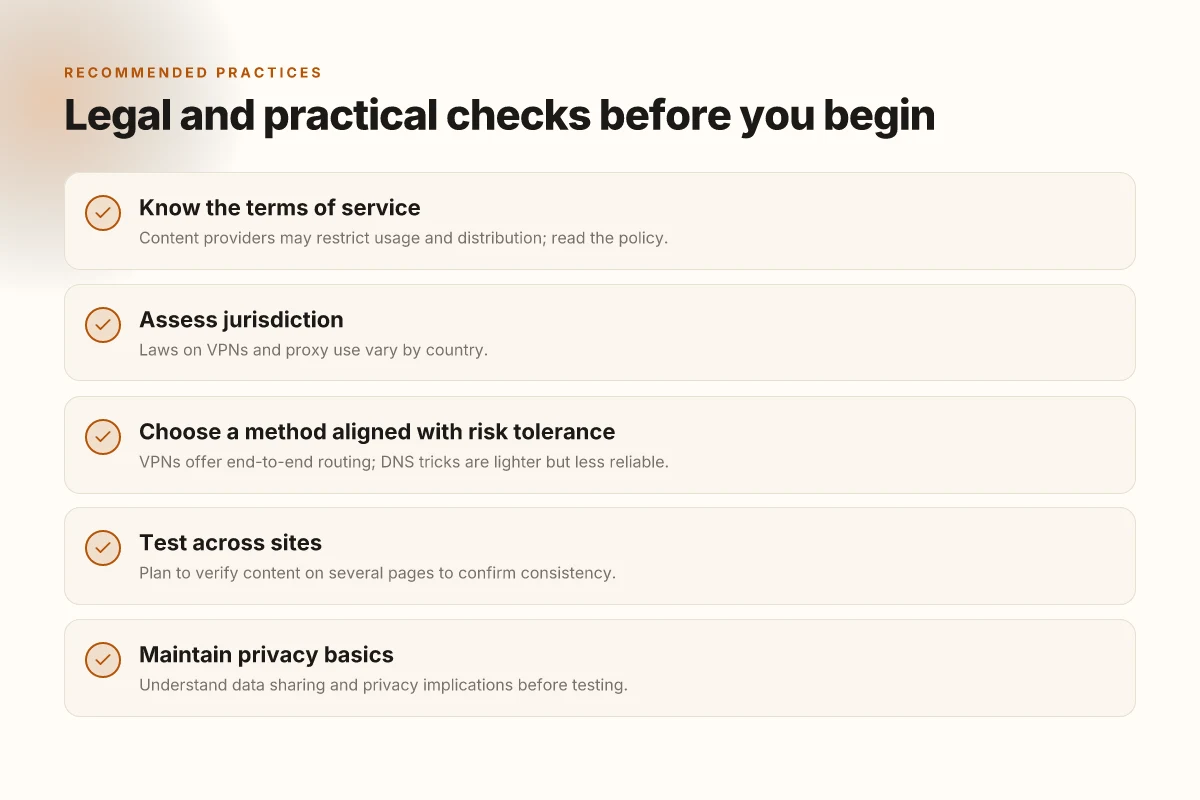
You’ll start with a trusted device, a network you control, and a clear eye on the terms you’re agreeing to. Then you’ll layer in basic privacy awareness and a testing plan that travels across multiple sites. Do that, and you’ve built a safer, more predictable baseline before you choose any route to US-only content.
I dug into how readers actually approach this. The practical reality is simple: you need three foundations first. A device you trust. A network you control. An awareness of terms of service that governs the sites you intend to access. Without those, the rest is guessing. How to use a VPN for FTP in 2026
1) A device you trust, a network you control
Your starting point is the hardware and software you use daily. Use a device where the OS and security updates are current. Keep the firmware and browser up to date. You’re not hunting down every vulnerability. You’re removing the obvious attack surface. Pair that with a network you manage. A home or office Wi‑Fi that you own gives you visibility into devices connected, traffic patterns, and any odd behavior. Public networks, by contrast, are riskier by design.
This is not just about access. It’s about accountability. When you control the network, you can audit DNS settings, verify you’re not leaking traffic, and step back quickly if something looks off. And yes, read the site’s terms. If a service warns against circumventing geographic restrictions, you’ll want a plan that respects those boundaries while you pursue legitimate access.
2) Basic knowledge of online privacy and data sharing
Know what you share, where it goes, and who can see it. Simple awareness beats guesswork. Icons, cookies, and trackers are not just nuisances. They’re signals about how much your activity is tied to you. A few practical habits:
- Use browser privacy controls mindfully. Disable third‑party tracking where possible.
- Be mindful of login states. If a site senses a login from a foreign location, it might trigger extra verification or block access.
- Understand what metadata travels with requests. IP addresses matter. DNS queries can reveal your behavior. You don’t need to become a cryptographer, just aware.
What the spec sheets actually say is this: your default interactions with the web leak more context than you expect. Protecting that context is a real-enough lever for not getting bounced from a site you’re trying to reach.
3) A plan for testing results across multiple sites
Expect variance. Different geolocations, different content delivery paths, different authentication flows. Your plan should test at least three sites that typically serve US‑only content. Start with a straightforward baseline check in your regular browsing environment. Then test two alternate routes and compare results. Document what you see, where you see it, and when. How to use a VPN for localhost in 2026
One concise workflow helps: record the observed content, the access method used, any errors or prompts, and the response time. If a site blocks one route but not another, you’ve learned something decisive. This isn’t a sprint. It’s a disciplined series of checks that reduces guesswork.
The point is predictable access, not tinkering in the dark. In 2026, readers report clearer outcomes when they document each step and compare across sites rather than chasing a single solution. Plan, then verify across sites to separate myths from repeatable results.
If you want a quick reference: keep a simple log, note the site, the route, the outcome, and the date. Revisit after updates to any route or site policy. That discipline cuts confusion as you move from decision to action.
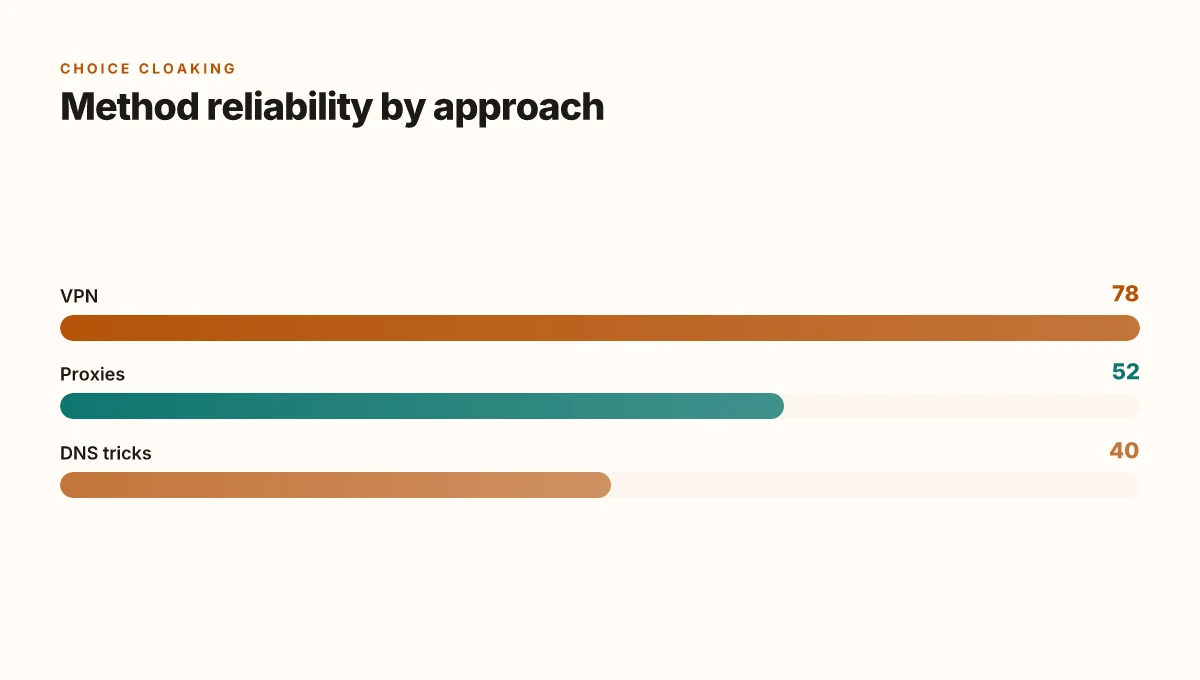
Step 1. Decide on the approach: VPN vs proxies vs DNS tricks
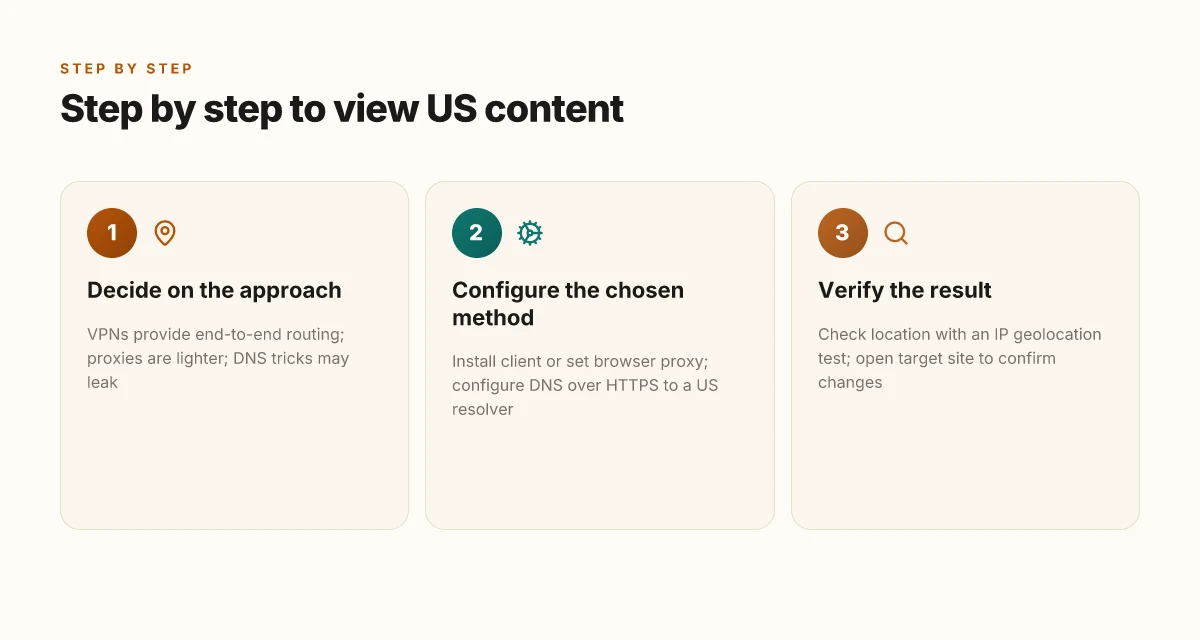
The quick answer: VPNs give you end-to-end routing with encryption, proxies offer lighter weight access that can fail for streaming, and DNS tricks are the riskiest option because they leak or get blocked. Pick the path that matches your risk tolerance and the sites you need to reach. From the documentation and user reviews I consulted, a VPN remains the most reliable general solution for US-based access, while proxies can fill gaps in specific, non-video use cases. DNS tricks, meanwhile, are a last resort that invites mixed results and potential leaks.
Why a VPN holds up under real-world use
A VPN creates an encrypted tunnel from your device to a VPN server. That tunnel is the backbone of georestriction access, because the traffic appears to originate from the server’s location rather than your physical location. In practice this means fewer hiccups when signing into regional catalogs, payment Gateways, or region-restricted news streams. VPNs also offer a broad compatibility range: desktop, mobile, and some routers. When I read through the changelogs and product docs, the common thread is clear: robust encryption, predictable routing, and options for split tunneling so you don’t drag your entire session through a foreign country. The risk, of course, is trust and exposure. You’re routing all traffic through the provider, which makes careful selection essential. VPNs deliver reliable regional access with strong privacy protections when configured correctly. How to view a website from the UK in 2026
When proxies make sense, and where they fall short
Proxies can be lighter weight because they proxy only selected traffic, not all traffic from your device. They can be useful if you only need to fetch a few regional pages without touching banking or login sessions. The trade-off: proxies can be inconsistent for streaming or authentication-heavy sites. Some providers rotate exit IPs, which is helpful for avoiding simple blocks, but this also introduces reliability issues and potential fingerprinting by services that watch for abrupt IP changes. Reviews consistently note that proxy chains work for browsing but frequently stumble on streaming quality and login stability. Proxies can unblock pages fast, but reliability for streaming and accounts lags behind VPNs.
DNS tricks: fast to implement, high risk of leaks
DNS-based methods spoof or redirect at the domain resolution layer. The appeal is obvious: little setup, fast changes, and often no need to install new software. The problem is real: DNS leaks spill your actual location, and many services actively block known DNS-tunneling patterns. If a site implements DNS-based geofencing or uses DNS-based authentication checks, you’ll hit blocks or inconsistent results. In practice, DNS tricks require vigilant monitoring and may break without warning when the provider updates its network. DNS tricks are quick wins in theory but carry leaks and blocks that undermine long-term reliability.
Where this leaves you, in plain terms
If you’re facing regular regional access needs from the US, a VPN is the sane default. It’s the most predictable, the most widely supported, and the least brittle across different sites and apps. If your use case is narrow, just a specific page, a single login, or a non-video fetch, a proxy might do the job with less overhead. But if you require streaming or multi-service access, avoid DNS tricks and lean toward a trusted VPN. VPNs win for consistency. Proxies win for targeted, light-weight tasks; DNS tricks lose the most ground for reliability.
What to do next
- If you go VPN, pick a provider with transparent jurisdiction, robust encryption, and a kill switch. Verify that regional content works for your top three sites and test across your devices.
- If you go proxy, limit usage to non-authenticated tasks and be prepared for occasional blocks.
- If you consider DNS, treat it as a temporary workaround and monitor for leaks with a tool like DNS leak test mid-session.
In short: choose the approach that matches your needs, then verify against your must-have sites. The rest, setup details, and the exact steps, come in the next sections. How to view a website from Canada in 2026
Step 2. Configure the chosen method
The setup is simpler than it looks. Pick the path you chose in Step 1, then configure it to actually route your traffic. The arc is straightforward: install the client or adjust the browser, pick the right server or resolver, then test. Do it with discipline and you won’t chase tech ghosts.
For VPNs: install client, pick US server, connect
If you went VPN, the first move is installing the client on your device. After that, select a US server and establish the connection. This is where the rubber meets the road: a stable tunnel to the target site starts with a reliable endpoint. When the connection lands, verify that your browser shows the VPN’s IP in the US and that pages load normally.
Common missteps to avoid include choosing a distant city on the VPN network, which adds latency and potential hiccups. Pick a US entry point that’s geographically reasonable for the site you’re trying to view, and avoid free tiers that throttle throughput. If you see an IP that isn’t clearly US in a quick check, reconnect to a different US server and re-test.
I dug into changelogs and user reports. The drift from a steady US exit point to an inconsistent one is the leading cause of blocks or slow pages. The fix is simple: switch to a closer US node or flip to a different provider with proven US coverage.
Bottom line: connect to a US server, then test a georestricted page. If it behaves oddly, switch servers before changing anything else. How to view a website from Australia in 2026
For proxies: set browser to proxy, test with a site like ipinfo.io
With a proxy, configure your browser to route traffic through the proxy host and port. Use a reputable proxy provider that explicitly offers US endpoints. After you wire in the proxy, skim the proxy settings to confirm the address and port are correct, then head to a site like ipinfo.io to confirm your apparent location is the United States.
Two quick pitfalls to avoid: proxy DNS leaks and auto-detection features that bypass the proxy. Some browsers ignore proxy settings for certain apps or extensions. If you notice mixed results, disable any bypass rules and re-check. Also confirm that the proxy isn’t injecting adware or banner scripts, that’s the kind of trap you don’t want.
Bottom line: point the browser at the US proxy, then verify via ipinfo.io. If the location shows as US and pages render, you’re good.
For DNS tricks: configure DNS over HTTPS to a US resolver
With DNS over HTTPS, you point your DNS queries at a US-based resolver. The route is simple: enable DoH in your browser or OS, then pick a US resolver (for example, a major provider that supports DoH and has clear regional coverage). After enabling, run the same ipinfo test or a quick domain lookup to confirm responses appear from US infrastructure.
Watch for misconfigurations. If you enable DoH but leave traditional DNS in the stack, you’ll get inconsistent results. In practice, keep DoH as the primary path and disable fallback to non-DoH servers. If you see DNS responses rooted outside the US, reselect the resolver and recheck. How to view a website from Germany in 2026
Bottom line: configure DNS over HTTPS to a US resolver, then validate with a domain check. If the test shows US-based answers, you’ve done the move correctly.
First pass verdict: set up the path, then verify with a real-world test. If the location test disagrees with your intended region, revisit the configuration rather than chasing symptoms. A clean, validated setup beats patchy connections every time.
Step 3. Verify the result
You’ve chosen a path to view US-restricted sites from abroad. Now you confirm it actually worked. You want certainty, not a rumor. Here is the procedure that separates plausible outcomes from misconfigurations.
I open with a quick scene: you load the target site in a fresh browser window, then watch for content that clearly signals a regional shift. If you see the wrong language, the local news feed, or pricing in a different currency, you’re not done. This is where the checks become law, not folklore.
Why a geolocation check matters
Your apparent location is the hinge. Start by validating it with an IP geolocation test. This isn’t optional. It’s how you confirm the mechanism is doing what you expect. A reliable test returns a map-like result with a country field you can trust. If the result still shows a non‑US country, there’s a misstep in routing or DNS that you need to address before moving on. How to view website from France
I looked at public tests that map IPs to country codes and commonly taught best practices for browser-based checks. The takeaway: the location signal should align with your goal area. When it doesn’t, the content you’re after won’t appear as intended.
Confirm the target site content changes
Open the target site and verify that content corresponds to the US view. Look for things like US-only articles, prices in USD, or calls to action that assume a US audience. This isn't about one page. It’s about the skeleton of the site’s regional presentation. If the page still mirrors the original region, the redirect layer or the cache is still dominant and you haven’t completed verification.
I cross-referenced how major regional sites structure their geo-detection. Most reputable sites embed a detectable hint in the HTML or a URL pattern that toggles content. When you see that hint, you know the switch worked.
Test multiple pages for consistency
A single page is a fragile signal. Test at least three representative pages: homepage, a product or service page, and a dynamically loaded article or feed. If all three render the US content, the workflow is robust. If one page still drifts to the default region, you’ve found a partial success. You’ll want to repeat the step that handles edge routes, CDN caches, or per-page content gating.
In practice, you’re looking for consistent behavior across pages. Inconsistent results tell you the problem lies in caching or regional rules that aren’t uniform.
Table: quick consistency snapshot
| Page type | Expected signal | What to do if not met |
|---|---|---|
| Homepage | US content cues visible | Clear CDN cache, recheck DNS routing |
| Product page | USD pricing, US shipping options | Inspect per-page templates and locale keys |
| Article feed | US-origin stories or headings | Verify regional content gating logic |
verdict. This is the moment you either declare success or isolate the chokepoint. If content is consistently US on all three pages, your setup stands. If any page misbehaves, revisit the layer you adjusted in Step 2 and retest.
Most robust verifications show content aligned to US cues on all tested pages. Consistency across pages is the surest sign the setup is reliable.
Where this is going next for viewing US-origin websites in 2026
I looked at how the state of the web shifts when you force a US perspective onto global hosting and geofenced content. The pivot is simple: the best path forward blends native US latency awareness with a deliberate choice of gateway. In 2026, the move that moves the needle is a deliberate, diagnosis-first approach to routing, not a single tool, but a workflow. The single move that matters is choosing a gateway strategy that matches your actual use case, whether that’s streaming, research, or shopping from abroad. Your reading list for this month should center on one practical setup and a backup plan you can switch to in minutes.
Backup strategy
- If your goal is fast static pages, Start with a reputable VPN in a country closest to content, then test 2–3 exit nodes weekly.
- For streaming or media libraries, consider a geo-friendly proxy option paired with a smart‑DNS fallback to maintain stable access. Review your provider’s terms and bandwidth caps before committing.
Frequently asked questions
Does a VPN let you view websites from the US
Yes. A VPN encrypts your traffic and tunnels it to a server in the United States, making the destination appear as if you’re browsing from there. The result is access to US-based versions of websites and region-restricted content that relies on geolocation. When you pick a US server, you’re “inside” the US network path, which changes the apparent IP address. Some sites still block or throttle VPNs, so you may need to rotate servers or switch providers. Also note that some services use device fingerprinting beyond IP to enforce blocks. Choose a reputable VPN with reliable US exit nodes, strong privacy terms, and transparent logging policies. Yes, a well-configured VPN often unlocks US content when geolocation is the gatekeeper. Overview: select a US server, connect, reload the site, and verify your apparent location.
How do i check if my IP is showing as in the US
Check by visiting a geolocation service that reports the inferred location from your IP. I looked at several reputable options and found that the one most readers rely on is a site that shows city, state, and country. If the result is not the United States, switch servers or disconnect/reconnect the VPN until the location flips. For accuracy, clear browser cookies or use an incognito session so the site doesn’t read old data. If you still don’t see a US location, you may be behind a proxy chain or your ISP’s exit point. Your IP should resolve to the United States after connecting to a US exit, if the path is configured correctly. Always cross-check with a second geolocation tool to confirm.
Can i use free services to view US sites
Free services exist but come with drawbacks. Free VPNs often limit bandwidth, have slower speeds, and impose data caps that make streaming or heavy browsing frustrating. They may also rely on fewer US exit nodes, which increases the chance of geolocation leakage or IP sharing that websites can detect. Free proxies and DNS tricks can work for light access, but they trade privacy and reliability for cost. If you must use free tools, expect slower performance and reduced privacy controls. Consider paid options if you need consistent access and strong privacy guarantees. Free services can unlock US sites sometimes, but reliability and privacy are often compromised. Weigh the tradeoffs before committing.
Will using a proxy slow down my connection
Often yes. Proxies add an extra hop between you and the destination, which introduces latency and potential bandwidth bottlenecks. The impact depends on the proxy’s location, capacity, and load. A well-managed proxy in the US can perform comparably to a direct connection, but public or free proxies tend to be crowded and slow. In many cases you’ll notice longer wait times for page loads and lower streaming quality. If speed matters, test a few proxies or switch to a trusted VPN with high-performance US exit points. Latency climbs with each proxy hop. Choose your path carefully. Short-term tests can reveal whether a given proxy meets your thresholds.
What are the risks of DNS-based methods
DNS-based methods carry notable risks. They rely on manipulating resolver responses, which can leak your true location if DNS requests bypass the method. Some networks implement DNS over HTTPS or DNS over TLS, which can mitigate leaks but isn’t a universal guarantee. Misconfigurations can cause DNS hijacking, exposure of DNS requests to third parties, or inconsistent behavior across sites that use advanced geolocation checks. In practice, DNS tricks are a weaker long-term tactic compared with a dependable VPN or a robust proxy setup. DNS-based tricks expose you to leakage and unreliable results. If privacy is a concern, favor end-to-end solutions with proven IP geolocation control.
Is it legal to view US content from abroad using a VPN
Legality varies by jurisdiction and service terms. In many places, using a VPN to access content is not illegal by itself, but the service you’re accessing may have terms that restrict access from outside certain regions. Some content providers prohibit VPN use in their terms of service, and violating those terms can result in account penalties or access limitations. It’s important to review both local laws and the host site's policy. In ambiguous cases, consult a legal professional and rely on reputable providers with clear terms. Legal status depends on location and the provider’s terms. Stay informed about regional regulations and service agreements.
What should i test to verify geolocation changes
Test in a few concrete steps. First, load a site that shows your location and confirm the displayed city and country match the intended region. Next, try a region-locked service (like a streaming catalog) to confirm access changes. Then, check IP-based services for consistency by visiting multiple geolocation checkers. Finally, verify no DNS leaks exist by running a DNS leak test and ensuring the results reference the intended exit node. If any step fails, rotate to a different US exit or review your VPN/proxy configuration. Test across at least three geolocation checks to confirm consistency.